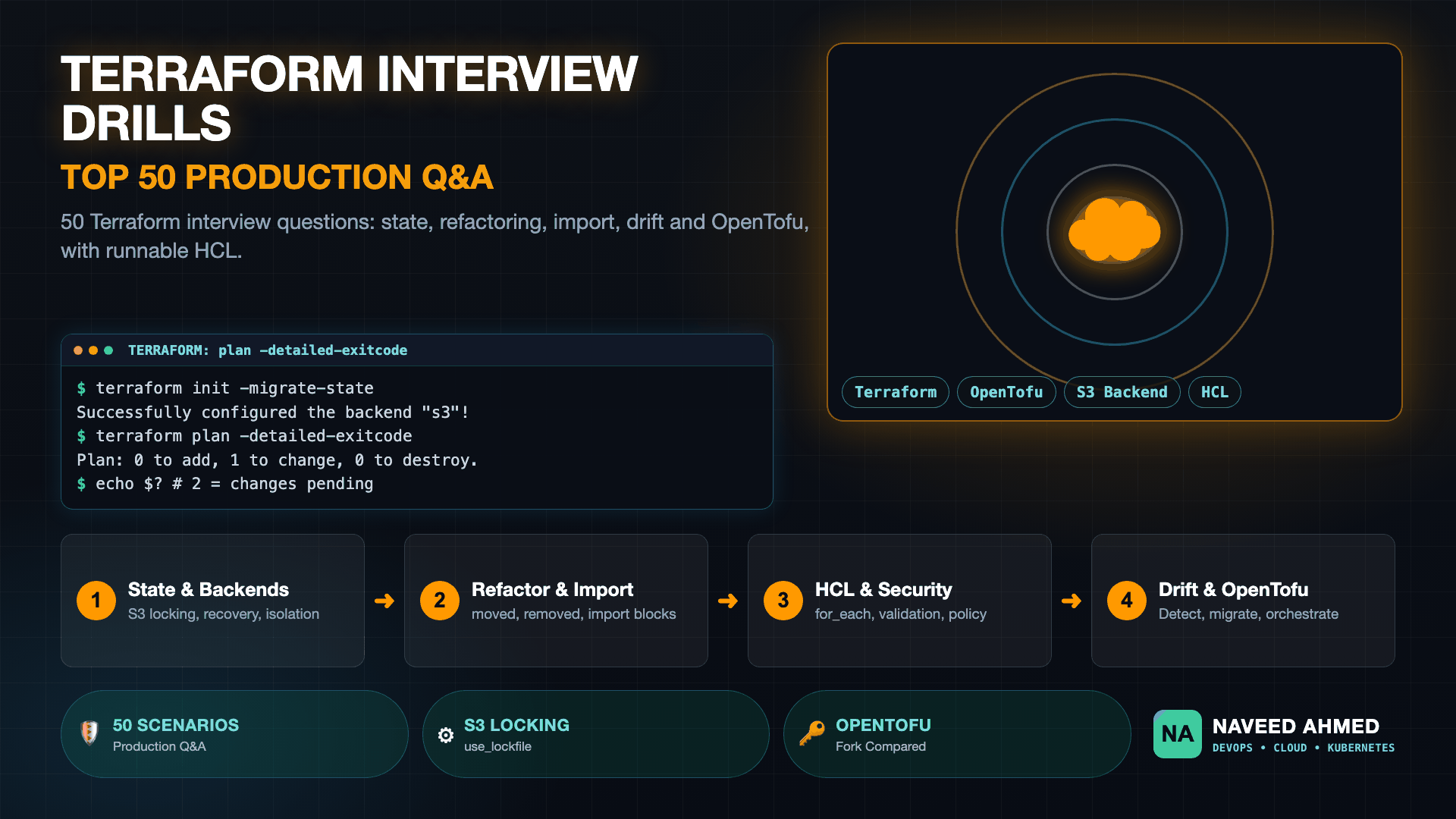
Most Terraform interview questions for senior roles stop being about syntax after the first ten minutes. The interviewer wants to know what you do when two engineers apply at once, when someone deletes a resource in the console, or when a module refactor would destroy a production database. This guide collects 50 questions and answers I would expect in a DevOps, platform or SRE loop, with HCL and CLI you can run against a sandbox account. You can also rehearse the same material out loud: practice these 120 interactive Terraform scenario drills in the interview hub.
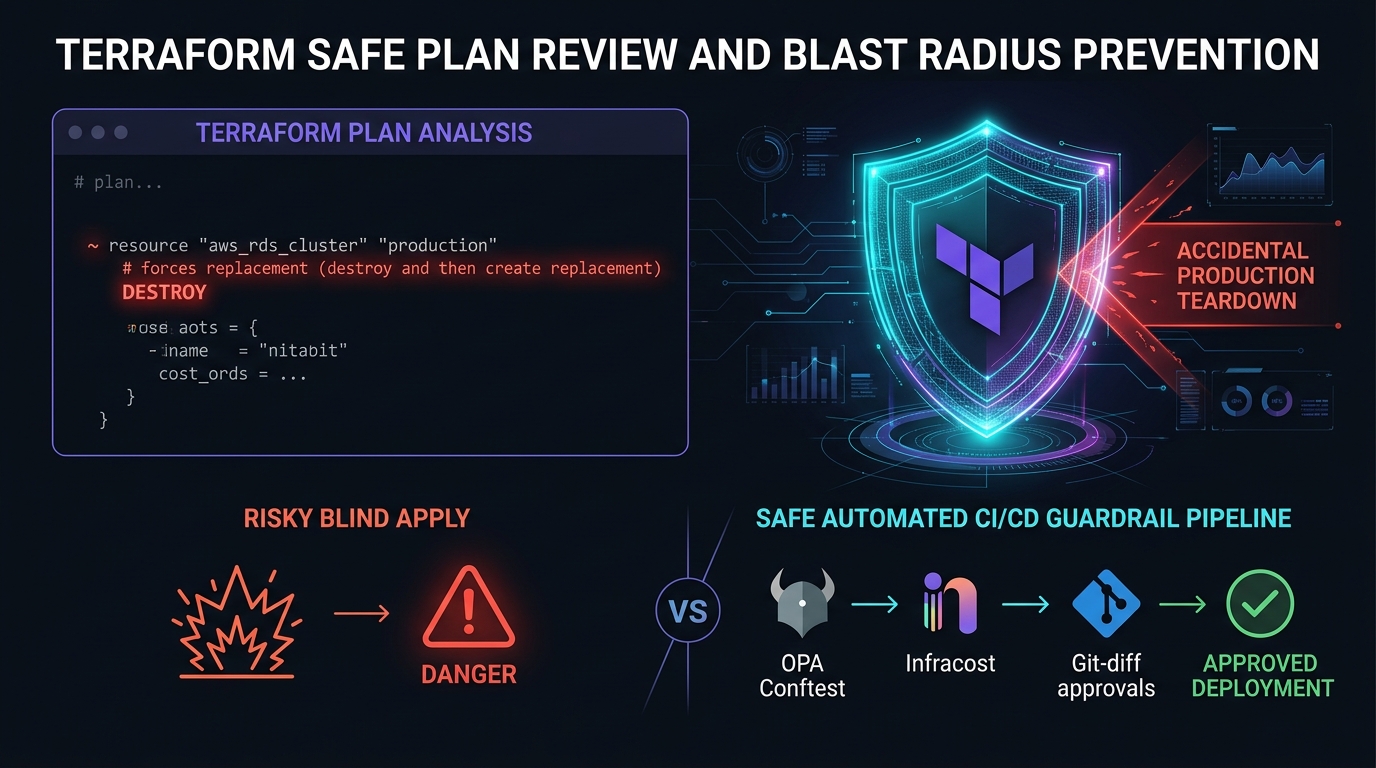
Several drills go deeper than one answer can. Start with the Terraform state locking internals drill, the migrate Terraform state without recreating resources drill, the Terraform drift detection system drill, and the bulk import of existing resources drill. For the review side of the job, my guide on how to review Terraform plans without destroying production pairs well with this one.
Every one of these terraform interview questions is something I have been asked or have asked a candidate. Commands assume Terraform 1.10 or newer unless I name a version. Where behaviour changed between releases, I say which release, and where OpenTofu differs I flag it. Run terraform version first, because a feature that exists in your laptop binary may not exist in the pinned version your CI uses.
Terraform Interview Questions on State Management & Backends (Q1-Q10)
State questions separate people who have run Terraform in a team from people who have only run it alone. Know what lives in the state file, how a remote backend locks it, what to do when the lock or the file is damaged, and how to move resources between state files without recreating anything.
1. What does the Terraform state file contain, and why does it matter?
This is the opening of most terraform interview questions on state. State is a JSON document that maps every resource address in your configuration to a real object, along with the attributes the provider returned at the last refresh. Terraform uses it to decide what to create, update or destroy, and to order operations through the dependency data it stores. It also holds anything a resource exposes, including passwords, private keys and connection strings, in plain text. That last point drives most access-control decisions: whoever can read state can read those secrets. Treat the state bucket like a secrets store, restrict it by IAM, enable encryption at rest, and never commit a terraform.tfstate file to Git.
terraform state list
aws_s3_bucket.logs
aws_vpc.main
module.eks.aws_eks_cluster.this[0]

terraform state show aws_vpc.main
2. How do you configure an S3 backend, and what are the options for locking?
A remote backend keeps state off laptops and gives the team one source of truth. For S3, the bucket should have versioning on and encryption enabled. For locking there are two options. The long-standing one is a DynamoDB table with a string partition key named LockID, set through dynamodb_table. Terraform 1.10 introduced S3 native locking as an experiment through use_lockfile = true, and it became generally available in 1.11. It writes a .tflock object next to the state key using an S3 conditional write, so no extra table is needed. The DynamoDB arguments are deprecated in recent releases and expected to be removed in a later minor version, so check the release notes of the version you pin.
terraform {
  backend "s3" {
    bucket       = "acme-tfstate-prod"
    key          = "network/terraform.tfstate"
    region       = "eu-west-1"
    encrypt      = true
    use_lockfile = true   # native S3 locking, GA in Terraform 1.11
  }
}
3. What is the difference between DynamoDB locking and S3 native locking?
Locking comes up in nearly all terraform interview questions about backends. Both stop two runs from writing the same state at once. DynamoDB uses a separate table and a conditional put on a lock item, which costs a little and needs its own IAM permissions plus a table to manage. S3 native locking uses a conditional write of a lock object in the same bucket, so the CI role needs permission to put and delete the .tflock key on top of the state access it already has, and no table. During a migration you can enable both at the same time, which is a safe way to cut over a fleet gradually. OpenTofu added the same use_lockfile option in its 1.10 line, though I would confirm against the docs for your exact build.
| Aspect | DynamoDB locking | S3 native locking |
|---|---|---|
| Setting | dynamodb_table | use_lockfile = true |
| Extra infrastructure | One DynamoDB table | None, same bucket |
| Lock artifact | Item keyed by LockID | <key>.tflock object |
| Terraform version | Any 1.x | 1.10 experimental, 1.11 GA |
| Status | Deprecated in recent releases | Current recommendation |
4. A pipeline crashed and every run now fails with "Error acquiring the state lock". What do you do?
First read the error, because it prints the lock ID, who holds it, the operation and the start time. Check whether that run is really dead: look at the CI job, not just the timestamp. If the job is gone and nothing else is applying, release the lock with terraform force-unlock and the ID. Never force-unlock while a real apply may still be running, since two writers can corrupt state. For long-term safety, set -lock-timeout on plan and apply so a short collision waits instead of failing, and give CI jobs a cancel hook that releases cleanly. I treat a forced unlock as an incident note, not a routine step.
Error: Error acquiring the state lock
  Lock Info:
    ID:        3f1c2b7e-9a4d-6e10-b8a2-0c5d7e91a4f2
    Operation: OperationTypeApply
    Who:       ci-runner@build-17

terraform force-unlock 3f1c2b7e-9a4d-6e10-b8a2-0c5d7e91a4f2
5. How would you recover from a corrupted or deleted state file?
If the bucket has versioning, restore the last good object version, which is the main reason to enable it. List versions, copy the known-good one back to the current key, then run a plan and read it before applying anything. If you have a local copy, terraform state push uploads it, and Terraform refuses to overwrite state with a lower serial or a different lineage unless you pass -force. With no backup at all, the fallback is rebuilding state with import blocks, one resource at a time, which is slow but safe. After any recovery, a clean plan with zero changes is your proof that state matches reality again.
aws s3api list-object-versions --bucket acme-tfstate-prod \
  --prefix network/terraform.tfstate --query 'Versions[0:3].[VersionId,LastModified]'
aws s3api copy-object --bucket acme-tfstate-prod \
  --copy-source "acme-tfstate-prod/network/terraform.tfstate?versionId=<VERSION_ID>" \
  --key network/terraform.tfstate
6. What is the difference between terraform state rm and terraform state mv?
terraform state rm forgets a resource: the real object stays, but Terraform stops managing it, so the next plan would try to create it again if the block is still in code. terraform state mv changes an address in state, for example after renaming a resource or moving it into a module, so Terraform sees the same object under a new name instead of a destroy and create pair. Both edit state directly and skip code review. Since Terraform 1.1 the moved block does the rename declaratively, and since 1.7 the removed block does the forget, so I reach for the CLI commands only in emergencies.
terraform state mv aws_instance.web module.compute.aws_instance.web
Move "aws_instance.web" to "module.compute.aws_instance.web"
Successfully moved 1 object(s).

terraform state rm aws_s3_bucket.legacy
7. How do you move a resource into a different state file or backend?
For a one-time split, use terraform state mv with -state-out against local copies, or pull both states, move, and push. The safer routine is: back up both states, run terraform state mv -state-out=new.tfstate from the source directory, point the target configuration at its backend, push the new state, add the matching resource block to the target code, and run a plan that must show no changes. Then remove the block from the source code. To move a whole state to a new backend, change the backend block and run terraform init -migrate-state, which copies the existing state across after a prompt.
terraform init -migrate-state
Do you want to copy existing state to the new backend?
  Enter a value: yes
The step-by-step version is in the migrate Terraform state without recreating resources drill.
8. How do you isolate state across environments and accounts?
The blast radius of a state file is everything inside it, so keep production, staging and shared networking in separate state files, ideally in separate AWS accounts with separate backend buckets and separate CI roles. Directory-per-environment with a shared module is the most readable layout. CLI workspaces give a different state per workspace name under one backend config, but they share the same credentials and code path, so a wrong terraform workspace select can touch production. I use workspaces for short-lived copies of one stack, such as per-branch preview environments, and separate directories or accounts for real environments. Splitting a very large state also speeds up plans, as in the large state plan optimization drill.
9. What is terraform_remote_state, and what are its downsides?
The terraform_remote_state data source reads the root-module outputs of another configuration's state, so a service stack can read VPC and subnet IDs published by a network stack. It is simple, but the reader needs permission to read the whole state object, which may contain secrets even though only outputs are exposed, and it couples the two stacks tightly. A looser pattern is to publish values to SSM Parameter Store or read the real resource with a normal data source such as aws_vpc and a tag filter. I use remote state inside one team and parameters across team boundaries.
data "terraform_remote_state" "network" {
  backend = "s3"
  config = {
    bucket = "acme-tfstate-prod"
    key    = "network/terraform.tfstate"
    region = "eu-west-1"
  }
}

subnet_id = data.terraform_remote_state.network.outputs.private_subnet_ids[0]
10. Why would you enable S3 bucket versioning and what else belongs on the state bucket?
Versioning gives you a history of every state write, which is the recovery path in question 5. Beyond that, enable default encryption (SSE-S3 or a KMS key), block all public access, add a bucket policy that denies non-TLS requests, and enable MFA delete or object lock if your risk profile asks for it. Put lifecycle rules on noncurrent versions so the history does not grow forever. Grant the CI role read and write on its own key prefix only, and give humans read-only access by default. A good follow-up from an interviewer is how you bootstrap the bucket itself, and the honest answer is a small separate configuration applied once with local state, then migrated.
The 970+ Incident Handbook & K8s Runbooks are exclusive to subscribers — unlock for FREE
Get battle-tested production runbooks, AWS architecture blueprints, and zero-downtime CI/CD post-mortems sent directly to your inbox. 100% free, no spam.
Terraform Interview Questions on Refactoring & Zero-Downtime Changes (Q11-Q18)
Refactoring questions check whether you can change code without changing infrastructure. Expect moved and removed blocks, lifecycle rules that protect or replace resources in the right order, the replace flag that superseded taint, and what each choice does to a live database or load balancer.
11. How do moved blocks work, and which Terraform version added them?
A moved block, added in Terraform 1.1, tells Terraform that an object now lives at a new address, so the plan shows a move instead of a destroy and create. It works for renaming a resource, switching between count and for_each keys, and moving a resource into or out of a module. The block lives in code, so every environment that applies the change performs the same move, which is the advantage over running state mv by hand. Keep the block for a release or two so every consumer of a shared module has applied it, then delete it.
moved {
  from = aws_instance.web
  to   = module.compute.aws_instance.web
}

terraform plan
  # aws_instance.web has moved to module.compute.aws_instance.web
Plan: 0 to add, 0 to change, 0 to destroy.
12. How do you stop managing a resource without destroying it?
Terraform 1.7 added the removed block. Deleting a resource block normally plans a destroy, but a removed block with lifecycle { destroy = false } removes the object from state and leaves the real thing running. That is the right tool when handing a bucket or a database to another team, or splitting a stack. Before 1.7 the equivalent was terraform state rm plus deleting the code, which skipped review. With destroy = true, the default, the block simply documents that you are removing the resource and Terraform destroys it as usual.
removed {
  from = aws_s3_bucket.legacy_exports

  lifecycle {
    destroy = false
  }
}
13. What does create_before_destroy do, and where does it bite?
By default Terraform destroys the old object and then creates the replacement. With create_before_destroy = true it builds the new one first, then removes the old one, which avoids downtime for things like launch templates, certificates and target groups. It fails when the resource has a unique name or fixed identifier, because both objects must exist briefly. Fix that with name_prefix or a random suffix. The setting also propagates to dependencies of the resource, which can surprise you in the plan. I use it on ACM certificates and load balancer listeners, and I read the plan for name conflicts before applying.
resource "aws_launch_template" "app" {
  name_prefix   = "app-"
  image_id      = var.ami_id
  instance_type = "t3.medium"

  lifecycle {
    create_before_destroy = true
  }
}
14. How does prevent_destroy work, and what are its limits?
prevent_destroy = true makes any plan that would destroy the resource fail with an error, which protects databases, state buckets and KMS keys from a careless refactor. Its limit is that it lives in the code. If someone deletes the whole resource block, the protection goes with it and the destroy goes through. It also does not stop terraform destroy from erroring out halfway through a larger teardown, which can leave a partly destroyed stack. Pair it with provider-level safeguards such as deletion_protection on RDS, and with review rules on changes that remove protected resources.
resource "aws_db_instance" "main" {
  identifier          = "orders-prod"
  deletion_protection = true

  lifecycle {
    prevent_destroy = true
  }
}
15. When do you use ignore_changes, and what is the risk?
ignore_changes tells Terraform to skip drift on named attributes after creation. Typical uses are desired_capacity on an Auto Scaling group that a scaler changes, tags added by a cost tool, or an image tag updated by a deploy pipeline. The risk is hiding a real change: once an attribute is ignored, nobody sees it diverge, and a later config edit to that attribute silently does nothing. Name the narrowest attribute possible, use a map key such as tags["owner"] instead of all of tags, and write a comment saying which system owns the value. Avoid ignore_changes = all; it turns the resource into a create-only object.
lifecycle {
  ignore_changes = [desired_capacity, tags["last-scaled-by"]]
}
16. What is replace_triggered_by?
Added in Terraform 1.2, replace_triggered_by forces a resource to be replaced when another resource or attribute it references changes. A common case is an instance that should rebuild when its launch template version changes, because the provider alone would only update the reference in place. The argument takes a list of resource or attribute references. It is explicit coupling, so I keep it for cases where the dependency graph cannot express the need, and I mention it in the commit message because replacement of a stateful resource is easy to miss in review.
resource "aws_instance" "app" {
  ami           = var.ami_id
  instance_type = "t3.medium"

  lifecycle {
    replace_triggered_by = [aws_launch_template.app.latest_version]
  }
}
17. How do you force a single resource to be recreated?
Use terraform apply -replace="ADDRESS", available since 0.15.2. Unlike the older terraform taint command, which edited state before you had seen a plan, -replace shows the replacement in the plan, so a reviewer can approve it. You can pass the flag more than once. It suits a node that is wedged, a credential you want rotated, or a resource whose provider will not detect a bad state. The taint command still exists but the documentation points to -replace instead, and I would not use taint in a pipeline.
terraform apply -replace="aws_instance.app[0]"
  # aws_instance.app[0] will be replaced, as requested
-/+ resource "aws_instance" "app" {
Plan: 1 to add, 0 to change, 1 to destroy.
18. A teammate wants to rename a resource block in a shared module. How do you roll it out safely?
Renaming changes the address, so without help every consumer gets a destroy and create. Add a moved block in the module from the old name to the new name, release it as a new minor or patch version, and tell consumers to bump the version constraint. Each consumer then plans, sees a move with no real change, and applies. Test it against a copy of a real state before release. If the module has many callers and you cannot coordinate, keep the old name and add a comment. A tidy name is not worth a destroyed database, and this trade-off comes up often in module structure drills for multiple environments.
Terraform Interview Questions on the Modern Import Workflow (Q19-Q24)
Import questions test whether you know the declarative workflow that replaced the one-resource-at-a-time CLI command. Know import blocks from Terraform 1.5, generated configuration, bulk import with for_each from 1.7, and when the old terraform import command is still the right tool.
19. How do import blocks work, and which version added them?
Import is a staple of terraform interview questions for migration projects. Terraform 1.5 added the import block, which declares that an existing real object should be adopted at a given resource address. You write the block, run terraform plan to see what would be imported and which attributes differ from your code, then run apply. Because it goes through plan, a reviewer sees it before anything changes state, and a pipeline can run it. Once applied, the block has done its job and can be removed, though leaving it is harmless. The block belongs in the root module.
import {
  to = aws_s3_bucket.assets
  id = "acme-assets-prod"
}

resource "aws_s3_bucket" "assets" {
  bucket = "acme-assets-prod"
}
20. How does -generate-config-out help?
If you have an import block but no resource block yet, terraform plan -generate-config-out=generated.tf asks Terraform to write a draft resource block from the live object. It is a starting point, not finished code. Generated files often contain computed or default values you should delete, and some provider resources generate configs that fail validation until trimmed. The target file must not exist beforehand. I review the output, remove noise, replace hard-coded IDs with variables, then re-run plan until it says there are no changes. It is still marked experimental in the docs, so I would not run it unattended in CI.
terraform plan -generate-config-out=generated.tf
aws_s3_bucket.assets: Preparing import... [id=acme-assets-prod]
Plan: 1 to import, 0 to add, 0 to change, 0 to destroy.
21. How do you import many similar resources at once?
Terraform 1.7 added for_each to import blocks, so one block can adopt a set of objects. Build a map of keys to real IDs, loop over it, and make the target resource use the same keys. It replaces long scripts that ran terraform import a hundred times. For hundreds of mixed resources, I list them with the cloud CLI, generate the blocks with a small script, import in batches by resource type, and require a clean plan between batches. The full playbook is in the importing dozens of existing resources drill.
variable "buckets" {
  type = map(string)
  default = {
    assets  = "acme-assets-prod"
    uploads = "acme-uploads-prod"
  }
}

import {
  for_each = var.buckets
  to       = aws_s3_bucket.this[each.key]
  id       = each.value
}

resource "aws_s3_bucket" "this" {
  for_each = var.buckets
  bucket   = each.value
}
22. What is the difference between the import block and the terraform import command?
The legacy terraform import ADDRESS ID command writes straight into state immediately, with no plan, no review and no generated code, and it imports one object per call. The import block is declarative, lives in version control, shows up in the plan, works in CI and supports for_each. The command still works and is handy for a quick one-off fix, or on versions older than 1.5. Both need a matching resource block in code unless you use config generation, and neither makes Terraform manage attributes you did not write down.
terraform import aws_s3_bucket.assets acme-assets-prod
aws_s3_bucket.assets: Import prepared!
Import successful!
23. After an import, the plan shows changes. Why, and what do you do?
Your code does not match the live object. Perhaps the object has settings you left out, such as tags, versioning or a lifecycle rule, or the provider schema splits one old argument into a separate resource. Read each difference and decide: edit the code to match reality when the live value is correct, or leave the diff and apply it when the code is the intended state. Do not apply a plan right after an import without reading it. I aim for a plan of zero changes before any real change goes in, so that the first real diff is a deliberate one.
24. How do you bring an entire existing environment under Terraform without an outage?
Work in layers. Inventory the resources, then import the foundations first, such as networking and IAM, and the application layers after. Import in small batches with a clean plan between each, in a branch, with a second person reviewing plans. Mark stateful resources with prevent_destroy straight away. Keep the old tooling or console changes frozen during the migration window so state and reality do not diverge. Expect it to take longer than the estimate, because every provider has a few resources whose import produces noisy diffs. Document each resource you chose to leave unmanaged, so the gap is a decision and not a surprise.
Terraform Interview Questions on DRY Code & Dynamic HCL (Q25-Q34)
HCL questions look for judgment, not tricks. Know when dynamic blocks and for_each reduce repetition and when they make a module unreadable, how count differs from for_each in state addressing, and how validation, preconditions and postconditions stop bad input early.
25. What is a dynamic block, and when should you avoid it?
A dynamic block generates repeated nested blocks, such as ingress rules in a security group, from a collection. It cuts repetition when the number of nested blocks varies by input. It hurts readability when overused: a module where every nested block is dynamic is hard to read, and the plan output no longer matches the file. Use it for variable-length lists you genuinely have, and write static blocks when there are two or three fixed ones.
resource "aws_security_group" "web" {
  name   = "web"
  vpc_id = var.vpc_id

  dynamic "ingress" {
    for_each = var.ingress_ports
    content {
      from_port   = ingress.value
      to_port     = ingress.value
      protocol    = "tcp"
      cidr_blocks = var.allowed_cidrs
    }
  }
}
26. What is the difference between count and for_each?
Among terraform interview questions on HCL, this one is nearly guaranteed. Both create multiple instances of a resource. count uses an integer and addresses instances by index, so removing the middle item shifts every later index and Terraform plans to destroy and recreate them. for_each takes a map or set and addresses instances by key, so removing one key only affects that instance. That makes for_each the better default for anything with identity, such as users, buckets or subnets by name. count still fits a simple on or off switch with count = var.enabled ? 1 : 0. Keys must be known at plan time.
| Question | count | for_each |
|---|---|---|
| Input type | Whole number | Map or set of strings |
| State address | aws_x.name[0] | aws_x.name["key"] |
| Remove an item from the middle | Later items shift and get replaced | Only that key is removed |
| Conditional resource | Natural fit (0 or 1) | Possible with an empty map |
| Must be known at plan time | The count value | The map keys |
27. What happens if for_each depends on a value that is only known after apply?
Terraform fails the plan with an error that the for_each argument cannot be determined until apply. The keys decide how many instances exist, and Terraform has to know that up front. The usual cause is building a key from another resource's generated ID. The fix is to key the map on something static, such as a name you control, and use the unknown value inside the instance. In an emergency, a targeted apply of the producing resource first works, but I treat that as a sign the design needs changing, not as a standard step.
Error: Invalid for_each argument
  The "for_each" map includes keys derived from resource attributes
  that cannot be determined until apply.
28. How does the splat expression work?
A splat expression, written [*], collects one attribute from every instance of a resource that uses count, or from any list. aws_instance.web[*].id returns a list of instance IDs. For a resource with for_each you get a map, so use a for expression or values() to produce a list. Applied to a single object that may be null, a splat yields a list of zero or one element, which is how optional attributes can be flattened. I prefer for expressions when a filter or transformation is needed, because they read more clearly than nested function calls.
output "instance_ids" {
  value = aws_instance.web[*].id
}

output "bucket_arns" {
  value = [for b in aws_s3_bucket.this : b.arn]
}
29. When are locals worth using?
locals name an expression so you compute it once and reuse it. They suit shared tag maps, name prefixes built from several variables, and values derived from for expressions. They are not inputs, so callers cannot override them, which keeps derived values consistent. Overusing them hides where a value comes from, so I keep a small locals.tf and avoid locals that only rename a single variable. A good test: if a reviewer has to jump through three locals to learn a bucket name, inline it.
locals {
  name_prefix = "${var.project}-${var.environment}"
  common_tags = {
    Project     = var.project
    Environment = var.environment
    ManagedBy   = "terraform"
  }
}
30. How do you validate variable input?
Add a validation block to a variable with a condition that returns true or false and an error_message shown when it is false. Validation runs at plan time, so a bad value fails early with a message you wrote. Through Terraform 1.8, a condition could only refer to the variable being validated. Terraform 1.9 allows it to refer to other values such as other variables, data sources and locals. Keep messages specific, saying what is allowed and what was received.
variable "environment" {
  type = string

  validation {
    condition     = contains(["dev", "staging", "prod"], var.environment)
    error_message = "environment must be one of dev, staging or prod."
  }
}
31. What are preconditions and postconditions?
Added in Terraform 1.2, they live in a lifecycle block and check assumptions about a resource or data source. A precondition runs before the object is created or read and checks inputs, such as an AMI having the expected architecture. A postcondition runs afterwards and checks the result, such as a subnet being in the expected zone. A failed condition stops the run with your message. Unlike variable validation, they can check data returned from the cloud. I use them to turn a mysterious downstream failure into one clear error at the point where the wrong assumption entered.
data "aws_ami" "app" {
  owners      = ["self"]
  most_recent = true

  lifecycle {
    postcondition {
      condition     = self.architecture == "x86_64"
      error_message = "The selected AMI must be x86_64."
    }
  }
}
32. How do you version and pin modules?
For registry modules, set version with a constraint. ~> 5.1 allows 5.x from 5.1 upward and blocks 6.0, so you take bug fixes without major breaks. For Git sources, pin to a tag or commit with ?ref=, never to a branch, because a branch changes under you and makes a plan unreproducible. Publish internal modules with semantic version tags and write a changelog that flags moved blocks and breaking inputs. Run terraform init -upgrade deliberately, in a pull request, so version bumps are reviewed like any other change. The drill on a remote module source pointing at a Git branch covers the failure mode.
module "vpc" {
  source  = "terraform-aws-modules/vpc/aws"
  version = "~> 5.1"
}

module "internal" {
  source = "git::https://git.example.com/infra/modules.git//vpc?ref=v2.3.1"
}
33. How do you design a module's interface?
Keep inputs few, typed and documented, with defaults only where a sensible default exists. Expose outputs a caller needs, such as IDs and ARNs, and nothing internal. Prefer object variables with optional() attributes over a long list of flat variables when settings belong together. Avoid provider configuration inside modules, so callers choose accounts and regions. Do not wrap a single resource in a module that mirrors all of its arguments; that adds an indirection with no gain. Add examples and a terraform test file. The testing angle is in the how to test Terraform modules drill.
variable "bucket_config" {
  type = object({
    versioning     = optional(bool, true)
    lifecycle_days = optional(number, 90)
  })
  default = {}
}
34. How do you handle a conditional resource or optional nested block?
For an optional resource, use count = var.create ? 1 : 0 and reference it with an index or splat, remembering the output becomes a list. For an optional nested block, use a dynamic block over a list that is empty when the feature is off, or over var.config == null ? [] : [var.config]. Optional attributes that may be null are passed straight through, since a null argument means "unset" to the provider. Avoid long chains of ternaries; if you have more than two, a map lookup with a default is clearer and easier to extend.
resource "aws_cloudwatch_log_group" "app" {
  count = var.enable_logging ? 1 : 0
  name  = "/app/${var.environment}"
}

output "log_group" {
  value = one(aws_cloudwatch_log_group.app[*].name)
}
Terraform Interview Questions on Security, Governance & Drift (Q35-Q43)
Security questions probe what ends up in state, how policy is enforced before apply, and how you notice changes made outside Terraform. Be ready to discuss sensitive values, ephemeral values, policy as code, a scheduled drift check, least-privilege pipeline roles and provider pinning.
35. Does marking a value sensitive protect it in state?
No. sensitive = true on a variable or output hides the value from CLI plan and apply output, but the value is still written to state in plain text, and anyone with state access can read it. It also does not hide data from downstream logs if you print it yourself. Real protection comes from limiting access to state, encrypting the backend, and keeping secrets out of configuration where you can. Read secrets at runtime from a manager such as AWS Secrets Manager, or let the service generate its own password and rotate it. This distinction is one of the most common terraform interview questions on security.
output "db_password" {
  value     = random_password.db.result
  sensitive = true
}

terraform output db_password
<sensitive>
36. What are ephemeral values and write-only arguments?
Terraform 1.10 introduced ephemeral values: ephemeral input variables, outputs and ephemeral resources that are available during a run but never persisted to state or plan files. Terraform 1.11 added write-only arguments, which a provider resource can accept without storing them in state. Together they let you fetch a secret from a vault and hand it to a database resource without it landing in state. Support depends on the provider and the specific resource, so check the provider documentation for a write-only variant of the argument before relying on it. Older stacks still need access controls on state.
37. How do you enforce policy before apply?
Generate a plan file, convert it to JSON, and run a policy engine against it in CI before anyone can apply. Two common choices are Sentinel, which is built into HCP Terraform on the paid tiers, and Open Policy Agent, typically run with the conftest tool in any pipeline. Policies check things like no public S3 buckets, required tags, allowed instance types or regions, and no deletion of protected resources. Fail the pipeline on violations and keep the policy code in its own repository with tests. Policy does not replace review, but it makes the boring rules automatic.
terraform plan -out=tfplan
terraform show -json tfplan > tfplan.json
conftest test tfplan.json --policy policy/
FAIL - tfplan.json - aws_s3_bucket.assets must not allow public ACLs
1 test, 0 passed, 0 warnings, 1 failure
38. How do you detect drift?
Drift is another favourite of terraform interview questions for platform roles. Run a scheduled terraform plan -detailed-exitcode against each stack. The exit code is 0 for no changes, 1 for an error and 2 when changes are pending, so a pipeline can alert on 2 without parsing text. Use a read-only role, and add -lock=false if you do not want the scheduled check to hold the lock. Send the plan summary to chat or open a ticket, and decide for each finding whether to revert reality with apply or adopt it into code. For ready patterns see the drift detection system drill.
terraform plan -detailed-exitcode -lock=false -input=false
echo $?
2
39. What does terraform plan -refresh-only do?
It compares state with the real infrastructure and shows only the differences in state, without proposing any change to the infrastructure to match your code. Running terraform apply -refresh-only accepts those differences into state. This replaced the old terraform refresh command, which updated state with no review step. Use it when you know a value changed outside Terraform and you want state to record it, for example after an operator changed an instance type, then edit the code to match so the next plan is clean. It never changes real resources.
terraform plan -refresh-only
Note: Objects have changed outside of Terraform
  # aws_instance.web has changed
    ~ instance_type = "t3.medium" -> "t3.large"
40. Someone changed a resource in the console. What are your options?
Decide which side is right. If the console change was a mistake or an unapproved hotfix, run apply and let Terraform put it back. If it was a legitimate emergency fix, update the code to match, run a refresh-only apply or a plain plan to confirm there is no diff, and merge. For a field a system legitimately owns, add a narrow ignore_changes. Afterwards, close the gap: tighten console permissions, add alerts from CloudTrail for write calls outside the pipeline role, and run the scheduled drift job. The manual changes drift scenario walks through it step by step.
41. How do you give a CI pipeline least-privilege access?
Give plan and apply different roles. The plan role is read-only on infrastructure plus read and lock on state, and runs on every pull request. The apply role holds write permissions, is assumed only from the main branch through OIDC federation from your CI provider, and has no long-lived keys. Scope each role to one environment and one account, and add a permissions boundary so a pipeline cannot create an admin role. Log every assumption. Avoid one shared admin role for all stacks. When an interviewer asks about blast radius, this is the answer that shows you think about the pipeline as part of the attack surface.
42. Why does .terraform.lock.hcl matter, and should you commit it?
The lock file records the exact provider versions and checksums selected at init. Committing it means every developer and CI run uses the same provider binaries, and a tampered download fails verification. Without it, a new provider release can change a plan between two runs of the same code. Pair it with required_providers version constraints. If your team uses several platforms, record hashes for each with terraform providers lock, so Linux CI and macOS laptops both verify. Upgrade providers in a dedicated pull request with terraform init -upgrade.
terraform providers lock -platform=linux_amd64 -platform=darwin_arm64

terraform {
  required_providers {
    aws = {
      source  = "hashicorp/aws"
      version = "~> 5.0"
    }
  }
}
43. How would you secure a state bucket and the secrets passing through Terraform?
Treat it as layers. Encrypt the bucket with a KMS key and restrict who can use that key. Deny access except from the pipeline roles and a short list of break-glass users, and alert on access from anyone else. Keep secrets out of variable files in Git, pass them through the environment or a secrets manager, and prefer ephemeral values and write-only arguments where your versions and providers support them. Run a secrets scanner in CI over the repository. Finally, rotate anything that ever appeared in state when you suspect access, since history in a versioned bucket still holds old values.
Terraform Interview Questions on Ecosystem & Future (Q44-Q50)
Ecosystem questions check that you know the tools around Terraform and the license change that reshaped them. Be able to compare Terraform and OpenTofu fairly, explain what Terragrunt solves, describe CDKTF and HCP Terraform at a basic level, and hedge anything about the future.
44. What happened with the Terraform license, and what is OpenTofu?
In August 2023 HashiCorp moved Terraform and its other products from the Mozilla Public License 2.0 to the Business Source License 1.1. The BUSL restricts using the code in competing commercial offerings. In response a group of companies and contributors started a fork, first called OpenTF and now OpenTofu, and it joined the Linux Foundation in September 2023. Terraform 1.5.x was the last release under MPL. OpenTofu keeps an open source license and a community-led process. If you are asked about licensing for your own company, give the facts and say legal should read the license for your use case.
45. How do Terraform and OpenTofu differ in practice?
Expect OpenTofu to appear in modern terraform interview questions. For most configurations today they behave the same, since OpenTofu began from the Terraform 1.5 code line and keeps the same HCL and provider protocol. The CLI binary is tofu. They have diverged on features: OpenTofu shipped client-side state encryption and some language additions on its own schedule, and Terraform ships its own features such as ephemeral values. Check each project's changelog for your target versions, because feature parity changes with every release.
| Topic | Terraform | OpenTofu |
|---|---|---|
| License | BUSL 1.1 since August 2023 (1.5.x was MPL 2.0) | Open source, Linux Foundation project |
| CLI | terraform | tofu |
| State encryption | Backend-side encryption only | Client-side, introduced in 1.7 |
| Managed platform | HCP Terraform | Third-party platforms and CI |
| Config language and providers | HCL, registry providers | HCL, compatible provider protocol |
My longer comparison is in the IaC tools comparison of Terraform, OpenTofu and Pulumi, and the lab has a runnable IaC comparison matrix.
46. What is OpenTofu state encryption?
OpenTofu 1.7 added encryption of state and plan files on the client, before they reach the backend. You configure a key provider, such as a passphrase or a cloud KMS, and an encryption method, then point the state and plan blocks at them. The backend only ever sees ciphertext, so a leaked bucket exposes less than plain state would. Keep the key material and the fallback block in mind during migrations, because losing the key means losing the state. Terraform has no equivalent client-side feature, so people rely on backend encryption and access controls there. The example below takes the passphrase from a variable, which needs OpenTofu 1.8 or later; on 1.7 use the environment-based configuration from the docs.
terraform {
  encryption {
    key_provider "pbkdf2" "main" {
      passphrase = var.state_passphrase
    }
    method "aes_gcm" "main" {
      keys = key_provider.pbkdf2.main
    }
    state {
      method = method.aes_gcm.main
    }
  }
}
47. How would you migrate a project from Terraform to OpenTofu?
Start in a branch. Install tofu at a version close to your Terraform version, run tofu init and tofu plan, and require a plan with no changes. Check that your providers and modules resolve from the OpenTofu registry, and that any backend settings work. Back up state first, since after a tofu apply the state may carry fields an older Terraform binary will not accept, making rollback harder. Move one low-risk stack first, then CI, then the rest. Read the OpenTofu migration guide for your exact Terraform version, because it lists the supported starting points.
tofu init
tofu plan -detailed-exitcode
No changes. Your infrastructure matches the configuration.
48. What is Terragrunt, and what problem does it solve?
Terragrunt is a thin wrapper around Terraform and OpenTofu that keeps backend config and common settings out of every directory. A root file defines the backend once with remote_state, using the directory path to build a unique key, and child directories include it. It also orders dependencies between stacks and can run a command across many of them. That suits a multi-account layout with dozens of small stacks. The cost is another tool and another layer to learn. Its command-line interface has changed across releases, with newer versions favouring terragrunt run --all over the older run-all, so read the docs for your version.
remote_state {
  backend = "s3"
  config = {
    bucket       = "acme-tfstate-${get_aws_account_id()}"
    key          = "${path_relative_to_include()}/terraform.tfstate"
    region       = "eu-west-1"
    encrypt      = true
    use_lockfile = true
  }
}
49. What is CDKTF, and when would you choose it over HCL?
The Cloud Development Kit for Terraform lets you write infrastructure in TypeScript, Python, Go or another supported language and synthesizes it to Terraform JSON, which the normal Terraform workflow then plans and applies. It appeals to teams with strong developer habits who want loops, classes and unit tests in a general-purpose language. The trade-off is a heavier toolchain, less community help than HCL and an extra layer between you and the plan. Before adopting it, check the project's current maintenance and support status, since I would not bet a platform on something without confirming that first. For most teams plain HCL with good modules is simpler.
50. What does HCP Terraform add over running Terraform in your own CI?
HCP Terraform, previously called Terraform Cloud, is HashiCorp's managed service. It provides remote state storage with locking, remote plan and apply runs, workspaces tied to Git repositories, variable sets, a private module registry, run tasks, access controls and, on paid tiers, Sentinel policy enforcement. The appeal is not running the plumbing yourself. The costs are pricing that depends on your plan, a service dependency, and fitting your workflow to its model. Self-managed CI with an S3 backend gives more control and often lower cost, but you build locking, approval, policy and audit yourself. Compare features and current pricing on the vendor site before deciding. My production Terraform architecture for an AWS SaaS shows the self-managed route.
Conclusion: How to use these Terraform interview questions
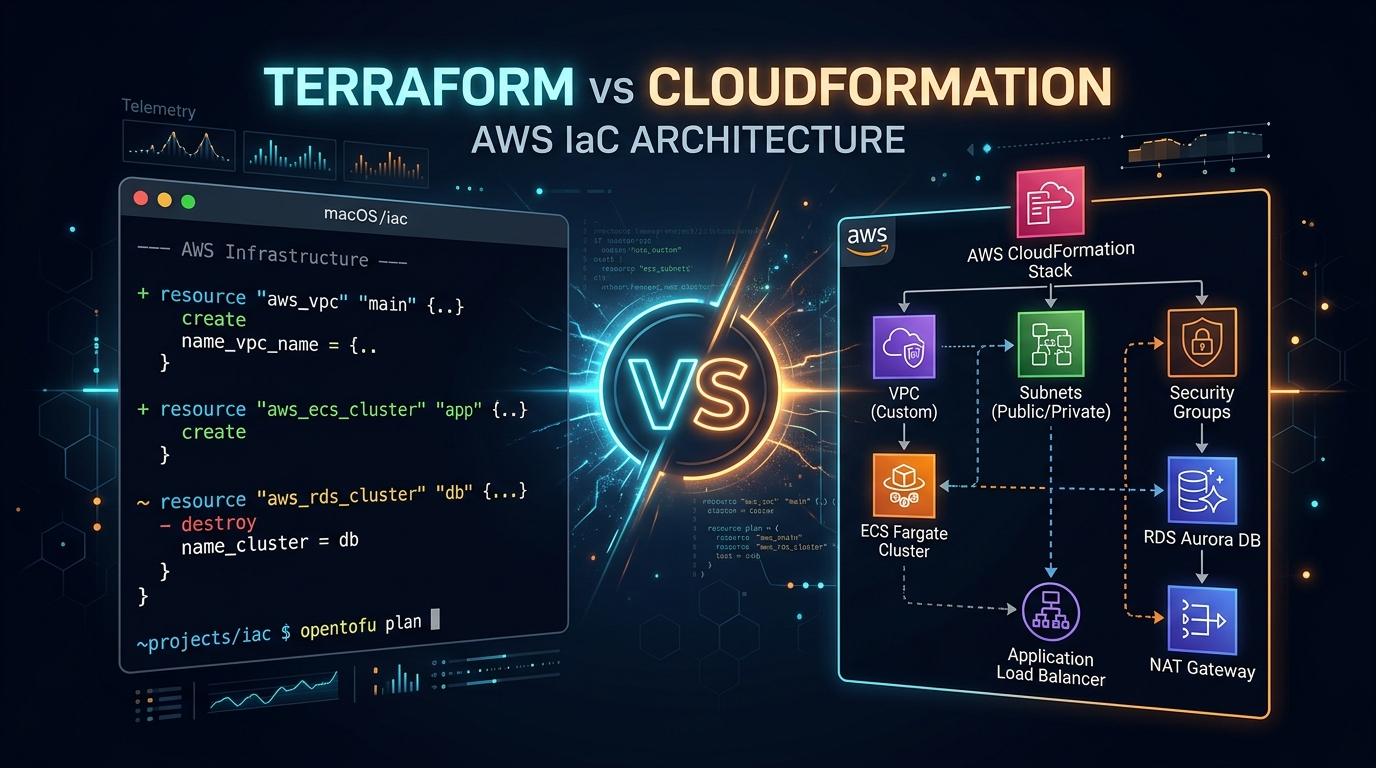
These terraform interview questions work best as a rehearsal script. Pick one module a day, create a throwaway AWS account or a local backend, and break things on purpose: delete a state file version, edit a resource in the console, rename a module resource without a moved block. Then explain the recovery aloud in about two minutes, the way you would in the interview. Finish by working through the Terraform interview practice hub and the Terraform vs CloudFormation comparison if your loop covers more than one IaC tool.
Frequently Asked Questions
Direct answers to common technical, architectural, and production troubleshooting questions.
What are the most common Terraform interview questions?
Senior interviews usually cover remote state and locking, recovering from a corrupted state file, moved, removed and import blocks for refactoring, count versus for_each, lifecycle rules such as prevent_destroy and create_before_destroy, drift detection with plan -detailed-exitcode, and how Terraform compares with OpenTofu.
How does state locking work with an S3 backend?
The S3 backend can lock through a DynamoDB table (dynamodb_table), or through S3 native locking with use_lockfile = true, which writes a .tflock object beside the state. Native locking was experimental in Terraform 1.10 and generally available in 1.11, and the DynamoDB arguments are deprecated in recent releases.
What is the difference between count and for_each in Terraform?
count addresses instances by numeric index, so removing an item from the middle shifts later instances and can force replacements. for_each addresses instances by map or set key, so removing one key only affects that instance. Use for_each for anything with a stable identity and count for simple on or off switches.
What is the difference between Terraform and OpenTofu?
OpenTofu is a community fork, hosted by the Linux Foundation, created after HashiCorp changed Terraform's license from MPL 2.0 to the Business Source License in August 2023. Both use HCL and similar workflows, but features diverge over time, for example OpenTofu's client-side state encryption added in 1.7, so check each changelog.
How do you import existing infrastructure into Terraform?
Since Terraform 1.5 you declare an import block with a target address and a real resource ID, then run plan and apply. terraform plan -generate-config-out can draft the resource block, and for_each in import blocks (1.7+) imports many objects at once. The older terraform import command still works but edits state immediately.