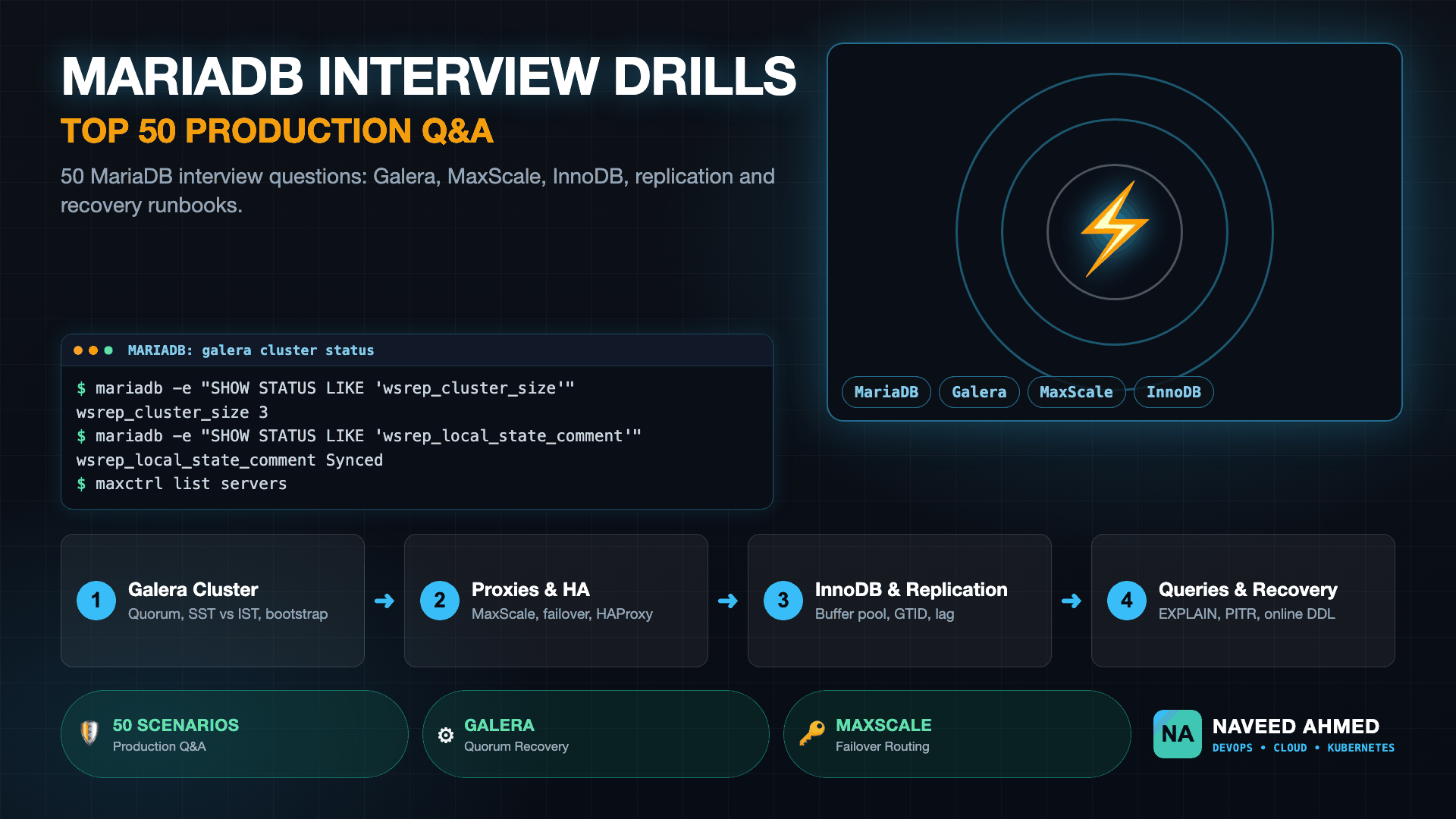
Most MariaDB interview questions for senior roles stop being about syntax after the first ten minutes. The interviewer wants to know what you do when a Galera node drops out at 3 a.m., when replicas fall an hour behind, or when a 400 GB table needs a new column without downtime. This guide collects 50 questions and answers I would expect in a DevOps, SRE or DBA loop, with commands you can run on a test cluster. You can also rehearse the same material out loud in the database interview practice hub.
The five scenario drills below go deeper than a single answer here can. Work through the Galera split-brain and quorum recovery drill, the MaxScale read/write split failover drill, the multithreaded GTID replication lag drill, the InnoDB buffer pool and dirty page flushing drill, and the large table online DDL and partitioning drill. If containers are also on your interview list, my Docker interview questions guide uses the same format.
Every one of these mariadb interview questions is something I have either been asked or asked a candidate. Commands assume MariaDB 10.6 or newer unless I say otherwise. From 10.5 the server and tools gained mariadb-* names (for example mariadbd, mariadb-backup, mariadb-dump), and the old mysql* names stayed as compatibility symlinks. Older releases use the mysql* and mariabackup names, so check which you have before pasting anything.
MariaDB Interview Questions on Galera Cluster Architecture (Q1-Q12)
Galera mariadb interview questions test whether you understand certification-based replication, quorum and recovery order. A write commits only after every node certifies its write-set, then each node applies it independently. Know why an even node count is risky, how SST and IST differ, and how to restart a cluster after a full outage.
1. How does Galera replication work, and why is it called virtually synchronous?
When a transaction is ready to commit, the node packages its changed rows as a write-set and broadcasts it to the group. Every node runs the same deterministic certification test against write-sets it has already ordered. If the test passes, the transaction commits everywhere; if not, it is rolled back on the originating node. The commit decision is therefore synchronous, but applying the write-set on the other nodes happens a little later, which is why the term is "virtually" synchronous. A client can briefly read stale data from a different node unless you ask for a causality check, which is covered in question 4.
2. What happens when two nodes update the same row at the same time?
Galera uses optimistic concurrency. Both transactions run locally and neither sees the other until commit. At certification, the write-set that is ordered first wins and the later one fails. The loser gets a deadlock error, ERROR 1213 (40001): Deadlock found when trying to get lock, even though no lock wait occurred locally. Applications must retry on that error. In practice the fix for frequent conflicts is to send all writes for the same rows to one node, which is exactly what a MaxScale or HAProxy single-writer setup does.
3. What are the requirements for a table to replicate properly in Galera?
Galera replicates InnoDB reliably. It needs binlog_format=ROW and innodb_autoinc_lock_mode=2, and every table should have a primary key because the row-based apply process and certification both rely on it. Tables without one can replicate but behave poorly and can cause inconsistent row ordering. MyISAM and Aria replication is not enabled by default and is marked experimental (wsrep_replicate_myisam), so I avoid it. Check the state on any node with:
mariadb -e "SHOW GLOBAL VARIABLES WHERE Variable_name IN
 ('binlog_format','innodb_autoinc_lock_mode','wsrep_on')"
4. What does wsrep_sync_wait do, and when would you set it?
wsrep_sync_wait is a bitmask that makes a node wait until it has applied every write-set already committed in the cluster before it runs certain statements. Value 1 covers reads, 2 covers UPDATE and DELETE, 4 covers INSERT and REPLACE, and 8 covers SHOW statements; add them to combine. The default is 0. Setting it to 1 on a session gives read-your-writes consistency across nodes at the cost of latency, so I enable it only for the sessions that need it, such as a login flow that reads a row it just wrote through another node.
SET SESSION wsrep_sync_wait = 1;
SELECT status FROM orders WHERE id = 42;
5. How does quorum work, and why is an odd number of nodes recommended?
Quorum means a group of nodes can only keep serving if it holds more than half of the last known cluster membership. With three nodes, any two form a quorum. With two nodes, a network break leaves each side with exactly half, so neither has a majority and both stop accepting queries. Even sizes give no extra tolerance over the next lower odd size, so three nodes survive one failure and four nodes also survive only one. Quorum can be tuned per node with pc.weight in wsrep_provider_options, but I treat that as a last resort.
6. What is split-brain in Galera, and how do you recover from it?
Split-brain is one of the most repeated mariadb interview questions. Galera is built to prevent it by stopping the minority side, so a real split-brain usually means a 2-node cluster or a failure that left no majority. The nodes go into a non-Primary state and refuse queries with ERROR 1047 (08S01): WSREP has not yet prepared node for application use. Check wsrep_cluster_status on each node. On the node with the most recent data, once you are certain the other side is down, promote it:
SET GLOBAL wsrep_provider_options = 'pc.bootstrap=YES';Never run that on both halves. The full walkthrough is in the Galera split-brain quorum recovery scenario.
7. What is wsrep_cluster_address and how do you configure it?
wsrep_cluster_address tells a node which peers to contact when it starts. The format is gcomm:// followed by a comma-separated host list. List every member, including the node itself, so any node can rejoin by talking to any peer. The list is only for discovery; it does not limit cluster size, and the running membership is dynamic. Keep the same list on every node to avoid confusion during restarts.
[galera]
wsrep_on=ON
wsrep_provider=/usr/lib/galera/libgalera_smm.so
wsrep_cluster_name=prod-db
wsrep_cluster_address=gcomm://10.0.1.11,10.0.1.12,10.0.1.13
wsrep_node_address=10.0.1.11
binlog_format=ROW
8. What is the difference between SST and IST?
A joining node needs the cluster state. An incremental state transfer (IST) sends only the missing write-sets from a donor's gcache, so it is quick and non-blocking. A state snapshot transfer (SST) copies the whole dataset when the joiner is new, its state is unusable, or the gap no longer fits in the donor's gcache. SST methods include mariabackup (the common choice, the donor stays mostly available) and rsync (fast but blocks the donor for the duration). Sizing gcache.size in wsrep_provider_options to cover your longest planned maintenance window keeps rejoins on the IST path.
wsrep_sst_method=mariabackup
wsrep_provider_options="gcache.size=2G"
9. What is flow control, and how do you spot it?
When a node's apply queue grows past a limit, it sends a pause message and the whole cluster stops committing until the queue drains. That throttle is flow control, and it means your cluster writes at the speed of its slowest node. The limit is gcs.fc_limit, and its default differs across Galera versions, so read it from your own system. These counters show whether it is happening:
mariadb -e "SHOW GLOBAL STATUS WHERE Variable_name IN
 ('wsrep_flow_control_paused','wsrep_local_recv_queue_avg','wsrep_local_send_queue_avg')"
A wsrep_flow_control_paused value near 0 is healthy; values approaching 1 mean the cluster spent most of the interval paused. Fixes are faster disks or CPU on the lagging node, more wsrep_slave_threads, and shorter transactions.
10. How do you bootstrap a Galera cluster after every node was shut down?
Start the first node as a new primary component and let the others join it. On systemd installs, galera_new_cluster runs the correct bootstrap start for the first node. Which node goes first matters: it must hold the latest committed state. After a clean shutdown, the node that stopped last has safe_to_bootstrap: 1 in its grastate file. Then start the remaining nodes normally, and they sync via IST or SST.
galera_new_cluster          # first node only
systemctl start mariadb     # the other nodes, one at a time
11. What is grastate.dat and what does safe_to_bootstrap mean?
grastate.dat sits in the data directory and records the cluster UUID, the last committed sequence number (seqno) and a safe_to_bootstrap flag. After a graceful shutdown of the last node, that node writes safe_to_bootstrap: 1; the others write 0, and Galera refuses to bootstrap from them. After a crash the seqno is -1 and you have to find the real position yourself by running mariadbd --wsrep-recover (mysqld --wsrep-recover before 10.5) on every node, comparing the recovered positions, and bootstrapping from the highest one. Editing the flag by hand on the wrong node can discard transactions, so compare first.
12. What is the Galera Arbitrator (garbd), and when do you use it?
garbd is a lightweight daemon that joins the cluster as a voting member without storing any data. It fixes the two-data-centre or two-node problem: with two database nodes plus an arbitrator in a third location you get a three-vote quorum without paying for a third full server. It does receive replication traffic for the group, so keep it on a stable network, and it cannot act as a state transfer donor.
garbd --address gcomm://10.0.1.11,10.0.1.12 --group prod-db --log /var/log/garbd.logComparison: Galera, async replication and semi-sync
| Property | Galera cluster | Async replication | Semi-sync |
|---|---|---|---|
| Write nodes | Any node (single writer advised) | One primary | One primary |
| Commit waits for | Certification on all nodes | Nothing | One replica to receive the event |
| Data loss on primary crash | None for committed transactions | Possible | Unlikely, falls back to async on timeout |
| Replica staleness | Small, apply lag only | Unbounded | Unbounded apply lag |
| Failover | Automatic via quorum | Manual or tool-driven | Manual or tool-driven |
| Main cost | Write latency, flow control | Lag, data loss risk | Extra commit round trip |
The 970+ Incident Handbook & K8s Runbooks are exclusive to subscribers — unlock for FREE
Get battle-tested production runbooks, AWS architecture blueprints, and zero-downtime CI/CD post-mortems sent directly to your inbox. 100% free, no spam.
Module 2: High Availability & Proxies (Q13-Q19)
High availability mariadb interview questions focus on the layer in front of the database. MaxScale routes reads and writes, monitors server roles and can promote a replica automatically. HAProxy with Keepalived is the simpler alternative, but it cannot understand replication state. Be ready to explain what each tool sees and what happens to open transactions during failover.
13. What does MaxScale's readwritesplit router do?
Readwritesplit parses each statement and sends writes and transactions to the primary while spreading autocommit reads across replicas. It keeps a session on the primary inside an explicit transaction and, with causal_reads, can hold a read until a replica has caught up to the session's last write. The router relies on a monitor to know which server is the primary. A minimal configuration looks like this:
[Splitter-Service]
type=service
router=readwritesplit
cluster=MariaDB-Monitor
user=maxscale_router
password=...
transaction_replay=true
causal_reads=local
Option values and defaults vary by MaxScale release, so confirm them in the version you run. The failover side is rehearsed in the MaxScale read/write split failover scenario.
14. How does the mariadbmon monitor handle automatic failover?
The mariadbmon module polls each server for its replication state and GTID position. With auto_failover=true it will promote the most up-to-date replica when the primary has been unreachable past a timeout, then repoint the other replicas. auto_rejoin=true lets a recovered old primary come back as a replica. Failover uses GTID, so the cluster must have GTID replication configured. You can check the current view with:
maxctrl list servers
maxctrl show monitor MariaDB-Monitor
I test failover in staging before enabling it, because unattended promotion of a lagging replica can lose transactions.
15. How do you protect production data with MaxScale's query firewall?
The dbfwfilter filter checks each statement against a rules file and can block or log matches. Typical rules deny DELETE or UPDATE without a WHERE clause, block DROP and ALTER from application accounts and restrict access by user and source host. It is a safety net against mistakes and some injection patterns, but it is no replacement for least-privilege grants. The rule syntax has changed between MaxScale releases, so copy examples from the documentation of your installed version.
[Firewall]
type=filter
module=dbfwfilter
rules=/etc/maxscale.rules
action=block
16. How does connection pooling work with MaxScale, and why would you use it?
Short-lived application connections are expensive for the server because each one runs authentication and allocates a thread. MaxScale can keep idle backend connections open and reuse them for new client sessions, which flattens the connection churn the database sees. The related server settings are persistpoolmax and persistmaxtime, and newer releases add pool controls on the service. Pooling is sensitive to session state, so MaxScale resets the connection before reuse; verify that any session variables your application depends on behave as expected.
17. When would you pick HAProxy and Keepalived instead of MaxScale?
For a Galera cluster with a single writer, HAProxy plus Keepalived is simple and well understood. HAProxy health-checks a port, and Keepalived floats a virtual IP between two proxy hosts using VRRP. The weakness is that a TCP check only tells you MariaDB accepts connections, not that the node is synced. I run a small check script that reports healthy only when wsrep_local_state is 4 (Synced). HAProxy cannot split reads from writes or follow replication roles, so for async replicas with GTID failover MaxScale is a better fit. To price a pair of small proxy instances, the cloud cost calculator is a quick start.
mariadb -N -e "SHOW STATUS LIKE 'wsrep_local_state'" # 4 means Synced18. What happens to in-flight transactions when the primary fails over?
Without help, they fail. Connections to the dead primary break, and the application sees an error mid-transaction. MaxScale's transaction_replay can replay a transaction on the new primary, provided it was deterministic and the checksum of earlier results matches. It cannot replay every transaction, so applications still need retry logic and idempotent writes. In mariadb interview questions about failover, say this plainly: failover limits downtime, and it does not make a failure invisible.
19. How do you choose between MaxScale and ProxySQL?
Both route and pool connections. MaxScale is made by MariaDB, understands MariaDB's GTID, Galera and replication monitoring natively and ships a MariaDB-specific failover monitor. ProxySQL has a strong query-rules engine and is common in MySQL shops, and it can sit in front of MariaDB too. Licensing also matters: MaxScale is distributed under the Business Source License, which limits free production use beyond a threshold, so check current terms. I pick based on who will operate it and whether automatic failover is required.
Module 3: Performance & the InnoDB Engine (Q20-Q27)
Performance mariadb interview questions revolve around the InnoDB buffer pool, redo log and durability settings. Interviewers want a method, not magic numbers: measure the hit ratio, watch dirty pages and checkpoint age, then change one variable at a time. You should also explain what each setting trades away in durability or latency.
20. How do you size the InnoDB buffer pool, and how do you check its hit ratio?
On a dedicated database host, a common starting point is 50 to 75 percent of RAM, leaving room for connection buffers, the OS cache and other processes. The pool can be resized online with SET GLOBAL innodb_buffer_pool_size. To judge it, compare disk reads with logical read requests:
mariadb -e "SHOW GLOBAL STATUS WHERE Variable_name IN
 ('Innodb_buffer_pool_reads','Innodb_buffer_pool_read_requests',
  'Innodb_buffer_pool_wait_free')"
The hit ratio is 1 - reads / read_requests. A high ratio on a small working set is fine, and a low ratio on a large one means more memory or better indexes. Do not chase a number; look at whether disk reads correlate with slow queries.
21. How does InnoDB flush dirty pages, and what causes stalls?
Page cleaner threads write modified pages to disk in the background, and checkpoints move forward as the oldest dirty pages are flushed. If writes arrive faster than flushing, dirty pages accumulate until the redo log fills or the pool runs out of clean pages, and then user threads must flush synchronously. That is the latency cliff. Relevant knobs are innodb_io_capacity, innodb_io_capacity_max, innodb_max_dirty_pages_pct and innodb_adaptive_flushing. Set the I/O capacity to match what the storage can actually sustain. The tuning exercise is in the InnoDB buffer pool dirty page flushing scenario.
mariadb -e "SHOW GLOBAL STATUS LIKE 'Innodb_buffer_pool_pages_dirty'"22. How do you size innodb_log_file_size, and what changed in recent MariaDB versions?
The redo log must absorb bursts of writes so that checkpoints are not forced early. A log that is too small causes frequent aggressive flushing; one that is very large lengthens crash recovery. A common method is to measure how much redo is written per minute at peak and size the log to hold on the order of an hour of it, then adjust from observation. In MariaDB 10.9 and later innodb_log_file_size can be changed at runtime with SET GLOBAL; before that it needs a restart. MySQL's innodb_redo_log_capacity does not exist in MariaDB, which is a common trap in mariadb interview questions.
SET GLOBAL innodb_log_file_size = 4294967296; -- 4 GiB, MariaDB 10.9+23. What is the adaptive hash index, and should you keep it on?
InnoDB can build an in-memory hash index over hot B-tree pages to speed up equality lookups. It helps some read-heavy workloads, but it is protected by latches that can become a contention point on many-core machines with mixed workloads. Since MariaDB 10.5 innodb_adaptive_hash_index is off by default. I would turn it on only after a benchmark of my own workload shows a gain, and watch the semaphore section of SHOW ENGINE INNODB STATUS if I do.
24. What does innodb_flush_log_at_trx_commit control?
It sets how durably each commit reaches the redo log. Value 1 writes and fsyncs at every commit and is the fully durable setting. Value 2 writes to the OS cache at commit and fsyncs about once a second, so an OS crash or power loss can lose roughly the last second, though a mariadbd crash alone does not. Value 0 writes and flushes about once a second and can lose transactions even on a server process crash. For a primary I use 1 together with sync_binlog=1. On Galera, some teams relax it to 2 because durability comes from the other nodes, but that is a risk decision to make deliberately.
25. How does the MariaDB thread pool differ from one-thread-per-connection?
The default model creates an OS thread per client connection. That is simple, but thousands of mostly idle or bursty connections cost memory and context switches. MariaDB includes a thread pool in the community server: set thread_handling=pool-of-threads and a fixed group of worker threads serves many connections, with thread_pool_size defaulting to the number of CPU cores. It also adds a mechanism to start extra threads when queries block for a long time. MySQL Community lacks this, so it is a typical MariaDB-specific entry among mariadb interview questions.
[mariadbd]
thread_handling = pool-of-threads
thread_pool_size = 16
26. How do you diagnose lock waits and deadlocks in InnoDB?
For a live lock wait, join the transaction and lock-wait tables in information_schema. MariaDB exposes INNODB_TRX, INNODB_LOCKS and INNODB_LOCK_WAITS there, not the performance_schema.data_locks tables used by MySQL 8. For deadlocks, SHOW ENGINE INNODB STATUS prints the latest one, and innodb_print_all_deadlocks=ON writes every deadlock to the error log.
SELECT r.trx_id waiting, r.trx_query waiting_query,
       b.trx_id blocking, b.trx_query blocking_query
FROM information_schema.INNODB_LOCK_WAITS w
JOIN information_schema.INNODB_TRX r ON r.trx_id = w.requesting_trx_id
JOIN information_schema.INNODB_TRX b ON b.trx_id = w.blocking_trx_id;
27. What would you check first when MariaDB suddenly gets slow?
I work from the outside in. First, the host: CPU, I/O wait and swap. Then the server: SHOW PROCESSLIST for a pile-up of the same query, the dirty page count and checkpoint pressure, and whether the slow query log shows one new offender. Last, recent changes: a deploy, a dropped index, or statistics that changed after a big load. I avoid changing config variables until I can name the bottleneck, and I capture state before restarting anything so I can explain it afterwards.
mariadb -e "SHOW FULL PROCESSLIST"
iostat -x 1 5
Module 4: Replication Topologies (Q28-Q35)
Replication mariadb interview questions cover GTID, semi-sync, multi-source and parallel apply. MariaDB's GTID format differs from MySQL's, and MariaDB 10.5 added REPLICA statement aliases alongside the older SLAVE ones. Expect to be asked how you find replication lag, why it grows, and how you would promote a replica safely.
28. How do you set up GTID-based asynchronous replication in MariaDB?
A MariaDB GTID has three parts, domain_id-server_id-sequence, for example 0-1-4821. Each server needs a unique server_id and binary logging on the primary. The replica starts from a known GTID and then follows automatically. MASTER_USE_GTID=slave_pos resumes from the replica's own position, and current_pos resumes from the latest position it knows of, including its own binlog.
CHANGE MASTER TO MASTER_HOST='10.0.1.10', MASTER_USER='repl',
  MASTER_PASSWORD='...', MASTER_USE_GTID=slave_pos;
START REPLICA;       -- START SLAVE on versions before 10.5.1
SHOW REPLICA STATUS\G
29. How is MariaDB GTID different from MySQL GTID?
MySQL assigns each server a UUID and tracks executed sets such as uuid:1-100 in gtid_executed. MariaDB uses the domain, server and sequence triple, and tracks position in gtid_binlog_pos, gtid_slave_pos and gtid_current_pos. In MariaDB, GTID is not a global switch that must be turned on; a replica opts in with MASTER_USE_GTID, and the slave position is stored in a table (mysql.gtid_slave_pos), which makes it crash-safe with InnoDB. The two formats are not interchangeable, a point that comes up in many mariadb replication interview questions, so a topology mixing MariaDB and MySQL uses file and position instead of GTID.
30. How does semi-synchronous replication work in MariaDB?
From MariaDB 10.3 semi-sync is built into the server rather than a separate plugin download, and you turn it on with variables. When enabled, the primary waits at commit until at least one semi-sync replica acknowledges that it received the event. If no acknowledgement arrives within rpl_semi_sync_master_timeout (milliseconds), the primary silently falls back to asynchronous mode. That makes it a data-loss reduction tool, with no hard guarantee. It also does not wait for the replica to apply the change, so reads on the replica may still be stale.
SET GLOBAL rpl_semi_sync_master_enabled = 1;      -- primary
SET GLOBAL rpl_semi_sync_slave_enabled  = 1;      -- replica
31. What is multi-source replication, and when do you use it?
A single replica can follow several primaries by giving each connection a name. It is used to consolidate shards into one reporting database or to merge data from different regions. The named connection syntax is MariaDB-specific, and per-connection status is shown with SHOW ALL REPLICAS STATUS (SHOW ALL SLAVES STATUS before 10.5.1). Keep tables from different sources disjoint, because conflicting writes to the same row have no automatic resolution.
CHANGE MASTER 'orders_eu' TO MASTER_HOST='10.0.2.10', MASTER_USER='repl',
  MASTER_PASSWORD='...', MASTER_USE_GTID=slave_pos;
START REPLICA 'orders_eu';
SHOW ALL REPLICAS STATUS\G
32. How does parallel replication work in MariaDB?
The replica's SQL thread can dispatch transactions to several worker threads. Set slave_parallel_threads to a number above zero and choose slave_parallel_mode. In conservative mode, only transactions that committed in the same group on the primary run in parallel, which is safe by construction. optimistic mode (the default since 10.5.1) runs transactions in parallel and rolls back and retries on conflict. The replica must be stopped to change the thread count. Results depend on the primary producing larger commit groups, so a lightly loaded primary gains little.
STOP REPLICA;
SET GLOBAL slave_parallel_threads = 8;
SET GLOBAL slave_parallel_mode = 'optimistic';
START REPLICA;
33. A replica is falling behind. How do you find the cause and fix it?
Start with SHOW REPLICA STATUS\G. Compare Seconds_Behind_Master (the field keeps its old name), Read_Master_Log_Pos and Exec_Master_Log_Pos. If the IO thread is current but the SQL thread lags, the bottleneck is applying. Usual causes are single-threaded apply, one huge transaction, row-based events on tables without a primary key, or a replica with weaker disks than the primary. Remedies are parallel replication, splitting bulk jobs into batches, adding keys, and matching hardware. For a measure that does not depend on Seconds_Behind_Master, use pt-heartbeat. The practice version is the multithreaded GTID replication lag scenario.
34. What changed with SLAVE and REPLICA naming in MariaDB 10.5?
MariaDB 10.5.1 added REPLICA forms of the statements: START REPLICA, STOP REPLICA, RESET REPLICA, SHOW REPLICA STATUS and SHOW REPLICA HOSTS. The SLAVE versions still work, so older scripts do not break. Many variable and status names keep SLAVE or MASTER in them (slave_parallel_threads, Slave_running), and CHANGE MASTER TO remains the statement for configuring the source. If you maintain automation across versions, test each command against the oldest release you support.
35. How do you promote a replica to primary during a planned switchover?
For a planned change I stop writes first, then confirm the replica has applied everything. Set the old primary read-only, wait until the replica's executed GTID equals the primary's gtid_binlog_pos, then stop replication on the replica and repoint writers. The old primary becomes a replica of the new one using GTID.
-- old primary
SET GLOBAL read_only = 1;
SELECT @@gtid_binlog_pos;
-- candidate: wait until @@gtid_slave_pos matches, then
STOP REPLICA; RESET REPLICA ALL; SET GLOBAL read_only = 0;
-- old primary
CHANGE MASTER TO MASTER_HOST='new-primary', MASTER_USE_GTID=slave_pos;
START REPLICA;
Module 5: Schema & Query Optimization (Q36-Q43)
Query optimization mariadb interview questions reward a repeatable method: find the slow statement, read the plan, test a change and verify with real numbers. MariaDB offers EXPLAIN FORMAT=JSON, ANALYZE for measured execution, an optimizer trace and engine-independent statistics. Knowing these makes your answers concrete instead of generic indexing advice.
36. What does EXPLAIN FORMAT=JSON show that plain EXPLAIN does not?
Query-plan mariadb interview questions often start here. The JSON output includes attached conditions, index conditions pushed down, the used key parts and whether a temporary table or filesort is needed, in a nested structure that mirrors the plan. It is easier to feed into scripts, and it makes clear which condition is applied at which stage.
EXPLAIN FORMAT=JSON
SELECT id, total FROM orders
WHERE customer_id = 1042 AND created_at >= '2026-01-01'\G
Plain EXPLAIN still gives the quick view. I switch to the JSON form when I need to prove that a condition is used as an index range and not filtered afterwards.
37. What is the difference between EXPLAIN and ANALYZE in MariaDB?
EXPLAIN shows the estimated plan without running the statement. ANALYZE SELECT runs it and adds measured values next to the estimates, such as r_rows, r_filtered and actual time in the JSON form. Large gaps between estimated rows and r_rows point to stale or missing statistics. Because it executes the query, be careful with data-modifying statements: ANALYZE on an UPDATE or DELETE really performs it, so wrap it in a transaction and roll back, or test on a replica.
ANALYZE FORMAT=JSON
SELECT id, total FROM orders WHERE customer_id = 1042\G
38. How do composite indexes and the leftmost prefix rule work?
An index on (a, b, c) is sorted by a, then b within a, then c within b. It can serve filters on a, on a,b, and on a,b,c, but not on b alone. Put equality columns first and the range column last, because the engine cannot use later key parts after a range condition on an earlier one. Add a trailing column to make the index covering when the query reads only indexed columns.
ALTER TABLE orders ADD INDEX idx_cust_created (customer_id, created_at, total);Check key_len in EXPLAIN to see how many key parts are actually used.
39. When should you partition a table, and which type should you choose?
Partition when you need fast data lifecycle operations, typically dropping old data, or when queries consistently filter on the partition key and can prune. RANGE suits time-series, LIST suits discrete categories such as region codes, and HASH or KEY spread rows evenly when there is no natural range. Every unique key, including the primary key, must contain the partition columns. Partitioning does not speed up queries that cannot prune, and it adds overhead for those. Confirm pruning with EXPLAIN PARTITIONS.
ALTER TABLE events PARTITION BY RANGE (TO_DAYS(created_at)) (
  PARTITION p202610 VALUES LESS THAN (TO_DAYS('2026-11-01')),
  PARTITION p202611 VALUES LESS THAN (TO_DAYS('2026-12-01')),
  PARTITION pmax    VALUES LESS THAN MAXVALUE);
ALTER TABLE events DROP PARTITION p202610;
Restructuring a big table this way is covered in the large table online DDL and partitioning scenario.
40. How do you use the slow query log and pt-query-digest?
Enable the log, set a threshold, then aggregate. MariaDB adds log_slow_verbosity, which can record the query plan and an EXPLAIN for each slow statement. pt-query-digest from Percona Toolkit groups similar queries by fingerprint and ranks them by total time, so you fix the query that costs the most overall, not the one that was slowest once.
SET GLOBAL slow_query_log = 1;
SET GLOBAL long_query_time = 0.5;
SET GLOBAL log_slow_verbosity = 'query_plan,explain';
-- later, on the host
pt-query-digest /var/lib/mysql/$(hostname)-slow.log | head -60
41. How do you use optimizer_trace?
The optimizer trace records why the optimizer picked a plan, including candidate indexes, cost comparisons and rejected options. In MariaDB it is available from 10.4. Turn it on for the session, run the statement, then read the trace table. It is verbose, so I only reach for it when EXPLAIN shows that an index I expected is ignored.
SET optimizer_trace = 'enabled=on';
SELECT * FROM orders WHERE customer_id = 1042 AND status = 'open';
SELECT trace FROM information_schema.OPTIMIZER_TRACE\G
SET optimizer_trace = 'enabled=off';
42. What are engine-independent statistics, and why does MariaDB have them?
InnoDB keeps its own sampled statistics, which can be inaccurate on skewed data. MariaDB can also store engine-independent statistics, including column histograms, in the mysql schema. They are collected explicitly and used according to use_stat_tables. They help the optimizer on columns with uneven value distribution that have no index.
ANALYZE TABLE orders PERSISTENT FOR ALL;
SET SESSION histogram_size = 254;
SET SESSION histogram_type = 'DOUBLE_PREC_HB';
Test the effect with ANALYZE before and after, because histograms influence plans everywhere that table is used.
43. How can you test dropping an index safely?
From MariaDB 10.6 you can mark an index as IGNORED. The optimizer stops using it but the index is still maintained, so you can watch for regressions and flip it back instantly without a rebuild. Only after a full business cycle without problems do I drop it for real.
ALTER TABLE orders ALTER INDEX idx_old_status IGNORED;
-- rollback is immediate
ALTER TABLE orders ALTER INDEX idx_old_status NOT IGNORED;
Module 6: Disaster Recovery & Zero-Downtime Operations (Q44-Q50)
Disaster recovery mariadb interview questions check that you can restore, not just back up. Know the difference between physical and logical backups, how point-in-time recovery replays binary logs, and how to change schemas or versions without taking the service down. Interviewers care most about restore time and the proof that a backup works.
44. mariadb-backup or mysqldump: which do you use, and why?
Backup mariadb interview questions usually begin with this comparison. mariadb-backup makes a physical, non-blocking copy of InnoDB files and is the choice for large datasets and fast restores. A dump, taken with mariadb-dump (mysqldump before 10.5), is a logical SQL export that is portable across versions and engines and good for single tables, but restoring it rebuilds every index and is slow at scale.
| Aspect | mariadb-backup | mysqldump / mariadb-dump |
|---|---|---|
| Type | Physical files | Logical SQL |
| Locking for InnoDB | No long lock | Consistent via --single-transaction |
| Restore speed on big data | Fast, copy files back | Slow, replays inserts and rebuilds indexes |
| Incremental backups | Supported | Not supported |
| Cross-version portability | Same major version family | Flexible |
| Single table restore | Awkward | Easy |
45. What are the steps to take and restore a mariadb-backup?
Take the backup while the server is running, run --prepare to apply the redo log so the files are consistent, then stop the server, empty the data directory and copy the files back. Fix ownership before starting. A backup that has not been prepared is not restorable.
mariadb-backup --backup --target-dir=/backup/full --user=backup --password=...
mariadb-backup --prepare --target-dir=/backup/full
systemctl stop mariadb
mariadb-backup --copy-back --target-dir=/backup/full
chown -R mysql:mysql /var/lib/mysql
systemctl start mariadb
Incremental backups use --incremental-basedir and need to be prepared in order.
46. How do you do point-in-time recovery with binary logs?
Restore the last full backup, then replay binary log events from the backup's recorded position up to just before the mistake. The backup records its binlog coordinates and GTID in xtrabackup_binlog_info. Use mariadb-binlog (mysqlbinlog before 10.5) to extract the range and pipe it into the server. Keep binary logs on separate storage with a retention longer than your backup interval, or PITR is impossible.
cat /backup/full/xtrabackup_binlog_info
mariadb-binlog --start-position=48213 --stop-datetime="2026-11-27 14:31:59" \
  binlog.000412 binlog.000413 | mariadb
47. How do you perform a rolling upgrade of a Galera cluster or replica set?
For Galera, upgrade one node at a time: drain it from the proxy, stop MariaDB, upgrade the packages, start it, and let it rejoin via IST or SST, then wait until it reports Synced before touching the next node. Run mariadb-upgrade (mysql_upgrade before 10.5) once the cluster is fully upgraded. For async replicas, upgrade replicas first, switch over, then upgrade the old primary. Move one major version at a time (for example 10.6 to 10.11) and read the release notes for removed variables. A mixed-version cluster is a short-term state, so finish the roll the same day.
mariadb -e "SHOW STATUS LIKE 'wsrep_local_state_comment'" # wait for Synced48. How do you change a schema on a large table without downtime?
Prefer in-place DDL with explicit guards so the statement fails instead of silently locking. ALGORITHM=INSTANT (available for adding columns from 10.3, and with more operations in later versions) changes only metadata. Otherwise ALGORITHM=INPLACE, LOCK=NONE allows reads and writes during the rebuild, using a row log sized by innodb_online_alter_log_max_size.
ALTER TABLE orders ADD COLUMN source VARCHAR(20) NULL,
  ALGORITHM=INSTANT;
ALTER TABLE orders ADD INDEX idx_source (source),
  ALGORITHM=INPLACE, LOCK=NONE;
If a change cannot run online, use a trigger-based tool such as pt-online-schema-change and test it against your foreign keys and triggers first.
49. How do you run DDL on a Galera cluster without blocking every node?
By default Galera uses total order isolation (TOI): the DDL runs on all nodes in the same order, and the cluster cannot commit other transactions on that table while it runs, which makes a long ALTER a cluster-wide stall. The alternative, wsrep_OSU_method=RSU (rolling schema upgrade), applies the change to one node at a time while that node is desynced from the cluster. RSU needs the change to be compatible with the old schema during the process, and you repeat it on each node. MariaDB 10.6 added a non-blocking option, NBO, for supported operations. Treat each as a planned change with a rollback path, as in the online DDL on a large table drill.
SET SESSION wsrep_OSU_method = 'RSU';
ALTER TABLE orders ADD INDEX idx_source (source);
SET SESSION wsrep_OSU_method = 'TOI';
50. How do you prove your backups and DR plan actually work?
Restore them, on a schedule, to a scratch host, then run checks: the server starts, row counts and checksums match expectations for key tables, and replication can attach to the restored copy. Time the whole procedure; that measured number is your real recovery time, and the age of your newest binlog or backup is your real recovery point. Keep copies in a separate account or region, and write the runbook so someone who did not build the system can follow it. For the cost of keeping offsite copies and standby capacity, price it with the cloud cost calculator before the budget conversation, not after.
Conclusion: How to use these MariaDB interview questions
These mariadb interview questions work best as a rehearsal script. Pick one module a day, build a three-node Galera cluster or a primary with two replicas in containers, and break it on purpose: kill a node, fill the redo log, stall the replica. Then explain the recovery aloud in about two minutes, the way you would in the interview. Finish by working the five scenario drills in the MariaDB and database interview practice hub. If your loop also covers containers or pipelines, continue with the Docker interview questions and answers.
Frequently Asked Questions
Direct answers to common technical, architectural, and production troubleshooting questions.
What are the most common MariaDB interview questions?
Senior interviews usually cover Galera quorum and recovery (SST vs IST, safe_to_bootstrap), GTID and parallel replication, replication lag diagnosis, InnoDB buffer pool and redo log tuning, reading EXPLAIN and ANALYZE output, and backup and point-in-time recovery with mariadb-backup and binary logs.
What is the difference between MariaDB Galera and replication?
Galera is a multi-node cluster that certifies every write-set across all nodes before commit, so committed data exists on every node and failover is automatic through quorum. Standard replication is asynchronous: the primary commits without waiting, replicas can lag, and a primary crash can lose recent transactions unless semi-sync is enabled.
What is the difference between SST and IST in Galera?
IST (incremental state transfer) sends only the missing write-sets from the donor's gcache and is fast. SST (state snapshot transfer) copies the whole dataset, using mariabackup or rsync, and is needed for new nodes or when the gap no longer fits in the gcache.
How do you reduce replication lag in MariaDB?
Check SHOW REPLICA STATUS to see whether the IO or SQL thread is behind. Common fixes are enabling parallel replication with slave_parallel_threads, breaking large transactions into batches, adding primary keys to tables replicated by row events, and giving replicas storage as fast as the primary.
What changed with SLAVE and REPLICA statements in MariaDB 10.5?
MariaDB 10.5.1 added REPLICA aliases such as START REPLICA, STOP REPLICA and SHOW REPLICA STATUS. The SLAVE forms still work, and CHANGE MASTER TO is still used to configure the source.