Queue-backed workers and async pipelines rarely match CPU usage curves. A pod pulling jobs from Amazon SQS or Apache Kafka can sit at 15% CPU while 50,000 messages pile up behind a downstream database lock. Standard Horizontal Pod Autoscaler (HPA) waits for CPU to cross a threshold and refuses to scale below one replica. KEDA Kubernetes (Kubernetes Event-Driven Autoscaling) fixes both limits by reading external event sources directly and scaling workloads all the way down to zero.
Before wiring KEDA into production, review our Kubernetes Autoscaling module covering HPA, VPA, Cluster Autoscaler, and KEDA for the baseline cluster math. Below, we cover how KEDA works internally, the KEDA Kubernetes version compatibility matrix, Helm chart installation, Azure AKS setup, KEDA vs HPA vs Karpenter, predictive scaling, and the production mistakes that cause scaling thrash.
What Is KEDA in Kubernetes? (Full Form, Meaning, and Open Source Status)
KEDA stands for Kubernetes Event-Driven Autoscaling. It is a CNCF Graduated open-source project hosted on GitHub (kedacore/keda) under the Apache 2.0 license. KEDA runs inside your cluster as a lightweight operator and external metrics server that scales any Kubernetes Deployment, StatefulSet, or Job based on external event volume rather than raw CPU or memory alone.
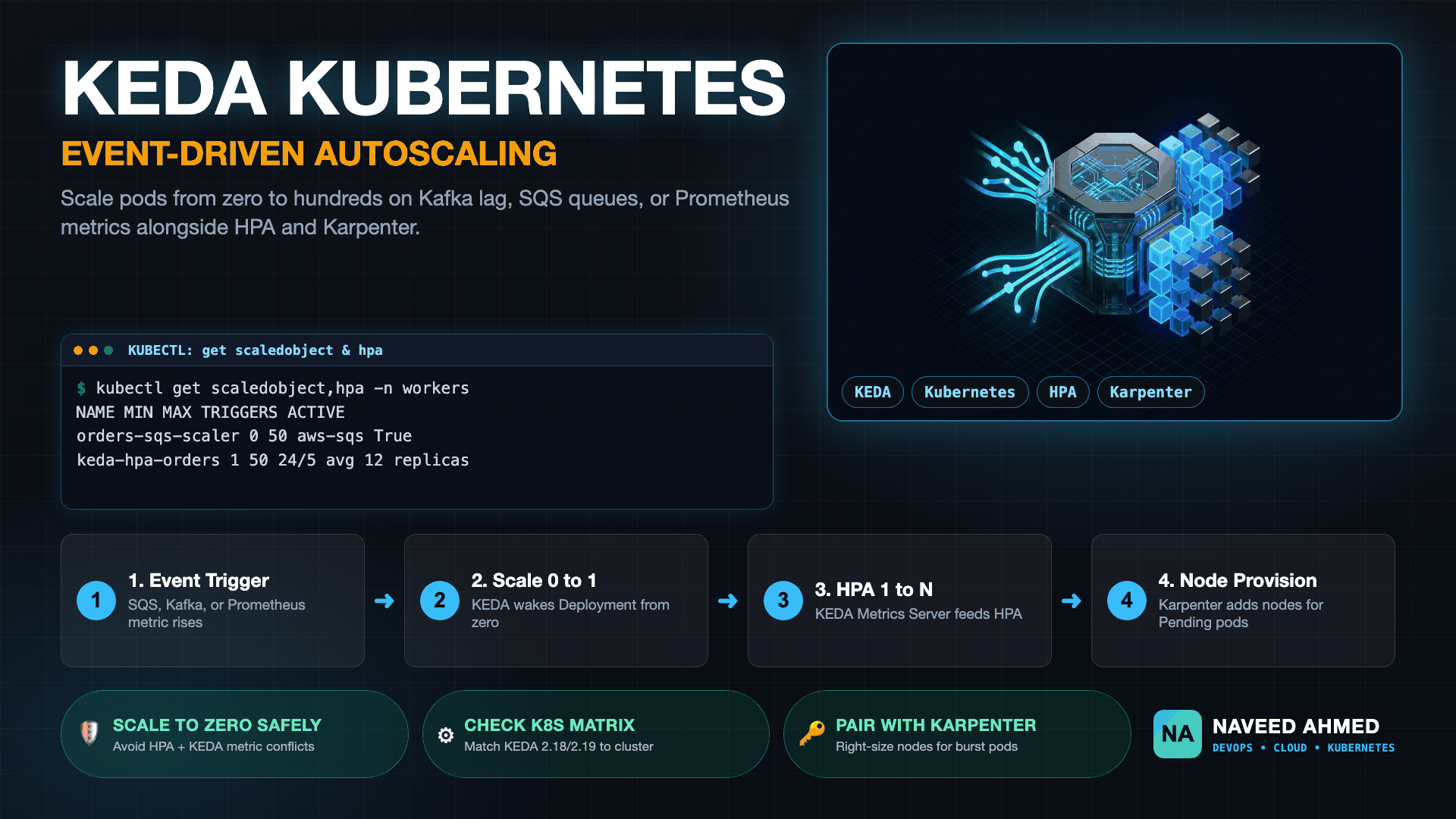
KEDA does not replace the Kubernetes HPA. Instead, KEDA manages scaling between 0 and 1 replicas on its own, and automatically generates and feeds a standard HorizontalPodAutoscaler object for scaling from 1 to N replicas.
The 970+ Incident Handbook & K8s Runbooks are exclusive to subscribers — unlock for FREE
Get battle-tested production runbooks, AWS architecture blueprints, and zero-downtime CI/CD post-mortems sent directly to your inbox. 100% free, no spam.
How Does KEDA Event-Driven Autoscaling Work?
When you apply a ScaledObject manifest, KEDA splits autoscaling responsibilities across two components: the KEDA Operator (which handles activation from 0 to 1 and back to 0 after a cooldown period) and the KEDA Metrics API Server (which exposes external queue or lag metrics to the native Kubernetes HPA controller).
KEDA polls an external scaler such as AWS SQS, Kafka, RabbitMQ, or Prometheus.
If current replicas are 0 and events arrive, the KEDA Operator wakes the Deployment.
The KEDA Metrics Server feeds external values to HPA via external.metrics.k8s.io.
If pods sit Pending, Karpenter or Cluster Autoscaler adds compute nodes.
KEDA vs HPA vs Karpenter: How They Compare
Engineers often ask whether to choose KEDA vs HPA or KEDA vs Karpenter. In practice, they operate at different layers of the cluster and work together as a three-part scaling pipeline.
| Feature | Kubernetes HPA | KEDA | Karpenter |
|---|---|---|---|
| Scaling layer | Pod replicas (1 to N) | Pod replicas (0 to N) | Cluster compute nodes (VMs/EC2) |
| Scale to zero | No (minimum 1 replica) | Yes (via minReplicaCount: 0) |
Yes (terminates empty nodes) |
| Metric source | CPU, Memory, or custom metrics adapter | 60+ external scalers (SQS, Kafka, Cron, Prometheus) | Kubernetes scheduler (Pending pods) |
| Best workload fit | Steady HTTP APIs bound by CPU | Queue workers, batch jobs, bursty consumers | Dynamic AWS EKS node pools with fast bursts |
For interview-focused architecture questions on how KEDA extends the native autoscaler, check our What is KEDA and how does it extend HPA scenario.
KEDA Kubernetes Version Compatibility Matrix
KEDA maintains official test coverage across a rolling three-minor-version window of Kubernetes. Upgrading your EKS, GKE, or AKS control plane without checking KEDA compatibility can break the external.metrics.k8s.io APIService or CRD schemas.
| KEDA Release / Helm Chart | Supported Kubernetes Versions | Support Status |
|---|---|---|
| KEDA 2.19 | Kubernetes 1.32 to 1.34 | Active |
| KEDA 2.18 | Kubernetes 1.31 to 1.33 | Active |
| KEDA 2.17 | Kubernetes 1.30 to 1.32 | EOL (upgrade recommended) |
| KEDA 2.16 | Kubernetes 1.29 to 1.31 | EOL (upgrade recommended) |
| KEDA 2.15 | Kubernetes 1.28 to 1.30 | EOL (upgrade recommended) |
How to Install KEDA on Kubernetes (Helm Chart & AKS Add-on)
Installing KEDA with the official KEDA Helm chart is the standard approach across EKS, GKE, and self-managed clusters because it gives you version pinning, Prometheus metrics scraping, and PodDisruptionBudget controls.
1. Install KEDA via Helm Chart
# Add the official KEDA Helm repository
helm repo add kedacore https://kedacore.github.io/charts
helm repo update

# Install KEDA into its own namespace (requires Helm 3)
helm upgrade --install keda kedacore/keda \
  --namespace keda \
  --create-namespace \
  --set prometheus.operator.enabled=true

# Verify KEDA operator, metrics-apiserver, and admission webhooks
kubectl get pods -n keda
kubectl get apiservices | grep external.metrics.k8s.io
2. Enable the Managed AKS KEDA Add-on
If you run Azure Kubernetes Service (AKS), Microsoft provides a managed KEDA add-on that handles control-plane upgrades automatically alongside your cluster version:
# Enable KEDA on an existing AKS cluster
az aks update \
  --resource-group prod-rg \
  --name prod-aks-cluster \
  --enable-keda

# Confirm the managed KEDA pods are running in kube-system
kubectl get pods -n kube-system -l app.kubernetes.io/part-of=keda-operator
KEDA Scalers Tutorial: ScaledObject & TriggerAuthentication
KEDA ships over 60 built-in scalers covering message brokers (Kafka, RabbitMQ, AWS SQS, Azure Service Bus), databases (PostgreSQL, Redis), observability backends (Prometheus, Datadog), and schedules (Cron). Below is a production ScaledObject for an AWS SQS worker that uses IRSA (TriggerAuthentication with pod identity) and scales from 0 to 50 pods.
apiVersion: keda.sh/v1alpha1
kind: TriggerAuthentication
metadata:
  name: aws-irsa-auth
  namespace: workers
spec:
  podIdentity:
    provider: aws
---
apiVersion: keda.sh/v1alpha1
kind: ScaledObject
metadata:
  name: orders-sqs-scaler
  namespace: workers
spec:
  scaleTargetRef:
    apiVersion: apps/v1
    kind: Deployment
    name: orders-worker
  pollingInterval: 15
  cooldownPeriod: 300
  minReplicaCount: 0
  maxReplicaCount: 50
  triggers:
    - type: aws-sqs-queue
      authenticationRef:
        name: aws-irsa-auth
      metadata:
        queueURL: https://sqs.us-east-1.amazonaws.com/123456789012/orders-prod
        queueLength: "5"
        awsRegion: us-east-1
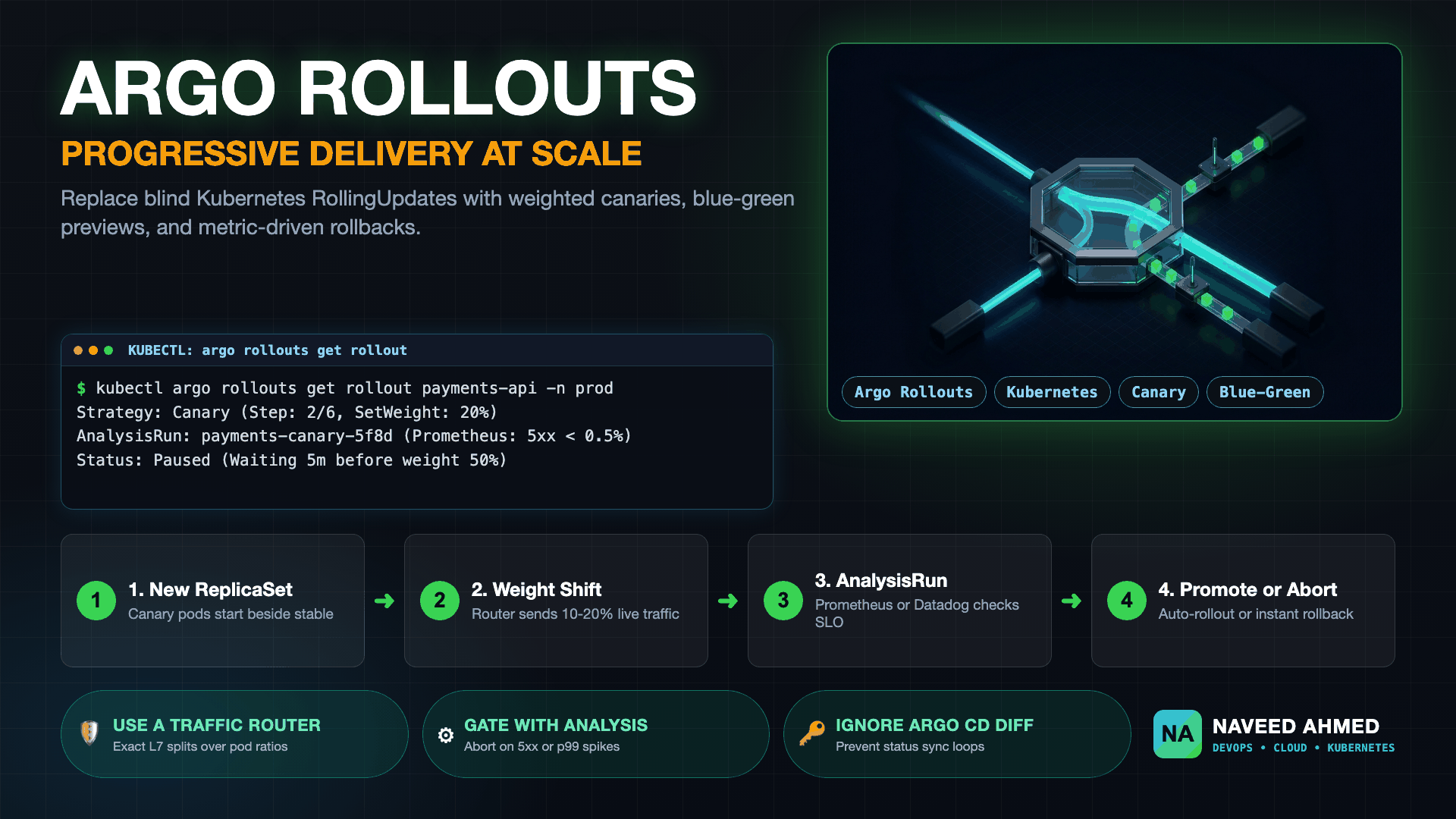
If you deploy event-driven microservices with progressive delivery, pair KEDA with Argo Rollouts canary and blue-green workflows so new worker builds verify error rates before taking full queue load.
Predictive Autoscaling in Kubernetes with KEDA
Reactive queue scaling still pays a cold-start penalty when pods scale from 0 and Karpenter has to launch a fresh EC2 instance. You can achieve predictive autoscaling in Kubernetes with KEDA in three ways:
- Combine the built-in
crontrigger with your queue trigger in the sameScaledObjectto pre-warm a baseline replica count before known daily traffic windows. - Point the KEDA
prometheusscaler at a recording rule that predicts load 5 to 10 minutes ahead usingpredict_linear()on request rate. - Use the community PredictKube scaler when you need ML-based time-series forecasting over historical Prometheus metrics.
Common KEDA Production Issues and Fixes
Most KEDA outages trace back to duplicate HPA definitions or broken metrics API discovery. Use this triage table when pods refuse to scale.
| Symptom | Root Cause | Fix & First Command |
|---|---|---|
| Pods flap rapidly up and down | A manual HPA and a KEDA ScaledObject target the same Deployment. |
Delete the manual HPA; let KEDA own the generated HPA. Check with kubectl get hpa -A. |
HPA shows <unknown> metric |
keda-operator-metrics-apiserver is unhealthy or blocked by a NetworkPolicy on port 6443. |
Run kubectl describe apiservice v1beta1.external.metrics.k8s.io. |
ScaledObject stays at 0 despite messages |
TriggerAuthentication IAM role or Secret lacks read/attribute permissions on the queue. |
Inspect kubectl describe scaledobject <name> and KEDA operator logs. |
Pods scale up then sit Pending |
Cluster nodes are full; Karpenter or Cluster Autoscaler cannot schedule the burst. | Check node pool limits and PDBs via kubectl describe pod <pending-pod>. |
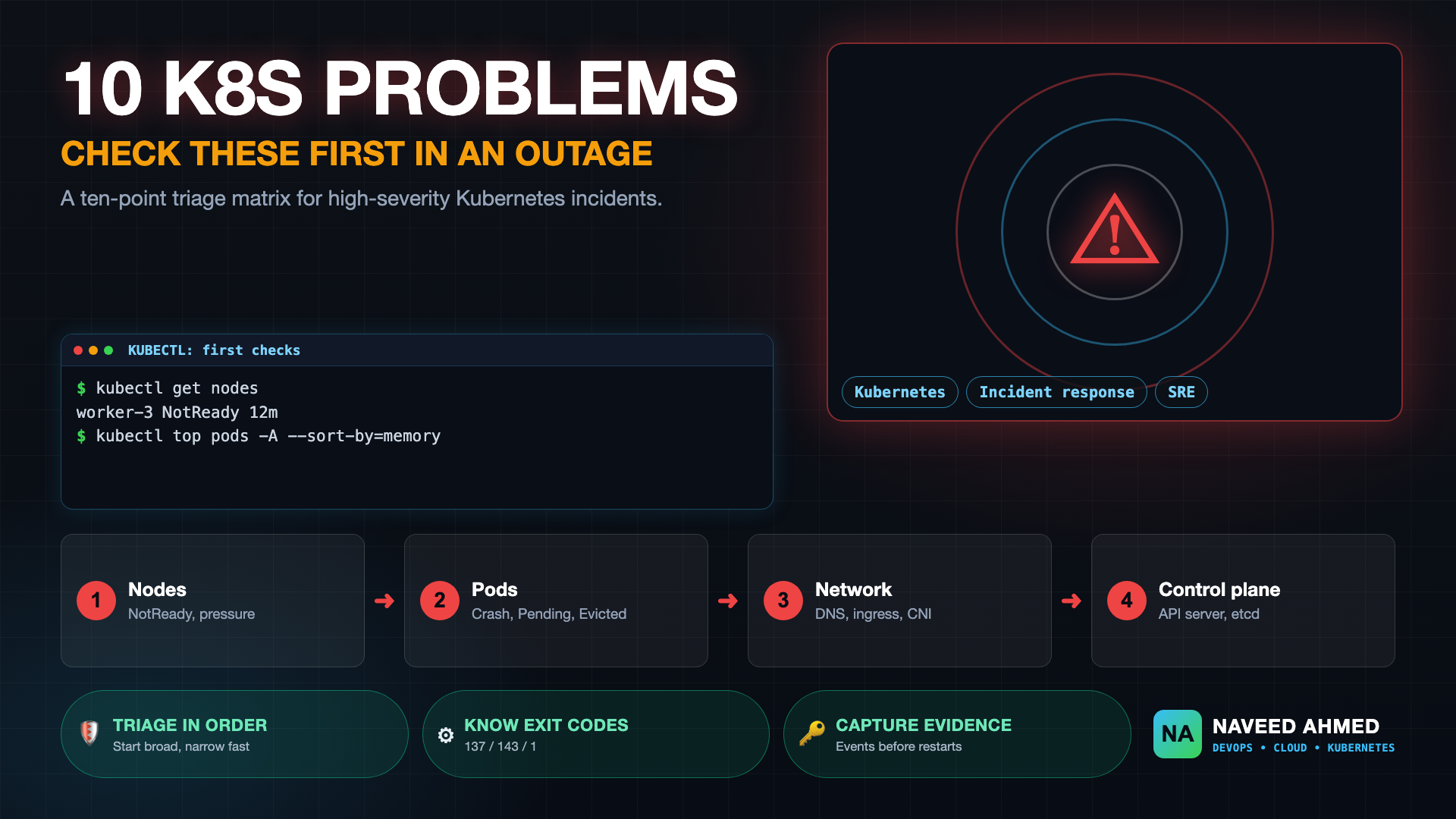
For broader cluster debugging patterns, reference our 10 Kubernetes production problems checklist and the Kubernetes Production Scenario Handbook.
Key Takeaways
- Use KEDA whenever workloads scale on queue depth, stream lag, or custom Prometheus queries, or when idle workers should drop to 0 replicas.
- Never attach a standalone HPA to a Deployment already managed by a KEDA
ScaledObject; configure any CPU fallback trigger inside theScaledObjectitself. - Match your KEDA Helm chart release (such as 2.18 or 2.19) to your cluster's supported Kubernetes minor version before upgrading control planes.
- Pair KEDA pod scaling with Karpenter node provisioning so sudden queue bursts do not stall in
Pendingstate.
Frequently Asked Questions
Direct answers to frequent engineering questions regarding AI coding agent disruptions, entry-level career outlooks, computer science degree value, and the changing landscape of software development roles in production environments.
What is the full form of KEDA in Kubernetes, and is KEDA open source?
KEDA stands for Kubernetes Event-Driven Autoscaling. It is a CNCF Graduated open-source project hosted on GitHub (kedacore/keda) under the Apache 2.0 license, originally created by Microsoft and Red Hat.
What is the difference between KEDA and HPA in Kubernetes?
HPA is built into Kubernetes and scales existing pods from 1 to N using CPU, memory, or custom metrics. KEDA extends HPA by connecting to 60+ external event sources (Kafka, SQS, RabbitMQ, Prometheus, Cron) and handling scaling between 0 and 1 replicas.
How do KEDA and Karpenter work together?
KEDA scales pods up and down based on queue depth or event lag, while Karpenter provisions and consolidates underlying EC2 or cloud VM nodes when KEDA-created pods enter Pending state due to insufficient cluster capacity.
How do I install KEDA on Kubernetes using the Helm chart?
Add the kedacore Helm repository (https://kedacore.github.io/charts) and run helm upgrade --install keda kedacore/keda --namespace keda --create-namespace. On Azure AKS, you can also enable the managed KEDA add-on directly via az aks update --enable-keda.
Does KEDA support predictive autoscaling in Kubernetes?
KEDA supports proactive and predictive scaling through its Cron scaler (pre-warming pods before scheduled traffic), Prometheus/Datadog scalers fed by forecasting metrics, and community predictive scalers such as PredictKube.