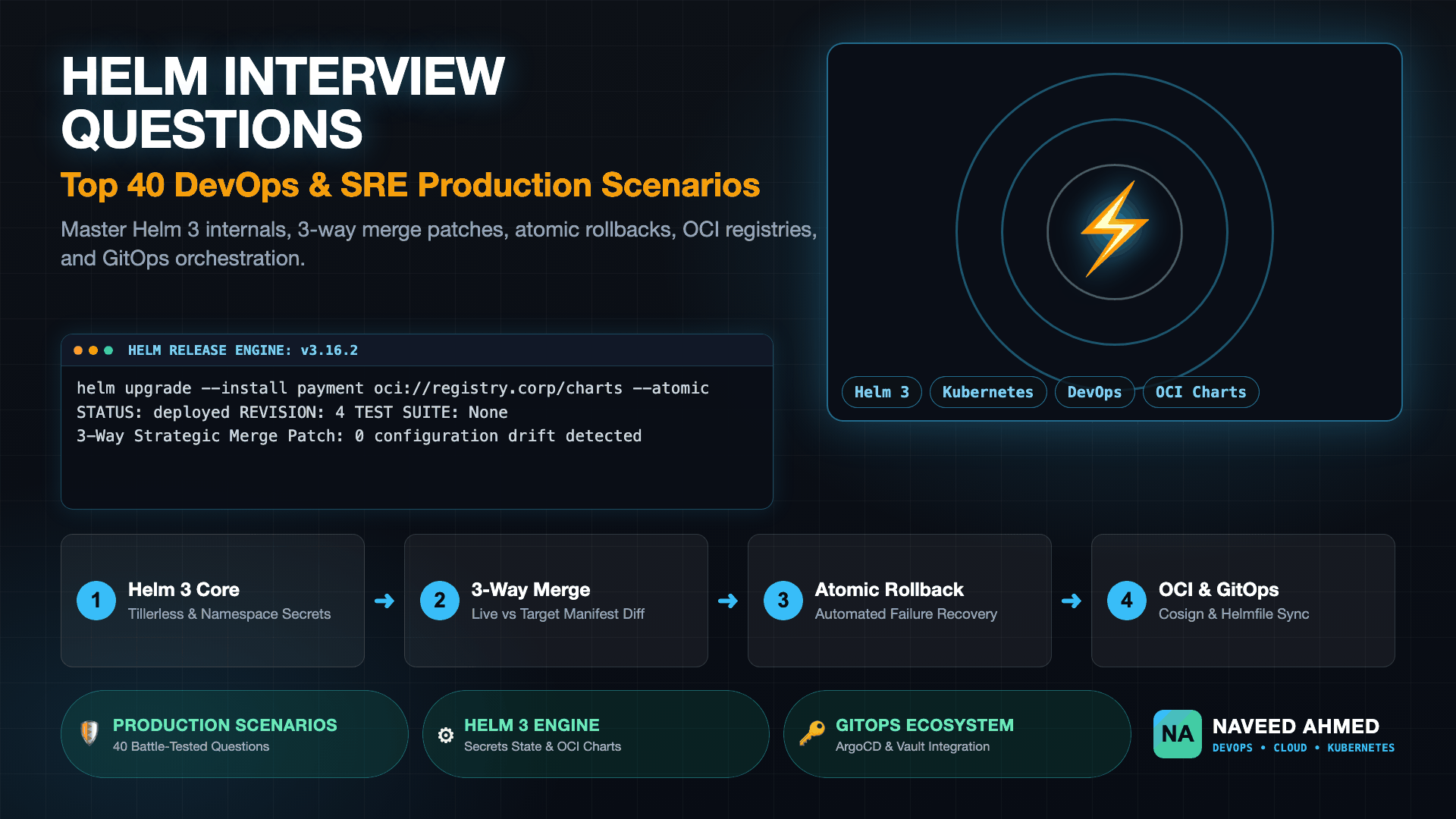
Mastering helm interview questions requires demonstrating deep comprehension of Helm 3 client-side architecture, 3-way strategic merge patch algorithms, atomic rollback recovery, and OCI artifact distribution. In modern DevOps and SRE hiring panels, interviewers probe beyond basic helm install commands to evaluate how you debug failed release states, manage secret variables across multi-environment clusters with Helmfile and Vault, and enforce cryptographic image provenance using Sigstore Cosign.
Whether you are preparing for a mid-level platform engineer screening or a staff site reliability engineering loop, interview expectations have shifted toward production resilience and GitOps automation. Junior questions verify chart directory structures, template functions, and release versioning. Senior engineering loops probe why manual kubectl edit modifications disappear after an upgrade, how Helm manages release state inside encrypted Kubernetes Secrets, and when an engineering organization should migrate from complex umbrella charts to custom Kubernetes Operators. This definitive guide compiles 40 battle-tested questions and answers, cross-referenced with our Kubernetes interview scenario bank and our hands-on Kubernetes Helm Learning Module.
| Architectural Dimension | Helm 2 (Legacy) | Helm 3 (Modern Standard) | Production Engineering Impact |
|---|---|---|---|
| Cluster Daemon | Tiller in kube-system |
Tillerless (Pure Client-Side) | Eliminated single point of failure and severe privilege escalation risks. |
| RBAC & Auth | Tiller service account (cluster-admin) | User kubeconfig credentials | Enforces granular per-user RBAC without granting cluster-wide superuser access. |
| Release State Storage | ConfigMaps in kube-system |
Secrets in Release Namespace | Protects sensitive values and prevents cross-namespace release name collisions. |
| Upgrade Patching | 2-Way Strategic Merge | 3-Way Strategic Merge | Preserves external mutations like HPA pod scaling during routine chart upgrades. |
| Registry Distribution | HTTP Tarball Repositories | OCI Registries (Native) | Enables unified container and chart distribution via AWS ECR, Harbor, and Cosign. |
Module 1: Helm 3 Architecture & Package Management Fundamentals (Helm Interview Questions)
Helm 3 functions as a client-side package manager that serializes Go templates into Kubernetes manifests and delivers them directly to the Kubernetes API server using the operator's kubeconfig credentials. By removing the legacy Tiller daemon, Helm 3 aligns completely with native Kubernetes Role-Based Access Control (RBAC) and stores versioned release history as encrypted Secret objects directly within the deployment namespace.
Q1: What is Helm and why do engineering teams use it instead of raw kubectl manifests?
Helm is the graduated CNCF package manager for Kubernetes. In raw kubectl workflows, deploying a microservice requires managing disparate, static YAML manifests for Deployments, Services, ConfigMaps, Ingress, and HorizontalPodAutoscalers across multiple environments. This approach leads to severe configuration drift, duplicated code, and error-prone copy-paste migrations.
Helm parameterizes these manifests using Go templating, allowing developers to define a single chart structure and inject environment-specific values for development, staging, and production. Furthermore, Helm tracks atomic release versions, manages deployment rollbacks, coordinates dependency trees, and facilitates distribution via container registries. Explore our scenario guide on why Helm is preferred over raw kubectl in production.
Q2: Why was Tiller removed in Helm 3, and what security risks did it present?
In Helm 2, Tiller was a server-side pod installed inside the kube-system namespace. Because Tiller needed to deploy arbitrary resources across any namespace, administrators typically bound its service account to the cluster-admin ClusterRole. This created a massive security vulnerability: any user with access to the Helm CLI or local network could instruct Tiller to deploy workloads with full cluster-admin privileges, completely bypassing namespace-level RBAC restrictions.
Helm 3 eliminated Tiller entirely. The Helm binary now operates as a pure client-side utility, transmitting manifests directly to the Kubernetes API server using the identity and RBAC permissions authenticated in the local user's ~/.kube/config. If a developer lacks permission to create Secrets in a namespace, Helm cannot create them either.
Q3: Where and how does Helm 3 store release metadata in the cluster?
Helm 3 stores release history directly within the namespace of the release as Kubernetes Secret objects (with an optional driver for ConfigMaps or SQL). The Secret names follow the convention:
sh.helm.release.v1.[RELEASE_NAME].v[REVISION_NUMBER]
The Secret payload contains a base64-encoded, gzipped JSON release record including the deployed chart metadata, user-supplied values, rendered manifests, release status (deployed, failed, superseded), and deployment timestamps. This design ensures that deleting a namespace cleanly uninstalls and purges all associated Helm release tracking data.
Q4: What is the difference between 'version' and 'appVersion' in Chart.yaml?
In Chart.yaml, these two attributes govern distinct lifecycles:
- version: The SemVer 2.0 version of the Helm chart itself (e.g.,
1.4.2). It increments whenever the chart templates, helpers, default values, or dependencies change. Helm uses this version to resolve chart dependencies. - appVersion: An informational string specifying the version of the underlying application workload being deployed (e.g.,
nginx:1.25.3or Git commit SHA). It does not need to adhere to SemVer.
Review our detailed scenario on managing version vs appVersion in automated CI/CD pipelines.
Q5: Explain the structure of a standard production Helm chart directory.
A production-grade Helm chart layout adheres to the following directory hierarchy:
my-chart/
├── Chart.yaml          # Metadata: name, version, appVersion, dependencies
├── Chart.lock          # Cryptographic hashes of locked subchart dependencies
├── values.yaml         # Default configuration values for templates
├── values.schema.json  # JSON Schema validating user inputs before rendering
├── .helmignore         # Patterns to ignore when packaging the chart
├── templates/          # Go template files evaluated into Kubernetes manifests
│   ├── _helpers.tpl    # Reusable named template definitions and snippets
│   ├── deployment.yaml # Deployment specification
│   ├── service.yaml    # Service definition
│   ├── ingress.yaml    # Ingress routing definition
│   ├── NOTES.txt       # Post-installation usage instructions displayed to user
│   └── tests/          # Helm test pods validating release health
└── crds/               # Custom Resource Definitions installed before templates
Q6: How does Helm handle Custom Resource Definitions (CRDs) in the crds/ directory?
Helm 3 introduces special handling for files located in the root crds/ directory:
- During
helm install, Helm applies CRDs incrds/first, before rendering any templates in thetemplates/directory. This guarantees that custom controllers or resources defined in templates do not fail validation due to missing API definitions. - CRD Upgrade Protection: By design, Helm does not update or delete CRDs during
helm upgradeorhelm uninstall. This intentional decision prevents catastrophic data loss: deleting or accidentally modifying a CRD would trigger the Kubernetes garbage collector to delete all associated custom resource instances across the entire cluster. Upgrades to CRDs must be managed out-of-band via kubectl or GitOps operators.
Q7: What is the purpose of the Chart.lock file and how is it generated?
The Chart.lock file records the exact resolved versions and SHA256 integrity digests of all external subcharts declared in Chart.yaml under the dependencies field. Running helm dependency update parses the declared version constraints (e.g., ~1.2.0), downloads the matching archives into the charts/ folder, and writes the lockfile. Committing Chart.lock into Git ensures deterministic, reproducible builds across CI/CD runners.
The 970+ Incident Handbook & K8s Runbooks are exclusive to subscribers — unlock for FREE
Get battle-tested production runbooks, AWS architecture blueprints, and zero-downtime CI/CD post-mortems sent directly to your inbox. 100% free, no spam.
Module 2: 3-Way Strategic Merge Patch & Templating Engine (Helm Scenario Questions)
The 3-way strategic merge patch algorithm in Helm 3 resolves drift by comparing the old chart manifest, the live cluster state, and the new target manifest. This prevents routine upgrades from accidentally overwriting runtime mutations—such as HorizontalPodAutoscalers adjusting replica counts—while ensuring that deleted fields in the template are properly removed from the running cluster.
Q8: How does the 3-Way Strategic Merge Patch work during a 'helm upgrade'?
In Helm 2, upgrades used a 2-way merge: Helm compared the previous chart manifest against the new chart manifest. If an out-of-band change occurred (such as an SRE running kubectl edit during an outage, or an HPA modifying spec.replicas), Helm 2 had no awareness of the live cluster state and would clobber or ignore the change unpredictably.
Helm 3 implements a 3-way strategic merge patch by evaluating three inputs:
1. The Original Manifest: The rendered output from the previous successful release revision.
2. The Live Cluster State: The current active resource retrieved from the Kubernetes API server.
3. The Target Manifest: The newly rendered template from the pending upgrade.
If a field was modified in the live cluster but was never specified in either the old or new chart manifest (e.g., an HPA setting replicas), Helm leaves that field untouched. If a field was present in the old chart but deleted in the new chart, Helm detects the deletion and removes it from the live object.
Q9: Scenario: An SRE scales a deployment via 'kubectl scale' to handle traffic. What happens to the replica count on the next 'helm upgrade'?
The outcome depends directly on how the template is configured. If the chart template explicitly hardcodes replicas: {{ .Values.replicaCount }}, Helm considers the replica count a managed field. During the 3-way merge, the target manifest specifies the value in values.yaml, causing Helm to overwrite the manual scale back to the chart value.
Production SRE Solution: To allow an HPA or manual kubectl scale commands to govern replicas without interference, production templates omit the replicas field entirely if autoscaling is enabled:
{{- if not .Values.autoscaling.enabled }}
replicas: {{ .Values.replicaCount }}
{{- end }}
Q10: What is the difference between '{{- ' and ' -}}' whitespace chomping in Go templates?
YAML is strictly whitespace- and indentation-sensitive. By default, Go templating engines retain all preceding and trailing newlines and spaces around template tags.
{{-(Chomp Left): Strips all whitespace, tabs, and newlines to the left of the tag until the first non-whitespace character.-}}(Chomp Right): Strips all whitespace, tabs, and newlines to the right of the tag until the next non-whitespace character.
Failing to use whitespace chomping inside loops or conditional blocks results in invalid YAML indentation errors during helm template parsing. Validate syntax before deployments with our Kubernetes YAML Validator Tool.
Q11: How do 'range' and 'with' statements alter the template scope (dot context)?
In Helm templates, the period (.) represents the current root scope, providing access to .Values, .Chart, and .Release.
When you enter a {{ with .Values.image }} or {{ range .Values.ports }} block, the scope of . shifts to the targeted inner object. Attempting to reference {{ .Values.replicaCount }} inside that block will throw a nil pointer error because replicaCount does not exist on the inner object.
Solution: Use the dollar sign variable $ to reference the global root context from within any nested scope: {{ $.Values.replicaCount }}. Learn more in our deep dive on Helm Go template range function and values hierarchy.
Q12: How do named templates in '_helpers.tpl' work and what is the difference between 'include' and 'template'?
Named templates defined inside _helpers.tpl encapsulate reusable snippets, such as standard metadata labels or formatted fullname strings:
{{/* Generate standard labels */}}
{{- define "my-chart.labels" -}}
helm.sh/chart: {{ include "my-chart.chart" . }}
app.kubernetes.io/name: {{ include "my-chart.name" . }}
app.kubernetes.io/instance: {{ .Release.Name }}
{{- end }}
include vs template: The built-in template keyword is an action that renders the template directly to stdout without returning a string. Consequently, its output cannot be piped into formatting functions. In contrast, include is a Helm function that returns the rendered output as a string, allowing you to pipe it into indentation utilities: {{ include "my-chart.labels" . | nindent 4 }}. Production charts should always use include.
Q13: What does the 'tpl' function do in Helm and when should it be used?
The tpl function evaluates a string as if it were a Go template, resolving template variables inside user-provided values. This is essential when users want to inject dynamic values (like {{ .Release.Namespace }}) inside custom ConfigMap strings or Ingress annotations defined in their external values.yaml file:
data: {{ tpl .Values.customConfig . | nindent 4 }}.
Q14: How does 'values.schema.json' prevent invalid deployments before rendering manifests?
Placing a values.schema.json file at the root of a chart enforces JSON Schema validation against all values passed via values.yaml, -f flags, or --set parameters. If a user passes an integer for a port number that falls outside the allowed range (e.g., port 99999), or omits a required field, Helm terminates execution immediately during client-side validation before transmitting any API calls to Kubernetes.
Module 3: Release Lifecycles, Rollback Mechanics & Failure Triage (SRE Incident Scenarios)
Managing release lifecycles in mission-critical clusters requires combining atomic execution flags with proactive health monitoring. When an upgrade encounters readiness probe failures or quota starvation, Helm records the release in a failed state. SREs recover cluster state using helm rollback, which synthesizes a brand-new incremental revision containing the target historical manifest rather than deleting records.
Q15: What happens when an upgrade fails and how does Helm handle atomic rollbacks?
By default, helm upgrade marks a release as failed if any resource fails to apply or hooks fail, but it does not roll back the cluster. The previously existing pods and new failing pods may coexist in a degraded state.
Adding the --atomic flag alters this behavior: Helm waits for all Pods to report ready (up to --timeout, which defaults to 5 minutes). If readiness probes fail, an OOMKilled crash occurs, or the timeout expires, Helm automatically triggers a rollback to the previous successful release revision. On initial installation (helm install --atomic), a failure causes Helm to completely purge the release.
Q16: How does 'helm rollback' operate internally? Does it decrement the revision number?
No, Helm never decrements revision numbers. Helm treats releases as an append-only transaction ledger.
When you execute helm rollback my-release 2 on a release currently at revision 5, Helm retrieves the exact manifest and values recorded in the Secret for revision 2, renders a 3-way merge patch, applies it to the cluster, and creates a brand-new revision 6. The release status of revision 6 indicates that it rolled back to revision 2. Read our deep-dive analysis on Helm rollback mechanism execution and limitations.
Q17: Scenario: A release is stuck in 'pending-upgrade' or 'pending-install'. Why does this occur and how do you resolve it?
A release enters pending-upgrade when a Helm client initiates an upgrade and crashes (or is killed via SIGKILL in a CI/CD runner) while holding the deployment lock, or when an unhandled network partition interrupts the API connection. Subsequent commands fail with:
Error: UPGRADE FAILED: another operation (install/upgrade/rollback) is in progress
Triage Runbook:
1. Inspect the latest release Secret: kubectl get secret -l owner=helm,name=my-release -n my-ns.
2. Check the status in the Secret metadata or use helm history my-release -n my-ns.
3. Delete the pending release Secret corresponding to the stuck revision. Helm will revert to recognizing the previous deployed revision, freeing the lock for immediate re-deployment.
Q18: What are Helm Chart Hooks and what is their execution order?
Hooks allow chart authors to intervene at specific points in a release lifecycle. They are declared via annotations on Kubernetes manifests:
pre-install: Executes after templates are rendered but before any resources are created.post-install: Executes after all resources are created and ready.pre-upgrade: Executes before existing resources are patched. Used for automated database schema migrations.post-upgrade: Executes after an upgrade completes successfully.pre-rollback/post-rollback: Executes around rollback operations.pre-delete/post-delete: Executes during uninstallation.
Q19: How do hook weights and hook delete policies govern execution sequence and cleanup?
Hooks are governed by two critical annotations:
- helm.sh/hook-weight: An integer (positive or negative) determining execution order. Helm sorts hooks by weight in ascending order (e.g.,
-5runs before0, which runs before10). Hooks with the same weight execute in alphabetical order by manifest name. - helm.sh/hook-delete-policy: Defines when the hook resource is deleted. Options include
hook-succeeded(delete when the job completes successfully),hook-failed(delete on failure), orbefore-hook-creation(delete previous instances before spawning a new one).
Q20: Why does a 'helm rollback' fail to restore deleted PersistentVolumeClaims (PVCs)?
If an upgrade accidentally modifies or removes a stateful resource and causes a PVC to be detached or deleted, rolling back via Helm restores the declarative PVC manifest in the API server, but it cannot restore the underlying cloud storage volume if the storage class has a reclaimPolicy: Delete. In stateful applications, PVCs should always be marked with resource protection annotations (such as helm.sh/resource-policy: keep) to prevent accidental deletion during chart uninstalls or rollbacks.
Q21: How do you perform a dry-run test of a Helm upgrade without altering the live cluster?
Modern Helm provides two distinct dry-run modes:
helm template my-release ./my-chart: Completely offline local rendering. Evaluates templates against values, but does not contact the Kubernetes API server or validate CRD schemas.helm upgrade --install my-release ./my-chart --dry-run=server: Contacts the live API server, performs full admission webhook schema validation, merges cluster state, and outputs the exact manifests that would be applied without committing any state changes.
Q22: Scenario: A Helm upgrade fails with 'ResourceQuota exceeded'. What is the exact diagnostic sequence?
When a deployment fails due to quota saturation, Helm times out waiting for pods. Triage sequence:
1. Check namespace quotas: kubectl describe resourcequota -n my-ns.
2. Inspect Pod scheduling failure events: kubectl get events -n my-ns --sort-by='.lastTimestamp'.
3. Verify pod requests vs limits defined in the chart's values.yaml.
4. Either increase the namespace quota or reduce the resource requests in values before re-running helm upgrade. See our operational incident drill on handling Helm deployments failing due to insufficient cluster resources.
Module 4: Values Hierarchy, Multi-Environment Config & Secrets Management (Helm Interview Questions)
Helm establishes a strict values precedence hierarchy where command-line overrides take precedence over multiple passed values files, which in turn override the chart's base values.yaml defaults. In enterprise environments, managing secrets requires decoupling plaintext templates from sensitive data using modern GitOps tooling like HashiCorp Vault, Mozilla SOPS, or Bitnami Sealed Secrets.
Q23: What is the exact precedence order when merging values from multiple sources in Helm?
When Helm renders manifests, values are merged in order of increasing specificity. Higher-priority sources overwrite lower-priority sources:
- Subchart values.yaml: Default values declared within child charts (lowest priority).
- Parent chart values.yaml: Base defaults in the top-level chart.
- User-supplied values files (
-f/--values): Evaluated from left to right. If multiple files are passed (-f base.yaml -f prod.yaml), the rightmost file overwrites conflicts. --setparameters: Command-line parameters overwrite files.--set-stringparameters: Enforces string data types over automatic type casting.--set-fileparameters: Loads raw file contents (highest priority).
Q24: How do enterprise teams architect multi-environment deployments (Dev, Staging, Prod) with Helm?
Enterprise best practices mandate a single canonical chart repository paired with an environment values hierarchy:
deployments/
├── values.common.yaml     # Baseline: image repository, standard probe timings
├── values.dev.yaml        # 1 replica, minimal CPU/memory requests, NodePort
├── values.staging.yaml    # 2 replicas, standard limits, internal Ingress
└── values.prod.yaml       # 5 replicas, HPA enabled, PodDisruptionBudget, TLS
The deployment command merges both: helm upgrade --install app ./chart -f values.common.yaml -f values.prod.yaml. Explore our comprehensive architectural blueprint on managing Dev, QA, UAT, and Production environments in Helm.
Q25: What is Helmfile and how does it solve multi-chart declarative orchestration?
While Helm excels at managing individual chart releases, running raw CLI commands for 30 distinct microservices across multi-tenant clusters quickly becomes unmanageable.
Helmfile is a declarative orchestrator that defines multiple Helm releases in a single helmfile.yaml file. It supports environment state management, automated subchart dependency ordering, secret decryption via SOPS or Vault, and diff detection via the helm-diff plugin. Running helmfile apply synchronizes the entire multi-service fleet to the desired declarative state. Read our interview guide on declarative multi-chart orchestration with Helmfile.
Q26: Why should sensitive secrets NEVER be stored in plain text inside values.yaml?
Storing raw database passwords, API tokens, or TLS private keys in values.yaml exposes them in version control systems and unencrypted Git histories. Furthermore, because Helm stores release manifests as standard base64 Kubernetes Secrets, anyone with read access to the release namespace can decode the raw secret using standard kubectl get secret commands.
Q27: How do you integrate Helm with HashiCorp Vault, Mozilla SOPS, and Sealed Secrets?
Production GitOps pipelines employ one of three proven secrets management patterns:
- External Secrets Operator (ESO) + HashiCorp Vault: Helm deploys an
ExternalSecretCRD referencing a path in Vault. The operator pulls the secret at runtime and creates a native Kubernetes Secret. Plaintext never touches Git. - Mozilla SOPS (helm-secrets plugin): Encrypts only the sensitive values inside
secrets.yamlusing AWS KMS, GCP KMS, or PGP keys. Git holds ciphertext; Helm decrypts on-the-fly during deployment. - Bitnami Sealed Secrets: Encrypts secrets client-side using an asymmetric public key. The in-cluster SealedSecrets controller decrypts them using its private key.
Review our comprehensive architecture guide on ArgoCD and Helm secrets management patterns (Vault vs SOPS vs Sealed Secrets).
Q28: How does ArgoCD integrate with Helm charts in a GitOps architecture?
ArgoCD natively parses Helm charts. When an ArgoCD Application points to a Git repository containing a chart (or a remote Helm repository), ArgoCD runs helm template client-side to render the manifests and applies them directly using standard Kubernetes API calls. ArgoCD monitors the live cluster for configuration drift and automatically resynchronizes state if an unauthorized manual change occurs.
Q29: How do you automatically trigger a Pod restart when a ConfigMap or Secret in a Helm chart changes?
By default, Kubernetes does not trigger a rolling update of a Deployment if an external ConfigMap or Secret changes unless the Deployment's spec.template changes.
Production SRE Pattern: Add a SHA256 checksum annotation of the ConfigMap contents into the Pod template metadata:
spec:
  template:
    metadata:
      annotations:
        checksum/config: {{ include (print $.Template.BasePath "/configmap.yaml") . | sha256sum }}
Whenever the ConfigMap values change, the rendered SHA256 hash changes, modifying the Deployment spec and triggering a graceful rolling update.
Module 5: OCI Chart Registries, Security & CI/CD Testing (DevOps Pipeline Scenarios)
Modern cloud engineering pipelines distribute Helm charts natively as Open Container Initiative (OCI) artifacts, consolidating chart storage within enterprise container registries like AWS ECR, Harbor, and GitHub Packages. Production validation relies on automated CI testing with chart-testing (ct), unit test harnesses, and cryptographic artifact signing using Sigstore Cosign.
Q30: How do OCI-based Helm registries work and how do you push a chart to an OCI registry?
In Helm 3.8+, OCI support graduated to general availability. Instead of running legacy HTTP web servers with index.yaml catalogs, Helm packages charts into OCI image layers stored under an application/vnd.cncf.helm.config.v1+json media type.
# 1. Package chart into .tgz archive
helm package ./my-chart

# 2. Authenticate to container registry
echo $REGISTRY_TOKEN | helm registry login ghcr.io -u $USER --password-stdin

# 3. Push OCI artifact to registry
helm push my-chart-1.2.0.tgz oci://ghcr.io/my-org/charts

# 4. Install directly from OCI URL
helm install my-release oci://ghcr.io/my-org/charts/my-chart --version 1.2.0
Study our operational guide on distributing Helm charts via OCI and Cosign signature verification.
Q31: How do you cryptographically sign and verify Helm charts using Sigstore Cosign?
Supply chain security requires verifying that charts deployed to production have not been tampered with. Because OCI charts are standard container registry artifacts, they can be signed directly using Sigstore Cosign:
# Sign the remote OCI chart artifact
cosign sign --key cosign.key ghcr.io/my-org/charts/my-chart:1.2.0

# Verify signature in CI/CD before deployment
cosign verify --key cosign.pub ghcr.io/my-org/charts/my-chart:1.2.0
Q32: What automated testing tools should be incorporated into a Helm CI/CD pipeline?
A mature Helm CI/CD pipeline enforces four tiers of validation:
- helm lint: Verifies syntax, formatting, and structural integrity of
Chart.yamland templates. - chart-testing (ct lint): Official CNCF tool that checks YAML formatting, SemVer version increments, and chart schema rules on pull requests.
- helm-unittest: BDD-style unit test framework in pure YAML that renders templates in isolation and asserts expected manifest outputs without requiring a live cluster.
- Conftest / OPA Gatekeeper: Enforces security policies (e.g., verifying that no containers run as root and resource limits are defined).
Explore our scenario guide on automated Helm chart testing with ct, lint, and helm-unittest.
Q33: What is the purpose of 'helm test' and how are test pods authored?
helm test [RELEASE_NAME] executes integration verification pods against a running release in the cluster. Test pods are defined inside the templates/tests/ directory and marked with the annotation:
metadata:
  annotations:
    "helm.sh/hook": test
When invoked, Helm spawns the pod (e.g., running curl against a Service endpoint or querying a health-check URI). If the container exits with exit code 0, the test passes.
Q34: How do you enforce policy-as-code security checks on rendered Helm templates?
Before deploying to production, CI pipelines pipe rendered templates into Conftest using Open Policy Agent (OPA) Rego rules:
helm template ./my-chart | conftest test -.
Rego rules evaluate the manifests and fail the pipeline if security standards are violated (such as missing readOnlyRootFilesystem, running as root UID 0, or exposing privileged host paths). Review our interview guide on dry-run pre-deployment guardrails and Conftest policy enforcement.
Q35: How do you handle immutable field changes (like selector labels in Deployments) during Helm upgrades?
In Kubernetes, certain fields like spec.selector on Deployments and StatefulSets are immutable once created. If a chart upgrade attempts to alter these labels, the Kubernetes API server rejects the patch with:
The Deployment "app" is invalid: spec.selector: Invalid value: field is immutable
Production Fix: Helm cannot perform a strategic merge on immutable fields. SREs must either execute a blue-green migration under a new release name, or run kubectl delete deployment app --cascade=orphan (leaving pods running without downtime) before applying the updated Helm chart to adopt the new deployment spec.
Module 6: Helm vs Kubernetes Operators & Enterprise Monorepo Patterns (Architectural Decisions)
Architectural evaluations between Helm and Kubernetes Operators hinge on the operational complexity of the workload. Helm delivers declarative static templating and lifecycle packaging for stateless microservices. Operators implement custom controllers in Go that provide continuous active reconciliation, automated database failover, leader election, and stateful day-2 operations.
Q36: When should an enterprise choose a Kubernetes Operator over a Helm chart?
The decision framework evaluates Day-1 vs Day-2 operations:
- Choose Helm when: Workloads are stateless (web APIs, microservices, workers), configuration is static/declarative, and lifecycle requirements are limited to install, upgrade, and rollback.
- Choose an Operator when: Workloads are stateful (PostgreSQL clusters, Kafka, Elasticsearch, Redis) requiring active human operational intuition baked into software—such as automatic cluster failover, read-replica promotions, online backup snapshots, and versioned data migrations. Operators maintain a continuous reconciliation loop; Helm executes once and exits.
Explore our full architectural debate on Kubernetes Operator vs Helm architectural trade-offs.
Q37: What is an Umbrella Chart and what are its production advantages and pitfalls?
An umbrella chart is a top-level chart containing no templates of its own, but declaring multiple subcharts as dependencies in Chart.yaml (e.g., deploying frontend, backend, Redis, and ingress in a single release).
Advantages: Single-command deployment of entire distributed applications for local development and ephemeral PR staging environments.
Pitfalls in Production: Couples blast radiuses. Upgrading a single microservice requires re-evaluating the entire umbrella chart, increasing rollback complexity and risking cluster-wide downtime. Enterprise production environments favor decoupled, independent chart releases managed via Helmfile or ArgoCD.
Q38: How do you architect a Helm chart monorepo across multiple microservices?
In an enterprise monorepo housing 20+ microservices:
- Create a standardized library chart (
type: libraryin Chart.yaml) encapsulating 90% of boilerplate deployment, service, ingress, and probe templates. - Each microservice chart imports the library chart as a dependency and specifies only unique application values.
- CI pipelines use Git change detection (via
ct list-changed) to package, test, and push only modified charts, avoiding redundant builds.
Study our guide on architecting Helm chart monorepos and chart vendoring.
Q39: How do you pass values from a parent chart to a subchart?
Parent charts override subchart values by prefixing the configuration block with the subchart's name in the parent's values.yaml:
# Parent values.yaml
database: # Name of the subchart
  replicaCount: 2
  persistence:
    enabled: true
Additionally, values declared under the special global: key are shared across all parent and child subcharts simultaneously, accessible via .Values.global.
Q40: How does Helm track release history and what are the performance impacts of unbounded revision limits?
By default, Helm 3 stores up to 10 historical release revisions as Secrets in the target namespace. If an engineering team configures an unbounded revision limit (or ran legacy Helm 2 defaults), hundreds of obsolete Secrets accumulate in the cluster.
Production SRE Impact: Every Secret increases the memory footprint of etcd and degrades API server watch latency during list operations. In production pipelines, always enforce a strict revision history limit:
helm upgrade --install my-release ./chart --history-max 5.
Ready to expand your screening preparation across the full cloud-native stack? Continue your interview prep with our Top 100 Kubernetes Interview Questions & Answers and master Linux container primitives with our Top 50 Docker Production Scenarios.
Frequently Asked Questions
Direct answers to frequent engineering questions regarding AI coding agent disruptions, entry-level career outlooks, computer science degree value, and the changing landscape of software development roles in production environments.
What core architectural differences distinguish Helm 3 from Helm 2?
Helm 3 eliminated Tiller, the server-side cluster daemon that required broad cluster-admin RBAC privileges in Helm 2. In Helm 3, the client interacts directly with the Kubernetes API server using the operator's kubeconfig credentials. Furthermore, release state is stored as versioned Secrets within the target release namespace rather than ConfigMaps in kube-system.
How does Helm 3 execute a 3-way strategic merge patch during release upgrades?
During helm upgrade, Helm compares three distinct manifests: the original chart manifest applied in the previous release, the live cluster state, and the newly proposed chart manifest. This allows Helm to preserve manual changes made to the live cluster (such as HorizontalPodAutoscaler replica counts) while updating managed fields.
What happens when a Helm release fails while using the atomic flag?
When helm upgrade or helm install runs with the --atomic flag and encounters a timeout or health-check failure, Helm automatically initiates a rollback to the previous successful release revision (or purges the release on initial install), preventing broken half-deployed pods from remaining in production.
How are Helm charts packaged and distributed using OCI registries?
Helm 3 natively packages charts as OCI artifacts using standard container registries like AWS ECR, GitHub Packages, or Harbor. Engineers run helm package to build the .tgz archive, log in via helm registry login, and execute helm push to upload charts with cryptographic Cosign signature verification.
When should an engineering team choose a Kubernetes Operator over a Helm chart?
Helm provides declarative static templating and packaging suitable for stateless microservices and standard deployments. In contrast, Kubernetes Operators implement custom reconciliation loops in Go to manage stateful lifecycle operations, automated backups, leader election, and active self-healing that cannot be expressed in declarative YAML templates.