1. The AWS IaC Dilemma: Native Simplicity vs Universal Power
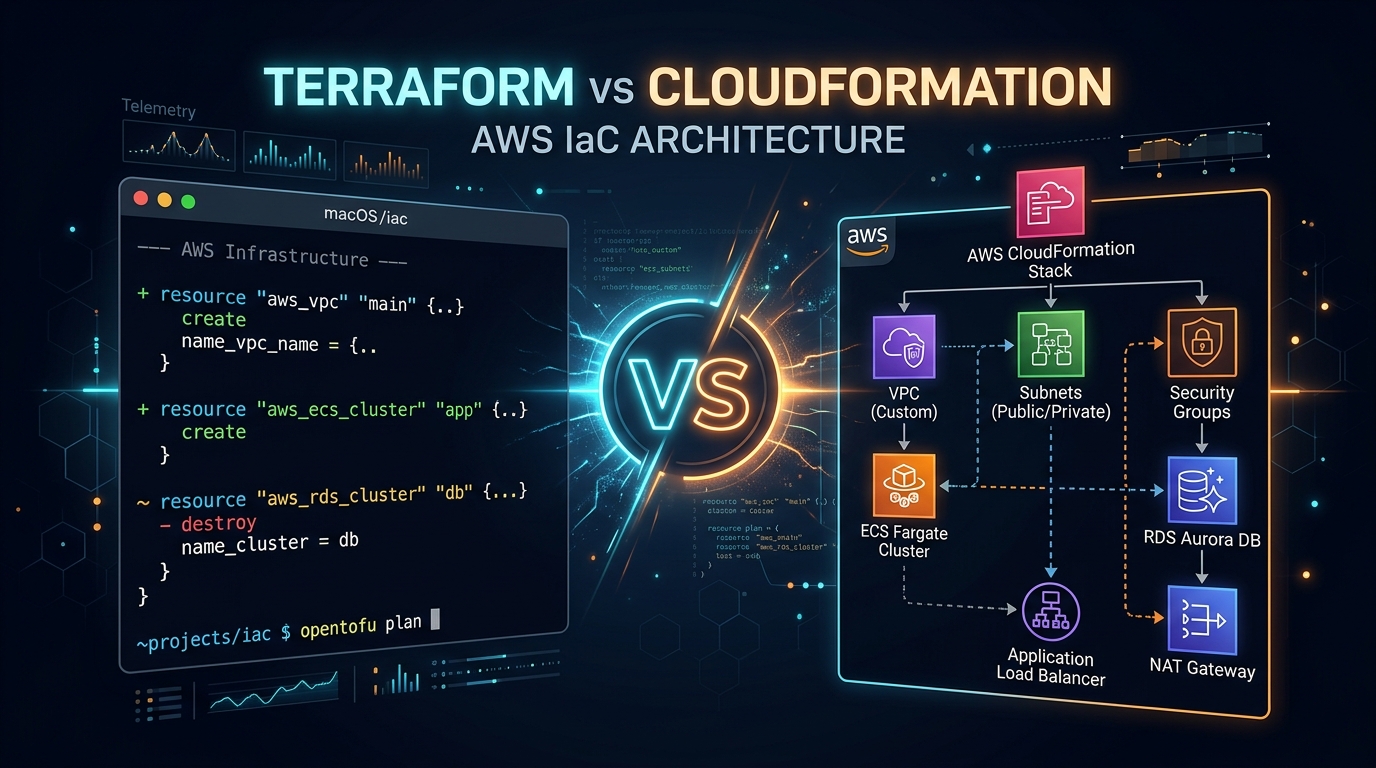
When building cloud infrastructure on Amazon Web Services, you are invariably confronted with two flagship declarative Infrastructure as Code methodologies:
- AWS CloudFormation: The proprietary, native AWS provisioning engine that models and provisions cloud resources through declarative JSON/YAML templates.
- HashiCorp Terraform (and OpenTofu): The open, ecosystem-standard declarative IaC tool powered by HashiCorp Configuration Language (HCL) and a global plugin provider ecosystem.
Teams frequently frame this debate around syntax: "Do you prefer HCL or YAML?"
In production SRE, syntax is the least important distinction. The true divide lies in how these tools handle state storage, failure isolation, external API coordination, drift remediation, and operational velocity under pressure.
2. State Management Differences: Remote S3 Backends vs AWS Managed Stacks
Every IaC tool requires a mechanism to map your declared code to real-world cloud API resource IDs. How they manage this mapping is the foundation of their architectural differences:
Terraform Remote State vs CloudFormation Stack Engine
Terraform writes a JSON state file (terraform.tfstate) to a remote backend like an S3 bucket with server-side encryption and DynamoDB distributed state locking. Because state is a tangible artifact in your custody:
- You can inspect, query, and manipulate state directly using
terraform state list,terraform state show, andterraform state rm. - Declarative refactoring is supported via native
moved {}blocks without touching live infrastructure (see our Terraform Plan Review Runbook). - Risk: If state locking fails or permissions are misconfigured, state corruption or concurrency races can occur.
CloudFormation manages state entirely behind the AWS API curtain. You do not store, configure, or lock a state file; AWS associates resources directly with a Stack ARN.
- Zero backend setup required: no S3 buckets, DynamoDB tables, or KMS key policies to bootstrap.
- Impossible to corrupt state through local network disconnects or client crashes.
- Risk: Opaque state abstraction. If a resource experiences out-of-band changes or enters a failed state, you cannot easily surgically patch the underlying metadata without executing full stack rollbacks.
3. terraform plan vs CloudFormation Change Sets: Safety Under Pressure
Predicting what an IaC tool will do to live production is the difference between seamless releases and 2:00 AM incident war rooms.
| Operational Capability | Terraform (HCL) | AWS CloudFormation |
|---|---|---|
| Preview Mechanism | terraform plan (instant local execution via read-only APIs) |
Change Sets (requires submitting template to AWS API) |
| Diff Clarity | Terminal color-coded diff (+ create, ~ update, - destroy, -/+ forces replacement) |
JSON / Console table with Action (Add/Modify/Remove) and Replacement flags |
| Targeted Execution | terraform apply -target=resource (surgical intervention during incidents) |
Not supported natively; changes apply to the entire Stack atomically. |
| Automated CI Guardrails | Native JSON plan export (terraform show -json) integrated with OPA, Conftest & Infracost |
CloudFormation Guard & AWS Config rules. |
4. The UPDATE_ROLLBACK_FAILED Trap: Architectural Failure Modes
Every senior SRE has experienced the infamous CloudFormation status:
StackStatus: UPDATE_ROLLBACK_FAILED
Reason: Resource handler returned message: "The following resource failed to delete: [DBSubnetGroup]"
When a CloudFormation update fails midway through execution, its default behavior is automatic atomic rollback. While theoretically safe, if a resource cannot be cleanly rolled back (e.g. an ENI attached to an EKS node prevents a subnet deletion, or an S3 bucket is non-empty), the entire stack enters a terminal UPDATE_ROLLBACK_FAILED state.
In this state, the entire stack is locked. You cannot submit new updates. Fixing it requires manual ContinueUpdateRollback API calls, skipping failed resources, and manually reconciling AWS resources in the AWS Console.
How Terraform Handles Failures:
Terraform does not roll back on error. It applies a fail-in-place, fix-forward model. If resource 14 of 20 fails during terraform apply, resources 1 through 13 remain in the state file as successfully applied. You inspect the exact error, modify the code, and re-run terraform apply. Terraform continues seamlessly from resource 14.
5. The Third-Party Multiplier: Cloudflare, Datadog & Kubernetes
Production cloud architecture never lives exclusively inside AWS. Even a lean modern startup runs a cohesive ecosystem of specialized infrastructure:
- DNS & Edge Protection: Cloudflare (WAF rules, DNS records, SSL certificates)
- Observability: Datadog, New Relic, or Coralogix (Monitors, synthetic tests, dashboards)
- Incident Management: PagerDuty services and escalation policies
- Identity & VCS: GitHub repository branch protection rules, Okta groups
- Kubernetes Workloads: Helm releases, Kubernetes namespaces, and CRDs
With Terraform, a single unified pipeline provisions your AWS VPC, provisions an RDS database, registers its endpoint in Cloudflare DNS, attaches a Datadog latency monitor, and routes alerts to a PagerDuty service—all within a single state graph and declarative review.
With CloudFormation, third-party support requires custom CloudFormation Registry resource types or Lambda-backed Custom Resources. These custom providers are notoriously brittle to maintain, slow to deploy, and lack the mature lifecycle management of Terraform providers.
6. The AWS CDK Dimension: Real Code vs Template Synthesis
The rise of the AWS Cloud Development Kit (AWS CDK) has dramatically revitalized CloudFormation. CDK allows developers to define AWS infrastructure using familiar programming languages like TypeScript, Python, Go, and Java.
However, it is crucial to recognize that AWS CDK is not an orchestrator—it is a compiler. Under the hood, running cdk deploy synthesizes your TypeScript code into a massive CloudFormation template and submits it to the CloudFormation engine. You inherit all of CloudFormation's deployment characteristics: stack size limits (500 resources), template size limits (1MB in S3), and rollback traps.
For teams that want imperative language flexibility with Terraform's multi-provider and state engine, CDKTF (Cloud Development Kit for Terraform) provides an identical programming model compiling directly to Terraform JSON configuration.
7. The Definitive 2026 IaC Decision Matrix
- You manage resources outside AWS (Cloudflare, Datadog, GitHub, Kubernetes, MongoDB Atlas).
- Your team values fast terminal feedback and surgical
-targetapplies during production outages. - You want declarative refactoring with zero-downtime
moved {}andimport {}blocks. - You require robust automated PR reviews with tools like Infracost, OPA, and tfsec.
- Your infrastructure is 100% confined to AWS and will never expand to external SaaS providers.
- You have zero DevOps staff and want AWS to fully manage state storage, locking, and compliance out-of-the-box.
- Your application engineering team writes TypeScript/Python and prefers AWS CDK constructs over learning HCL.
- You heavily utilize AWS Service Catalog or Control Tower multi-account landing zones.
8. Zero-Downtime Migration Runbook: CloudFormation to Terraform with import {}
If your startup outgrew CloudFormation and needs to migrate running production resources into Terraform without deleting or restarting infrastructure, follow this battle-tested 4-step runbook:
Step 1: Set Stack Deletion Policy to Retain
Before touching any code, update your CloudFormation template to attach DeletionPolicy: Retain to all persistent resources (RDS databases, S3 buckets, VPCs, Elastic IPs). This guarantees that deleting the CloudFormation stack later will NOT terminate the physical cloud assets.
Step 2: Generate Declarative Terraform import {} Blocks
Starting in Terraform 1.5+, use declarative import blocks committed directly to version control:
# Zero-downtime migration from CloudFormation to Terraform
import {
  to = aws_vpc.core
  id = "vpc-0a1b2c3d4e5f67890" # Real AWS VPC ID created by CloudFormation
}

import {
  to = aws_db_instance.primary
  id = "prod-postgres-db"
}
Step 3: Generate and Reconcile HCL Configuration
Run Terraform's automated code generator to write matching resource blocks:
# Automatically generate matching HCL code for imported resources
terraform plan -generate-config-out=generated_resources.tf
terraform plan
Verify that terraform plan reports: Plan: 2 to import, 0 to add, 0 to change, 0 to destroy. If any attribute changes appear, adjust your HCL until the diff is completely clean.
Step 4: Execute the Import Apply
terraform apply
The resources are now fully under Terraform state management. You can delete the CloudFormation stack in the AWS Console, and AWS will leave the underlying infrastructure untouched because of your DeletionPolicy: Retain.
9. Staff SRE Interview Scenarios: Defending Your IaC Stack
"Our platform is hosted entirely on AWS. Why should we use Terraform over native AWS CloudFormation?"
"Even on a 100% AWS workload, production infrastructure extends beyond core AWS APIs. We rely on Cloudflare for edge routing, Datadog for observability, PagerDuty for on-call alerting, and Kubernetes for container workloads. Terraform allows us to model this entire operational dependency graph in a single declarative pipeline. Furthermore, Terraform's client-side plan execution, surgical targeted applies, and fail-in-place error model prevent the catastrophic UPDATE_ROLLBACK_FAILED locks that plague CloudFormation during complex production incidents."
10. Frequently Asked Questions
Does Terraform support new AWS features on Day 1?
Historically, CloudFormation had a monopoly on Day 1 support. Today, the open-source AWS Provider for Terraform frequently releases support for new AWS services on the exact same day (or even before) CloudFormation publishes updated resource specifications, thanks to automated code generation from the AWS Go SDK.
Is CloudFormation free to use?
There is no additional charge for using CloudFormation with native AWS resource providers. You pay only for the underlying AWS resources (EC2 instances, ELBs, RDS databases) created by the stack. Third-party registry extensions incur standard CloudFormation handler fees ($0.0009 per handler operation).
What is the difference between Terraform and OpenTofu in 2026?
OpenTofu is a community-driven, Linux Foundation-backed open-source fork of Terraform created after HashiCorp transitioned Terraform to the Business Source License (BSL). Both tools share identical HCL syntax and provider compatibility, but OpenTofu includes community innovations like client-side state encryption and enhanced testing frameworks.