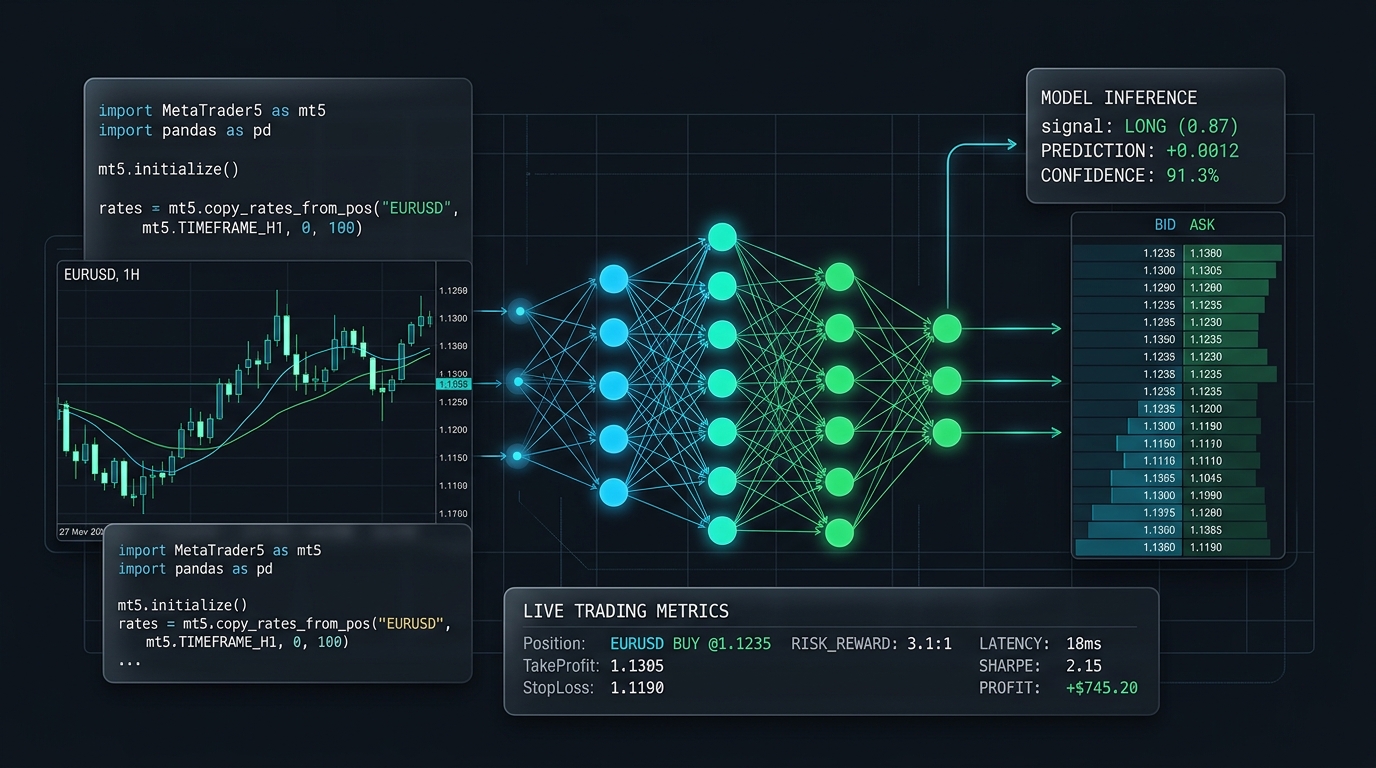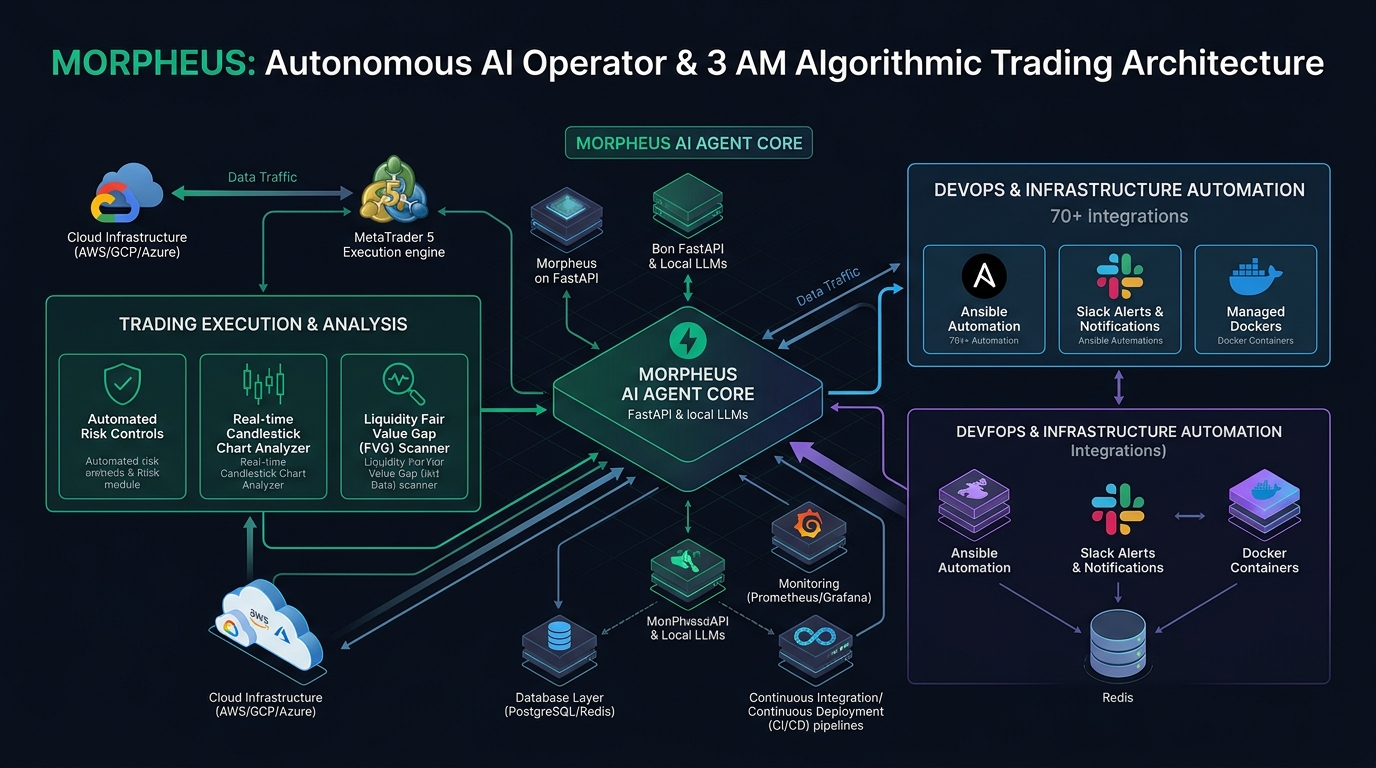
A few months ago I wrote about building MORPHEUS — my personal AI assistant that runs locally on Docker, connects to my live trading account, manages my Kubernetes clusters, and trades for me when I'm asleep.
That was the private version. Built for one person. Never meant to be a product.
But as I kept refining the analysis tools — the top-down breakdowns, the liquidity maps, the trade setup scanner — something became clear: the analysis layer was genuinely good. Not just useful for me, but the kind of structured market reading that takes traders years to develop manually.
So I extracted it, rebuilt it as a proper web application, and made it available. That's Morpheus Analysis.
What Is Morpheus Analysis?
Morpheus Analysis is a live market analysis platform — available at morpheus.naveedkumbhar.com. It gives you institutional-grade market reading across FX, metals, and crypto without needing to piece together five different tools or spend an hour building a bias manually.
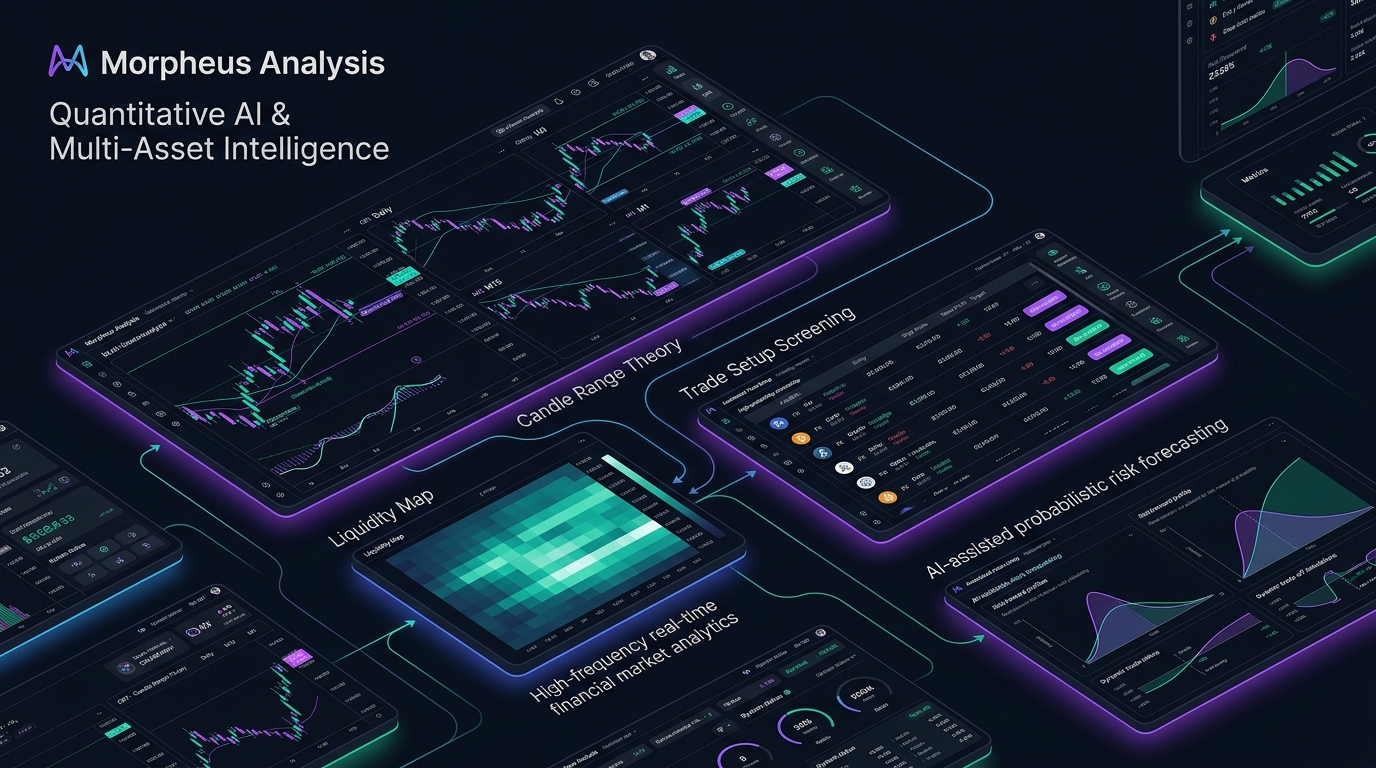
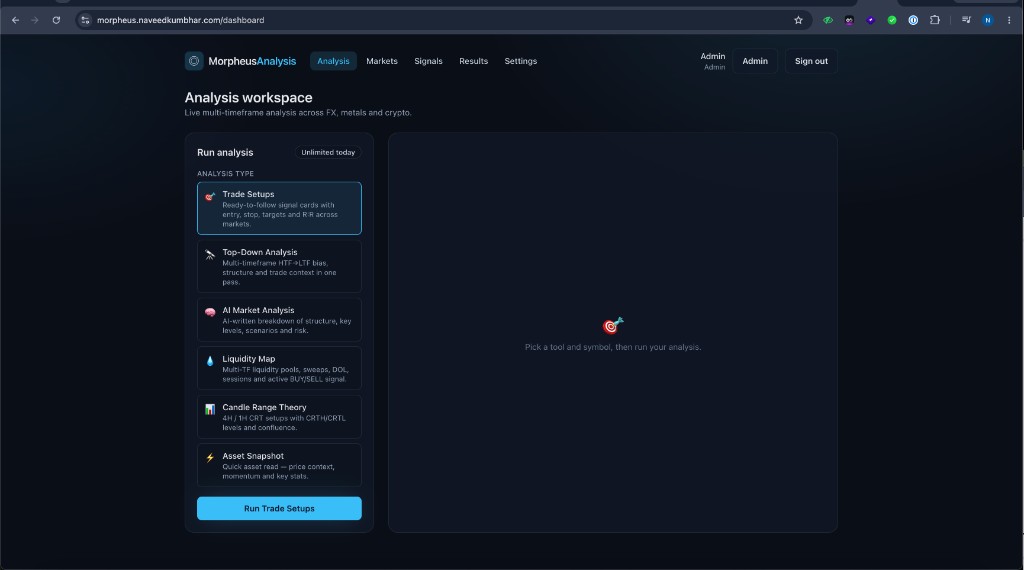
Six analysis tools, one clean workspace. Every tool runs on live multi-timeframe data — not lagging indicators.
The 970+ Incident Handbook & K8s Runbooks are exclusive to subscribers — unlock for FREE
Get battle-tested production runbooks, AWS architecture blueprints, and zero-downtime CI/CD post-mortems sent directly to your inbox. 100% free, no spam.
The Six Tools
🎯 Trade Setups
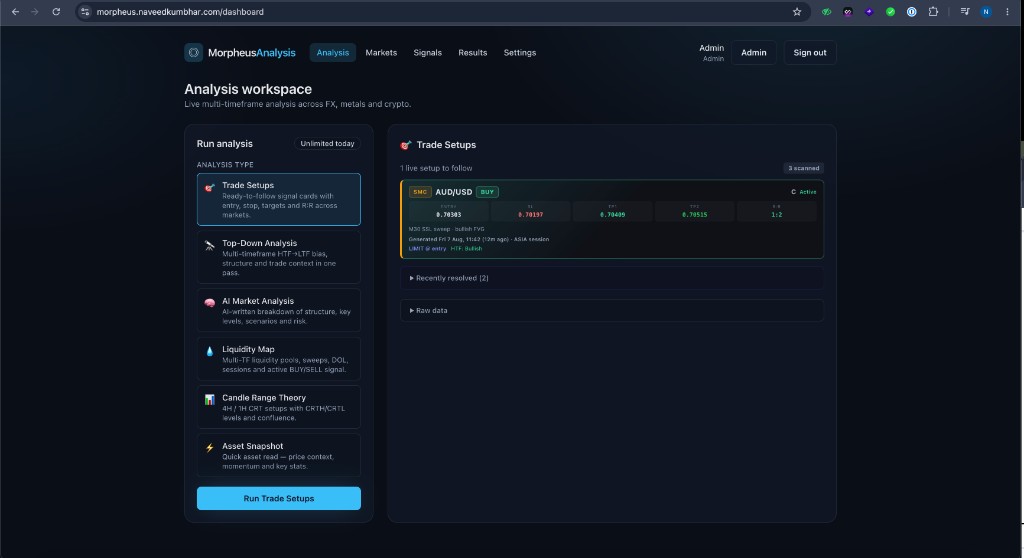
The most direct tool. Morpheus scans across multiple markets and surfaces ready-to-follow signal cards — each with a clear entry price, stop loss, two take profit targets, and the R:R ratio. No interpretation needed. You see the setup, you decide whether to take it.
Results are logged automatically. Every setup that resolves is graded as a WIN or LOSS in R — not cherry-picked, not manually selected. The track record updates in real time.
60% win rate · +41.76R total · 2.83 profit factor · +0.37R expectancy per trade
🔭 Top-Down Analysis
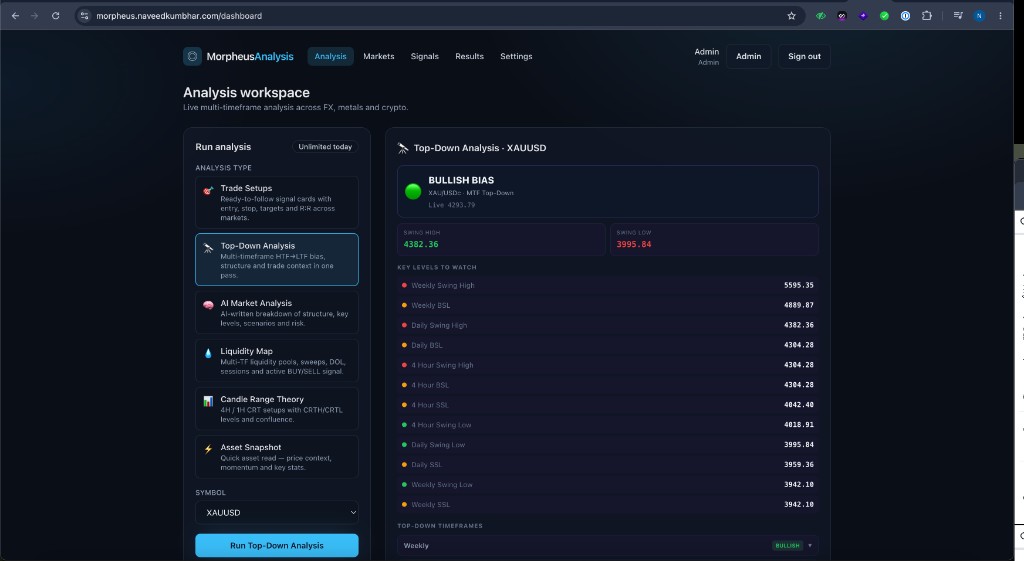
This is the one that takes most traders the longest to do manually. Morpheus starts from the Weekly, works down through Daily, 4H, and 1H — identifying the bias at each level, the swing high and swing low, and every key price level worth watching.
The output is a single, clean read: BULLISH, BEARISH, or NEUTRAL bias — with the full reasoning behind it laid out by timeframe. What used to take 30 minutes now takes a few seconds.
🧠 AI Market Analysis
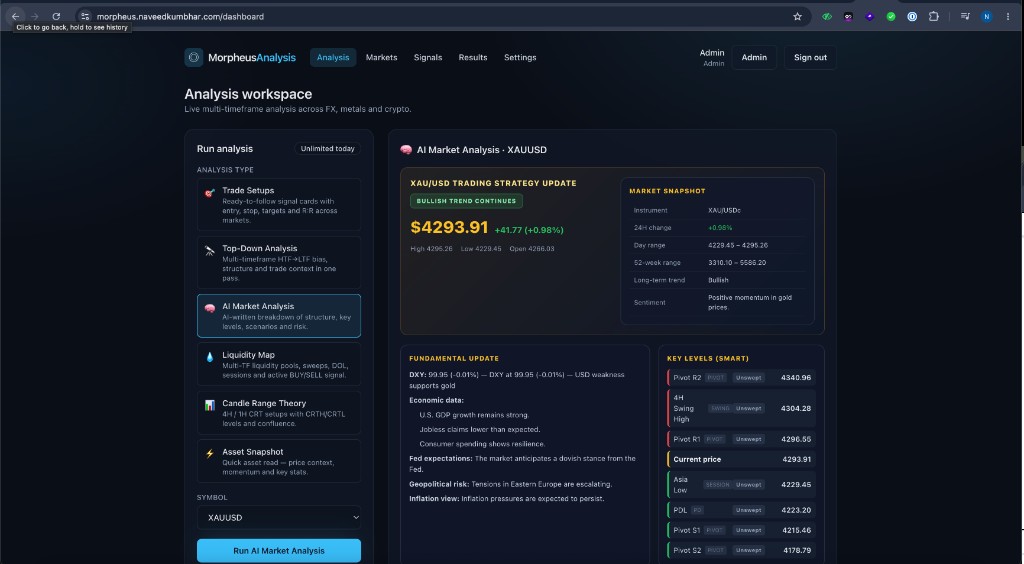
The AI Market Analysis goes wider than structure. It combines live price data with a market snapshot (24h change, day range, 52-week range), a fundamental update (DXY movement, economic releases, Fed expectations, geopolitical risk), and AI-identified smart key levels — pivots, session levels, swing points — all in one view.
The result is a complete picture: technical structure + fundamental context + key price levels. No tab switching.
💧 Liquidity Map
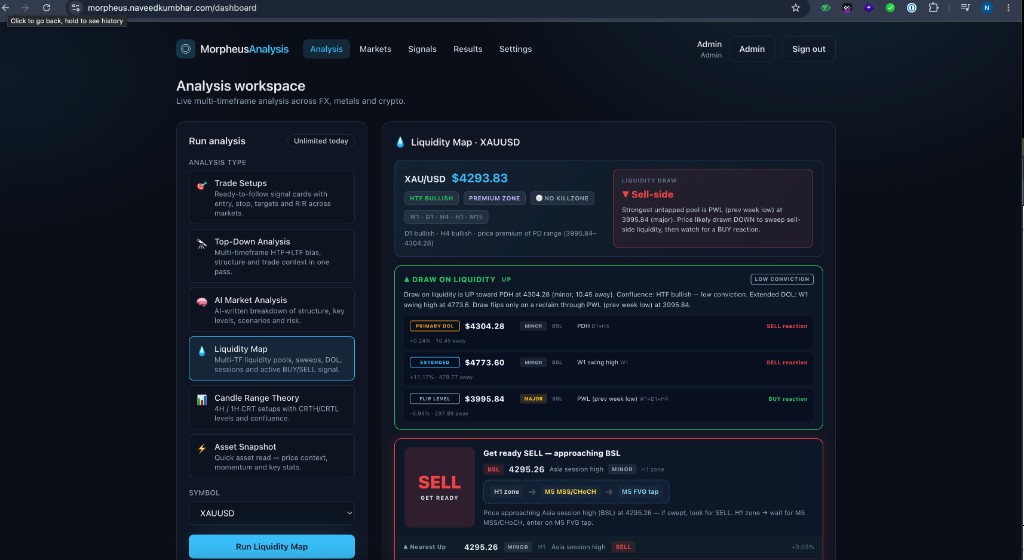
This is my personal favourite. The Liquidity Map identifies where liquidity pools sit across multiple timeframes — Buy-Side Liquidity (BSL) above swing highs, Sell-Side Liquidity (SSL) below swing lows. It tells you what's likely to get swept next, the current Dollar of Liquidity (DOL), and the active session context.
At the bottom, it generates a directional signal with a plain-English explanation — which liquidity draw is active, how far away it is, and what confluence supports it. When it says "Get ready SELL", it shows you exactly why.
XAU/USD at 4293.83 — HTF Bullish, Premium Zone. Draw on liquidity UP toward PDH at 4304.28 (10.45 away). But strongest untapped pool is SSL at 3995.84 — price likely draws DOWN to sweep sell-side first. Active signal: "Get ready SELL approaching BSL at 4295.26".
📊 Candle Range Theory
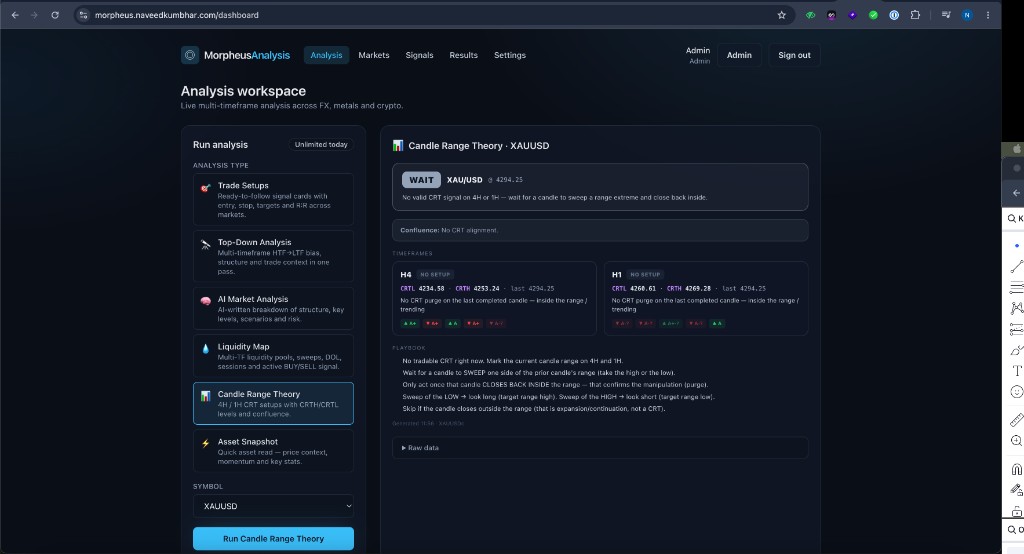
Candle Range Theory (CRT) is a specific pattern-based approach that looks for a candle to sweep one extreme of a prior range, then close back inside — confirming manipulation before expansion. It's one of the more precise entry methods available, but it requires identifying the right candle ranges on multiple timeframes.
Morpheus handles the detection on both 4H and 1H simultaneously. When a valid CRT is present, it shows the exact CRTH and CRTL levels and a step-by-step playbook for how to trade it. When there's no setup, it tells you to wait — and why.
⚡ Asset Snapshot
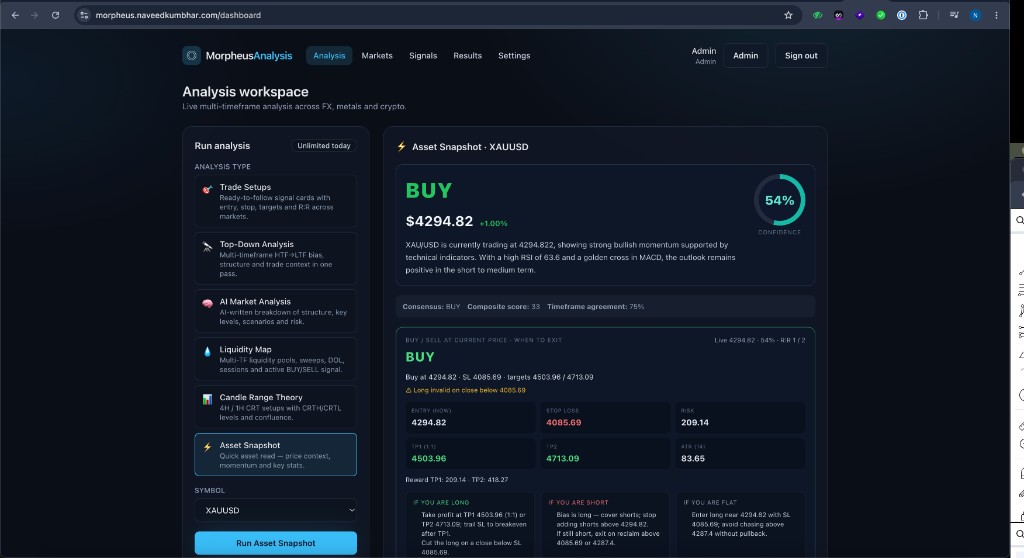
When you need a fast read without a full analysis, the Asset Snapshot gives you the directional bias with a confidence score, composite technical score, timeframe agreement percentage, and a full trade plan — entry, SL, TP1, TP2 — with separate guidance for if you're already long, short, or flat. It also handles the opposite scenario so you know when your thesis is invalid.
What Makes It Different
The market is full of signal services and "analysis" tools. Most of them give you a direction and a chart with some lines drawn on it. Morpheus Analysis is built differently:
- Multi-timeframe by default — every tool processes multiple timeframes simultaneously, not just the one you're looking at
- Transparent track record — every Trade Setup is logged and graded automatically. You can see all 114 signals, the wins, the losses, and the R-value of each one
- Context, not just signals — the AI Market Analysis and Liquidity Map tell you why the market is set up a certain way, not just what direction to go
- Playbooks, not just levels — CRT and Liquidity Map both give you a step-by-step plan, not just price zones
- Live data — not EOD, not delayed. Analysis runs on live multi-timeframe structure
How It Connects to MORPHEUS
If you read the previous article, you know that MORPHEUS started as a fully local AI assistant — running on Docker, connected to my live trading account, managing infrastructure and executing trades via chat and voice.
Morpheus Analysis is the analysis engine from that system, extracted and made available as a standalone product. The top-down framework, the liquidity mapping logic, the AI market breakdowns — all of that was developed and refined through months of running it privately on real trades.
The original MORPHEUS is the private cockpit. Morpheus Analysis is the instrument panel — made available to anyone who wants to read the market the same way.
The two are connected: the personal system continues to evolve with new bots, new DevOps tools, and deeper automation. Morpheus Analysis is where the proven analysis layer lives — stable, accessible, and continuously tracked.
Access
Morpheus Analysis is available now at morpheus.naveedkumbhar.com.
Start with the free trial — no card required. Run a Top-Down or a Liquidity Map on any pair you're watching and see how it reads the market. If the output is useful, reach out for expanded access.
Try Morpheus AI Trading Bot & Analysis Free
Explore institutional trade setups, liquidity maps, and automated MT5 Expert Advisor (EA) execution with 1% fixed risk management.
AI Market Analysis: Key Takeaways
This guide to ai market analysis covers the sections below, so you can jump straight to the part you need.
Frequently Asked Questions
What is Morpheus Analysis?
A live market analysis platform at morpheus.naveedkumbhar.com that gives structured, multi-timeframe market reading across FX, metals and crypto through six analysis tools.
Which tools does Morpheus Analysis include?
Trade Setups, Top-Down Analysis, AI Market Analysis, Liquidity Map, Candle Range Theory and Asset Snapshot.
How is Morpheus Analysis related to MORPHEUS?
It is the analysis layer extracted from the author's personal AI assistant and rebuilt as a web app. The original story is in personal AI assistant: how I built MORPHEUS.
Are the performance figures audited?
No. The figures shown are the author's own logged signals and have not been independently audited. Past results are not a reliable predictor of future results, trading carries a high risk of loss, and this is not financial advice.
Is Morpheus Analysis free to try?
The post invites readers to try it free. Check the site for current access and terms.