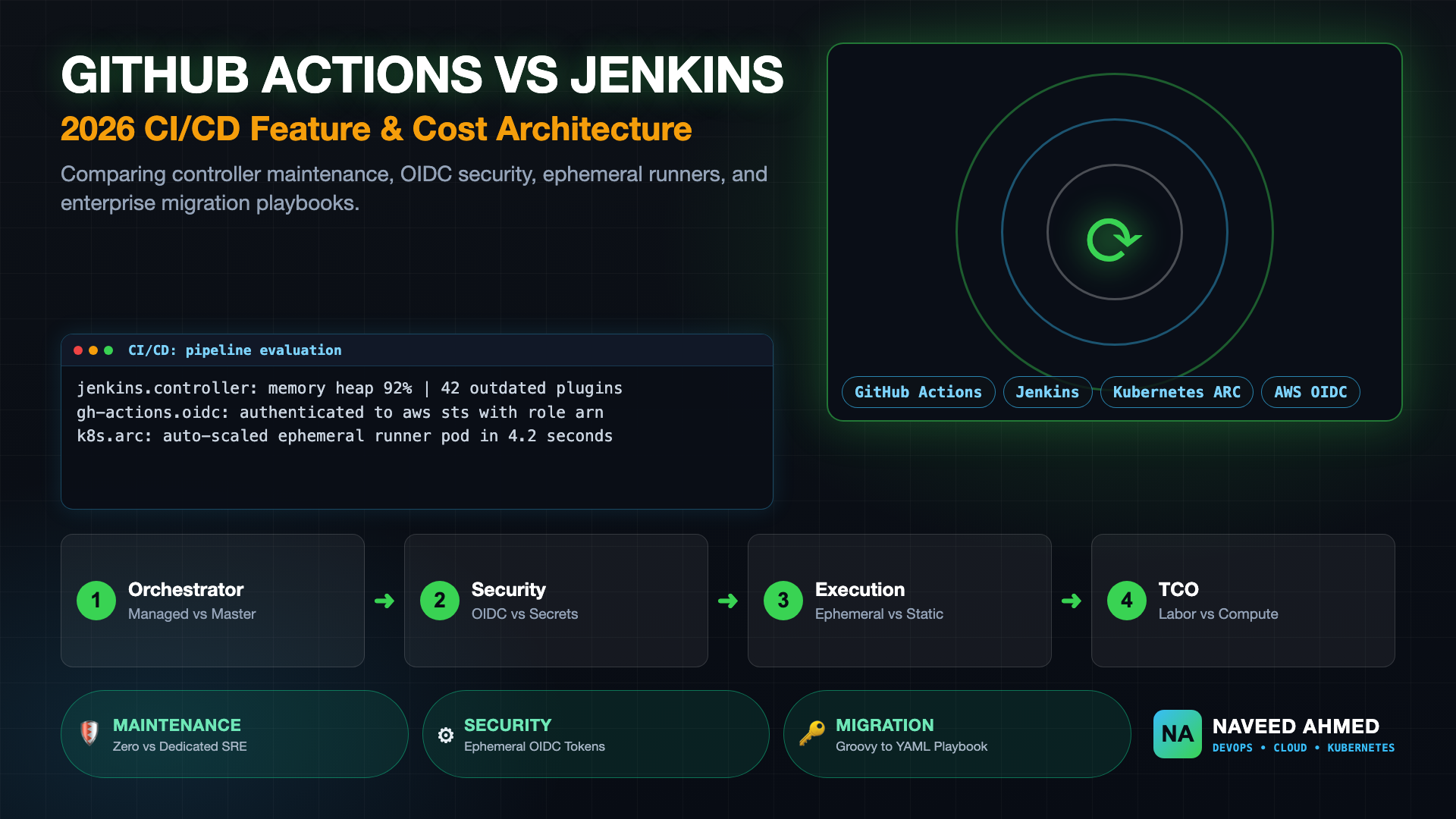
Selecting the right continuous integration and delivery backbone is one of the most consequential decisions an engineering organization will make. When comparing GitHub Actions vs Jenkins in 2026, the debate is no longer about simple build automation; it centers on operational velocity, cognitive load, software supply chain security, and total cost of ownership (TCO). Jenkins has served as the bedrock of enterprise build infrastructure for over two decades, but its reliance on stateful controllers, fragile Java plugin ecosystems, and manual infrastructure patching has created substantial maintenance friction. In contrast, GitHub Actions delivers an event-driven, cloud-native automation platform tightly coupled to developer source code. In this comprehensive technical analysis, we contrast GitHub Actions and Jenkins across architecture, runner scalability, security governance, execution cost models, and migration strategies to help teams determine the optimal path forward.
Architectural Comparison: Centralized Controllers vs. Native Event-Driven Workflows
In modern CI/CD systems, GitHub Actions operates as a globally managed, event-driven orchestration engine tightly embedded inside source control, whereas Jenkins relies on a self-hosted, centralized controller-agent architecture. This fundamental difference dictates how teams scale compute, isolate execution environments, manage upgrades, and absorb operational maintenance overhead.
The architectural differences between GitHub Actions vs Jenkins dictate day-to-day engineering toil. Jenkins operates on a centralized master/agent topology where the controller manages scheduling, user permissions, build history, and plugins. Because the controller is stateful, it represents a single point of failure (SPOF) that requires continuous JVM heap tuning, persistent disk volume management, and high-availability failover scripts. When a Jenkins master experiences high thread contention or disk I/O bottlenecks, entire engineering teams are blocked from releasing software.
With GitHub Actions, organizations eliminate the controller layer entirely. GitHub manages the scheduling control plane, event queues, and state databases as a managed service. Platform teams only provision compute runners—either fully managed GitHub-hosted runners or ephemeral Kubernetes pods via Actions Runner Controller (ARC)—eliminating master controller downtime and JVM memory leaks.
GitHub Actions treats every pull request, commit, issue, and webhook as a first-class trigger event. Workflows are declared directly inside .github/workflows/ alongside the application code, ensuring that pipeline definitions evolve alongside feature branches. Jenkins pipelines, while scriptable in Groovy via a Jenkinsfile, still depend heavily on global plugins installed at the controller level. If an administrator upgrades a shared Git or Kubernetes plugin on Jenkins, it risks breaking dozens of independent application pipelines simultaneously.
The 970+ Incident Handbook & K8s Runbooks are exclusive to subscribers — unlock for FREE
Get battle-tested production runbooks, AWS architecture blueprints, and zero-downtime CI/CD post-mortems sent directly to your inbox. 100% free, no spam.
Feature Matrix: GitHub Actions vs Jenkins in Production
Evaluating enterprise CI/CD platforms requires analyzing compute flexibility, ecosystem stability, secret handling, and maintenance overhead. The structured matrix below provides an objective side-by-side comparison of GitHub Actions and Jenkins across seven critical production dimensions.
| Evaluation Dimension | GitHub Actions | Jenkins |
|---|---|---|
| Control Plane Hosting | Fully managed SaaS control plane (zero controller patching). | Self-hosted JVM master requiring dedicated OS/EBS maintenance. |
| Runner Architecture | Instant turnkey runners (Ubuntu, macOS, Windows) or Kubernetes ARC. | Static SSH worker nodes or dynamic Kubernetes Cloud agent pods. |
| Configuration Language | Declarative YAML with composite actions and reusable workflows. | Declarative or Scripted Groovy DSL with shared libraries. |
| Ecosystem & Plugins | Containerized actions in GitHub Marketplace (isolated runtimes). | 1,800+ Java plugins running in controller JVM memory space. |
| Cloud Authentication | Native OpenID Connect (OIDC) token federation without static keys. | Static API keys / IAM user credentials stored in master database. |
| Security Isolation | Pristine ephemeral VM per job; zero cross-job disk contamination. | Shared workspace directories on agents unless manually pruned. |
| Developer Experience | Native PR annotations, unified UI, branch rules, code security. | Separate web interface; webhook polling and Blue Ocean UI plugins. |
The matrix demonstrates why modern engineering teams favor GitHub Actions: it removes the infrastructure friction that historically slowed development cycles. Explore real-world troubleshooting scenarios in our CI/CD Interview Hub to see how elite SRE teams structure production delivery systems.
Infrastructure Costs and Total Cost of Ownership (TCO)
While Jenkins is open-source and free of licensing fees, its total cost of ownership often exceeds that of GitHub Actions due to dedicated engineering hours, continuous patching, controller compute, and idle worker nodes. Calculating true CI/CD costs requires measuring infrastructure spend alongside human operational labor.
A common misconception when comparing GitHub Actions vs Jenkins is that Jenkins is "free" because it carries no software license costs. In production reality, Jenkins is often the more expensive system for small and mid-sized enterprises once human operational labor is accounted for:
True CI/CD Cost = Infrastructure Compute + Storage/Backups + SRE Maintenance Labor + Developer Idle TimeConsider an engineering organization with 100 software engineers executing 6,000 CI/CD jobs per month:
- The Jenkins TCO Reality: Running high-availability Jenkins requires two
c6i.2xlargeEC2 instances for active/standby controllers ($245/mo), provisioned EBS storage and snapshots ($80/mo), a distributed EKS build agent cluster ($650/mo), and approximately 15–20 hours per month of senior SRE time dedicated to updating plugins, resolving JVM heap out-of-memory errors, and patching security CVEs ($2,500/mo in labor). The actual monthly expenditure easily exceeds $3,400. - The GitHub Actions TCO Reality: The same organization utilizes included organization minutes plus paid GitHub-hosted runner consumption ($800–$1,200/mo). Operational maintenance is near zero because GitHub manages controller infrastructure, OS patching, and network ingress. SREs reinvest those 20 monthly hours into application resilience and internal developer platforms.
For organizations with extreme build volumes (tens of thousands of concurrent minutes), running self-hosted runners via the Kubernetes-native Actions Runner Controller (ARC) on EC2 Spot instances unlocks massive compute savings without returning to Jenkins controller maintenance.
Security Posture: Plugin Vulnerabilities vs. Supply Chain Governance
Securing the continuous delivery pipeline requires protecting source code, build credentials, and deployment environments from supply chain tampering. The security models of GitHub Actions and Jenkins differ fundamentally in secret injection, attack surface isolation, and plugin governance.
Security is the area where the divergence between GitHub Actions vs Jenkins is most pronounced. Historically, Jenkins controllers have represented high-value targets for attackers because they hold long-lived static credentials for cloud infrastructure (AWS access keys, SSH deployment certificates, and Docker registry passwords).
Jenkins plugins execute directly within the controller's Java Virtual Machine with full administrative permissions. A vulnerability in an obscure third-party plugin can expose the entire controller file system, credentials store, and worker communications. Furthermore, static credentials stored in Jenkins must be manually rotated, creating compliance exposure under SOC 2 and ISO 27001 audits.
In contrast, GitHub Actions champions short-lived OpenID Connect (OIDC) token exchange. Instead of storing long-lived cloud keys, workflows exchange a cryptographically signed JSON Web Token (JWT) directly with the cloud provider (AWS IAM, Google Cloud Workload Identity, or Azure Entra ID):
# Modern Cloud Authentication in GitHub Actions via OIDC (No Static AWS Keys)
name: Deploy Production Microservice
on:
  push:
    branches: [ main ]

permissions:
  id-token: write  # Required for requesting the OIDC JWT
  contents: read

jobs:
  build-and-deploy:
    runs-on: ubuntu-latest
    steps:
      - name: Checkout Source Code
        uses: actions/checkout@v4

      - name: Authenticate to AWS via OIDC
        uses: aws-actions/configure-aws-credentials@v4
        with:
          role-to-assume: arn:aws:iam::123456789012:role/github-actions-production-deployer
          aws-region: us-east-1

      - name: Verify AWS STS Caller Identity
        run: |
          aws sts get-caller-identity
With this pattern, credentials expire within minutes, and access policies can be restricted strictly to specific repositories, branches, or environments. To dive deeper into end-to-end Kubernetes delivery patterns, read our guide on GitHub Actions with AWS ECR and GitOps.
Pipeline Syntax: Declarative Jenkinsfile vs. GitHub Actions YAML
Both platforms support pipeline-as-code committed directly into Git repositories, but their syntax, runtime execution engines, and shared abstraction mechanisms differ significantly. Jenkins relies on Groovy-based Domain Specific Languages, whereas GitHub Actions standardizes on declarative YAML.
Understanding pipeline syntax readability and maintainability is vital when evaluating GitHub Actions vs Jenkins. Below is a side-by-side comparison of a production build pipeline executing container tests and building a Docker image.
Declarative Jenkinsfile (Groovy DSL)
// Production Jenkins Declarative Pipeline
pipeline {
    agent {
        kubernetes {
            yaml '''
apiVersion: v1
kind: Pod
spec:
  containers:
  - name: golang
    image: golang:1.24
    command: ['cat']
    tty: true
'''
        }
    }
    options {
        timeout(time: 30, unit: 'MINUTES')
        buildDiscarder(logRotator(numToKeepStr: '20'))
    }
    stages {
        stage('Unit Tests') {
            steps {
                container('golang') {
                    sh 'go test -v -race ./...'
                }
            }
        }
        stage('Docker Build') {
            steps {
                sh 'docker build -t app:${BUILD_NUMBER} .'
            }
        }
    }
    post {
        failure {
            echo "Pipeline failed on build ${BUILD_NUMBER}"
        }
    }
}
GitHub Actions Workflow (Declarative YAML)
# Production GitHub Actions Workflow
name: Go Microservice CI
on:
  pull_request:
    branches: [ main ]
  push:
    branches: [ main ]

concurrency:
  group: ${{ github.workflow }}-${{ github.ref }}
  cancel-in-progress: true

jobs:
  test:
    runs-on: ubuntu-latest
    steps:
      - name: Checkout Code
        uses: actions/checkout@v4

      - name: Setup Go Runtime
        uses: actions/setup-go@v5
        with:
          go-version: '1.24'
          cache: true

      - name: Execute Tests with Race Detector
        run: go test -v -race ./...

      - name: Set up Docker Buildx
        uses: docker/setup-buildx-action@v3

      - name: Build Container Image
        uses: docker/build-push-action@v5
        with:
          context: .
          push: false
          tags: app:${{ github.sha }}
          cache-from: type=gha
          cache-to: type=gha,mode=max
The GitHub Actions YAML configuration is noticeably cleaner, requires zero Groovy learning curve, and leverages native build caching (type=gha) directly within the GitHub ecosystem.
Migration Strategy: How to Migrate from Jenkins to GitHub Actions Safely
Migrating from an established Jenkins ecosystem to GitHub Actions requires a structured, phased approach that avoids disruption to daily feature development. Teams must audit existing shared libraries, transition credentials to OIDC, and run shadow pipelines before final cutover.
When organizations transition between GitHub Actions vs Jenkins, attempting a "big bang" cutover across hundreds of repositories frequently triggers build outages and developer confusion. High-performing engineering teams adopt a 4-phase migration playbook:
- Step 1: Inventory and Action Mapping: Audit every plugin used in your Jenkins masters. Map legacy plugins to modern GitHub Actions (e.g., replace the Slack Notification plugin with
slackapi/slack-github-action, and replace SonarQube Scanner plugin with official SonarCloud actions). - Step 2: Identity Modernization: Establish AWS, Azure, or GCP OIDC federation. Remove static cloud access keys from Jenkins and provision scoped IAM roles for GitHub Actions execution.
- Step 3: Shadow Execution on Pull Requests: Add GitHub Actions workflows alongside active Jenkins webhooks. Configure GitHub Actions to run unit tests and container builds as non-blocking checks to benchmark execution speed, cache hit ratios, and runner stability against existing Jenkins builds.
- Step 4: Branch Protection & Decommissioning: Once parity is validated, switch required GitHub status checks from Jenkins to GitHub Actions. Archive the legacy
Jenkinsfile, revoke old service accounts, and decommission the Jenkins build agents.
Review our interview scenario on handling an organizational transition from Jenkins to GitHub Actions to master common enterprise pitfalls and organizational change management.
Executive Decision Matrix: When to Choose Which Tool
Both CI/CD platforms remain capable systems, but their ideal architectural environments differ fundamentally. Selecting the appropriate tool requires evaluating organizational hosting constraints, compliance standards, and developer experience priorities.
To conclude our comparison of GitHub Actions vs Jenkins, engineering leaders can apply the following deterministic criteria to guide their tooling strategy:
Choose GitHub Actions If:
- Your source repositories are hosted on GitHub.com or GitHub Enterprise Server.
- You want to eliminate the operational overhead of managing, patching, and backing up dedicated controller servers.
- Your team prioritizes short-lived, zero-trust cloud authentication using AWS OIDC or Google Workload Identity.
- You want clean, standardized YAML syntax with out-of-the-box matrix builds, dependency caching, and PR integration.
- You want platform engineers to focus on internal developer portals as described in our DevOps to platform engineering guide rather than maintaining build infrastructure.
Choose Jenkins If:
- Your infrastructure operates in a strictly air-gapped, on-premises data center with zero outbound internet connectivity.
- You rely on specialized, legacy on-premise hardware (such as physical mainframes, proprietary embedded boards, or custom telecom appliances) that cannot communicate with cloud runners.
- You have tens of thousands of complex Groovy shared-library scripts that would take hundreds of engineering months to re-architect.
For modern cloud-native engineering organizations, the decision between GitHub Actions vs Jenkins overwhelmingly favors GitHub Actions. By shedding controller toil, adopting ephemeral compute runners, and leveraging native OIDC security, teams deliver software faster, safer, and with substantially lower operational maintenance costs.
Frequently Asked Questions
Why choose GitHub Actions over Jenkins in 2026?
GitHub Actions eliminates the operational burden of managing, patching, and scaling dedicated Jenkins master controllers. It integrates natively with GitHub pull requests, branch protection, and OIDC cloud authentication, removing the need for static credentials while providing turnkey ephemeral runners and matrix builds out of the box.
Can GitHub Actions completely replace Jenkins in an enterprise?
Yes, for the vast majority of cloud-native and Kubernetes workloads. With Actions Runner Controller (ARC) for self-hosted Kubernetes runners, reusable workflows, and environment protection rules, GitHub Actions covers enterprise pipeline requirements without the fragile plugin dependency maintenance required by Jenkins.
Is GitHub Actions cheaper than running a self-hosted Jenkins cluster?
For small to mid-sized teams, GitHub Actions is significantly cheaper when accounting for the engineering hours required to maintain Jenkins masters, backup disk volumes, and update security patches. For massive build volumes, enterprises often run hybrid models using GitHub Actions orchestrating self-hosted Kubernetes runners on EC2 Spot instances via ARC.
How do you migrate a Jenkins pipeline to GitHub Actions without downtime?
Adopt a phased migration: first audit Jenkins plugins and map them to standard GitHub Actions; next, replace static cloud access keys with AWS OIDC authentication; then run GitHub Actions in shadow mode alongside Jenkins on the same pull requests to validate test parity before cutting over deployment gates.
When is Jenkins still preferred over GitHub Actions?
Jenkins may still be preferred in strictly air-gapped, on-premises data centers without external internet access, or in complex legacy build environments that depend on non-standard hardware architectures (such as legacy mainframe builds or specialized embedded hardware toolchains).