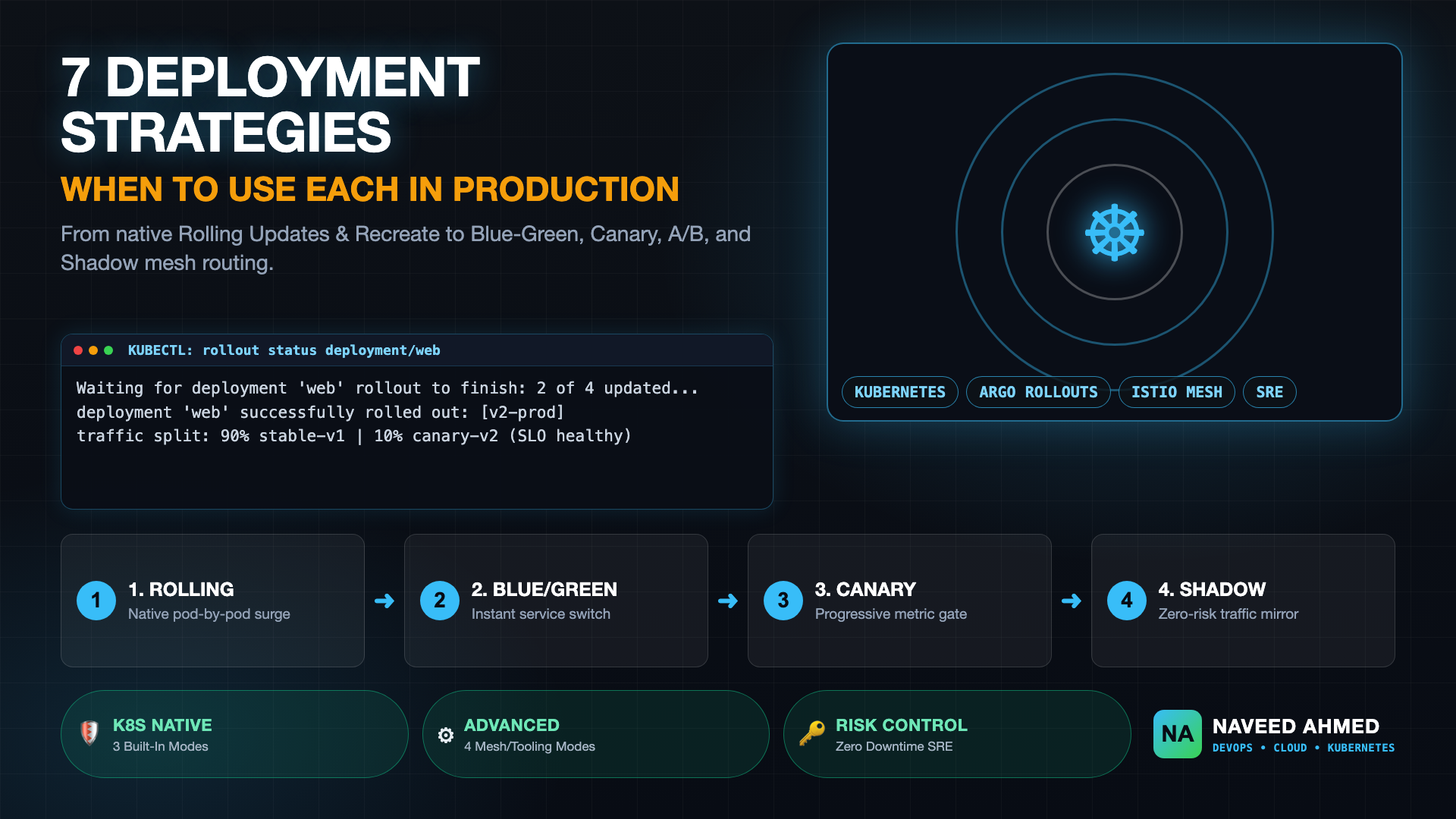
Deploying software into production requires balancing update velocity against cluster reliability. Most platform engineering teams default to the standard Rolling Update and stop there, assuming native defaults automatically ensure zero downtime. In reality, choosing the right kubernetes deployment strategies depends on workload statefulness, tolerance for dual-version concurrency, traffic routing tooling, and disaster recovery objectives. Kubernetes provides three release mechanisms natively out of the box, while four advanced progressive delivery strategies become available when you integrate an ingress controller, delivery operator, or service mesh.
When selecting among different kubernetes deployment strategies, infrastructure architects must evaluate five core architectural constraints: downtime tolerance, blast radius during bad releases, resource overhead on worker nodes, rollback speed, and whether the backing data layer supports simultaneous client versions. Below, we break down all seven strategies with production-grade manifests, operational trade-offs, and triage playbooks.
Architecture Overview: Built-In vs Advanced Kubernetes Deployment Strategies
Kubernetes deployment strategies fall into two operational tiers: native controller strategies managed directly by kube-controller-manager without third-party dependencies, and tool-assisted progressive strategies that rely on custom resource definitions (CRDs), ingress traffic splitters, or service mesh proxies to govern user traffic distribution dynamically.
| Deployment Strategy | Engine / Prerequisite | Downtime Risk | Blast Radius | Resource Overhead | Rollback Velocity | Ideal Workload Profile |
|---|---|---|---|---|---|---|
| 1. Rolling Update | Kubernetes Native (Built-In) | Zero | Medium (Traffic split across v1 & v2) | Moderate (+25% default surge) | Slow (Requires rolling reverse) | Stateless HTTP microservices with backward-compatible schemas |
| 2. Ramped Slow Rollout | Kubernetes Native (Built-In) | Zero | Low (Single pod validation step) | Low (1 surge pod at a time) | Moderate (Step-wise reverse) | Large-scale clusters requiring human metric checks between pods |
| 3. Recreate | Kubernetes Native (Built-In) | Scheduled Downtime Window | Zero (Old pods terminated first) | Zero (Reuses existing quota) | Slow (Full restart cycle) | Stateful apps, non-backward-compatible database schema locks |
| 4. Blue/Green | Service Selector / Ingress / Argo | Zero | All-or-Nothing (100% switch) | High (2x duplicate 100% capacity) | Instant (< 2s selector flip) | Mission-critical payment gateways, strict zero-tolerance rollback |
| 5. Canary | Argo Rollouts / Flagger / Ingress | Zero | Minimal (5% → 25% exposure) | Low (+10% to +20% canary pods) | Fast (Automated metric abort) | High-throughput web applications with automated Prometheus SLOs |
| 6. A/B Testing | Service Mesh (Istio / Linkerd) | Zero | Targeted Cohort Only | Low to Moderate | Fast (Header rule adjustment) | Business experiments, beta users, geo-targeted feature flags |
| 7. Shadow (Mirroring) | Service Mesh / Envoy Proxy | Zero | Zero User Impact | Moderate (2x load on worker nodes) | Not Applicable (No live user traffic) | Performance stress testing, ML inference models, engine refactoring |
Except for the Recreate strategy, every zero-downtime deployment mechanism creates a temporary operational state where two distinct versions of your application execute simultaneously. If your backend service interacts with a relational database or shared cache, your migration pattern matters far more than the deployment YAML itself.
The 970+ Incident Handbook & K8s Runbooks are exclusive to subscribers — unlock for FREE
Get battle-tested production runbooks, AWS architecture blueprints, and zero-downtime CI/CD post-mortems sent directly to your inbox. 100% free, no spam.
Strategy 1: Rolling Update (The Default Workhorse)
The Rolling Update replaces old pods with new pods incrementally, verifying health checks on newly spawned instances before terminating preceding replicas. Configured via maxSurge and maxUnavailable, this native strategy maintains continuous availability without provisioning a completely duplicate cluster environment.
In standard Kubernetes workloads, the Deployment controller calculates step sizes based on total desired replicas. By default, maxSurge is set to 25% and maxUnavailable is set to 25%. This means a 12-pod deployment can scale up to 15 pods during the transition while dropping down to no fewer than 9 ready pods at any point.
apiVersion: apps/v1
kind: Deployment
metadata:
  name: payment-service
  namespace: production
  labels:
    app: payment-service
spec:
  replicas: 8
  strategy:
    type: RollingUpdate
    rollingUpdate:
      maxSurge: 25%
      maxUnavailable: 0
  selector:
    matchLabels:
      app: payment-service
  template:
    metadata:
      labels:
        app: payment-service
    spec:
      containers:
      - name: web
        image: registry.example.com/payment:v2.4.0
        ports:
        - containerPort: 8080
        readinessProbe:
          httpGet:
            path: /healthz
            port: 8080
          initialDelaySeconds: 5
          periodSeconds: 5
          failureThreshold: 3
        resources:
          requests:
            cpu: 250m
            memory: 512Mi
          limits:
            cpu: 500m
            memory: 1Gi
Setting maxUnavailable: 0 ensures that your production cluster never drops below 100% of its target capacity during peak traffic hours. The deployment controller is forced to create and verify new pods before any old pod receives a SIGTERM termination signal.
To inspect and manage an active rolling rollout from the command line, use the native rollout commands:
# Monitor the rollout progression in real time
kubectl rollout status deployment/payment-service -n production

# Pause the rollout if unexpected application logs or error spikes appear
kubectl rollout pause deployment/payment-service -n production

# Resume rollout after clearing dependencies
kubectl rollout resume deployment/payment-service -n production

# Instantly rollback to the previous deployment revision
kubectl rollout undo deployment/payment-service -n production
Trade-off Alert: During a rolling rollout, client traffic hitting the Kubernetes ClusterIP service is randomly load-balanced across both v1 and v2 pods. If an API contract breaks between the two versions, clients may experience intermittent failures until the rollout reaches 100% completion.
Strategy 2: Ramped Slow Rollout (Controlled Micro-Batches)
A Ramped Slow Rollout is a specialized variation of the native Rolling Update where both maxSurge and maxUnavailable are explicitly throttled to single-integer increments, forcing Kubernetes to replace one container instance at a time while engineers monitor logs and distributed traces.
For applications where cold starts consume substantial database connection pools or where cache warming takes several minutes, unleashing a standard 25% surge can overwhelm downstream dependencies. A ramped rollout provides an observation window after every newly introduced pod.
apiVersion: apps/v1
kind: Deployment
metadata:
  name: ledger-worker
  namespace: production
spec:
  replicas: 6
  strategy:
    type: RollingUpdate
    rollingUpdate:
      maxSurge: 1
      maxUnavailable: 0
  minReadySeconds: 30
  selector:
    matchLabels:
      app: ledger-worker
  template:
    metadata:
      labels:
        app: ledger-worker
    spec:
      containers:
      - name: worker
        image: registry.example.com/ledger:v1.9.2
        ports:
        - containerPort: 8080
        readinessProbe:
          httpGet:
            path: /ready
            port: 8080
          periodSeconds: 5
The addition of minReadySeconds: 30 is critical. It instructs kube-controller-manager to wait a full 30 seconds after a new pod reports ready before considering that step successful and proceeding to the next replica. This deliberate throttling creates a predictable buffer to catch memory leaks, initial connection stalls, or CPU throttling before wider exposure.
Strategy 3: Recreate Deployment (Clean-Break Transition)
The Recreate strategy terminates all running version 1 pods simultaneously before orchestrating the deployment of version 2 containers. This approach intentionally accepts a scheduled downtime window to ensure two incompatible versions of the application never run concurrently.
While modern engineering emphasizes zero downtime, the Recreate strategy is essential for legacy monoliths, singleton background consumers that hold exclusive file or message broker locks, and applications executing destructive database migrations that cannot tolerate concurrent read/write operations.
apiVersion: apps/v1
kind: Deployment
metadata:
  name: legacy-billing-batch
  namespace: production
spec:
  replicas: 4
  strategy:
    type: Recreate
  selector:
    matchLabels:
      app: legacy-billing-batch
  template:
    metadata:
      labels:
        app: legacy-billing-batch
    spec:
      containers:
      - name: batch
        image: registry.example.com/billing-batch:v3.1.0
        resources:
          requests:
            cpu: 500m
            memory: 1Gi
Because all previous pods are destroyed prior to scheduling new ones, cluster compute resources are immediately freed up, eliminating any temporary surge quota requirements. When using Recreate in production, automate maintenance page routing at your ingress layer so external users receive a structured 503 HTTP status code rather than connection dropouts.
Strategy 4: Blue/Green Deployment (Instant Environment Switch)
Blue/Green deployment runs two identical physical environments simultaneously: the live environment (Blue) serving 100% of production traffic, and the idle environment (Green) running the new version. Once comprehensive synthetic tests pass on Green, the router or Service selector flips instantly to Green.
The defining advantage of Blue/Green is atomic rollback. If an issue surfaces ten seconds or ten minutes after the cutover, reverting the selector back to the Blue deployment takes less than two seconds, without rebuilding images or waiting for container start latencies.
Kubernetes Service
Selector: version: blue → Active endpoints
Blue Environment (v1)
4 Pods handling 100% production users
Green Environment (v2)
4 Pods tested via preview endpoint before switch
You can execute a Blue/Green rollout natively using two Deployments and a single Service selector:
# 1. Active Production Service
apiVersion: v1
kind: Service
metadata:
  name: order-service
  namespace: production
spec:
  selector:
    app: order-service
    version: blue   # Change to "green" to complete instantaneous cutover
  ports:
  - port: 80
    targetPort: 8080
---
# 2. Preview Service for Internal QA Validation
apiVersion: v1
kind: Service
metadata:
  name: order-service-preview
  namespace: production
spec:
  selector:
    app: order-service
    version: green  # Points exclusively to green for smoke testing
  ports:
  - port: 80
    targetPort: 8080
Once your testing team validates order-service-preview, patch the production Service selector in a single command:
# Instant cutover to Green
kubectl patch service order-service -n production -p '{"spec":{"selector":{"version":"green"}}}'

# Instant rollback back to Blue if error rates spike
kubectl patch service order-service -n production -p '{"spec":{"selector":{"version":"blue"}}}'
For an architectural comparison between full-environment switches and metric-gated rollouts, read our deep dive on blue green vs canary deployment strategy differences.
Infrastructure Cost Warning: Blue/Green deployments require 100% surplus node capacity during the rollout phase. If your Blue environment requires 32 CPU cores and 128 GB of RAM, your cluster must supply 64 CPU cores and 256 GB of RAM until Blue is safely decommissioned.
Strategy 5: Canary Deployment (Progressive Risk Mitigation)
Canary deployments route a small percentage of real production traffic (typically 5% to 10%) to the new application version while maintaining the stable version for the remaining traffic. If telemetry shows normal error rates and latency, traffic increases incrementally until version 2 reaches 100%.
While you can run basic canaries using native Kubernetes services with mismatched replica counts, enterprise production environments standardize on controllers like Argo Rollouts or Flagger to automate progressive steps and rollback triggers based on Prometheus metric analysis.
apiVersion: argoproj.io/v1alpha1
kind: Rollout
metadata:
  name: customer-api
  namespace: production
spec:
  replicas: 10
  strategy:
    canary:
      canaryService: customer-api-canary
      stableService: customer-api-stable
      trafficRouting:
        alb:
          ingress: customer-api-ingress
          servicePort: 80
      steps:
      - setWeight: 5
      - pause: {duration: 10m}
      - setWeight: 20
      - pause: {duration: 30m}
      - setWeight: 50
      - pause: {duration: 15m}
  selector:
    matchLabels:
      app: customer-api
  template:
    metadata:
      labels:
        app: customer-api
    spec:
      containers:
      - name: api
        image: registry.example.com/customer-api:v3.2.1
        ports:
        - containerPort: 8080
During the 10-minute pause at 5% weight, automated background queries evaluate the canary's HTTP 5xx error rate against a Prometheus baseline. If the error rate exceeds 0.5%, Argo Rollouts halts traffic progression and restores 100% routing to stable pods automatically.
To learn how to construct basic canaries without external controllers, explore our guide on Kubernetes canary deployment without a service mesh. For enterprise fleet management, review our reference implementation for canary deployment governance with Argo Rollouts.
Strategy 6: A/B Testing Deployment (Layer-7 Behavioral Routing)
A/B testing deployments partition incoming requests based on HTTP request metadata—such as authentication headers, session cookies, user tier flags, or geographic headers—rather than assigning arbitrary percentages. This allows teams to validate business hypotheses and user engagement on specific customer cohorts.
Unlike pure infrastructure canaries that measure CPU, memory, and HTTP 5xx responses, A/B testing tracks application-level business metrics like checkout conversion rates, search query latency, and session duration across cohorts.
apiVersion: networking.istio.io/v1beta1
kind: VirtualService
metadata:
  name: storefront-routing
  namespace: production
spec:
  hosts:
  - "storefront.example.com"
  gateways:
  - mesh-gateway
  http:
  - match:
    - headers:
        x-beta-tester:
          exact: "true"
    route:
    - destination:
        host: storefront-service
        subset: v2-experimental
  - match:
    - headers:
        cookie:
          regex: ".*user_segment=premium.*"
    route:
    - destination:
        host: storefront-service
        subset: v2-experimental
  - route:
    - destination:
        host: storefront-service
        subset: v1-stable
By delegating routing decisions to an Envoy-based service mesh or ingress controller, internal QA engineers, corporate VIP accounts, and opt-in beta users experience version 2 features while the global public continues hitting version 1 uninterrupted.
Strategy 7: Shadow Deployment (Dark Traffic Mirroring)
Shadow deployment duplicates real production requests and replays them asynchronously against a new version without affecting client responses. End-users receive responses exclusively from version 1, while responses from version 2 are discarded after performance telemetry and logs are recorded.
Traffic shadowing (dark traffic) is the safest deployment strategy for benchmarking high-throughput services, testing major database driver rewrites, validating machine learning inference models, and stress-testing new microservice implementations under genuine production concurrency patterns.
apiVersion: networking.istio.io/v1beta1
kind: VirtualService
metadata:
  name: search-engine-routing
  namespace: production
spec:
  hosts:
  - "search.example.com"
  gateways:
  - mesh-gateway
  http:
  - route:
    - destination:
        host: search-service
        subset: v1-live
      weight: 100
    mirror:
      host: search-service
      subset: v2-shadow
    mirrorPercentage:
value: 100.0Shadow deployments must only be applied to idempotent read requests. If version 2 executes state-mutating operations (such as charging credit cards, sending SMS notifications, or writing to shared payment ledgers), shadowing traffic will execute duplicate business transactions. Configure version 2 with stubbed external endpoints or read-only database replicas before mirroring.
Decision Matrix: How to Choose Among Kubernetes Deployment Strategies
Selecting the optimal deployment strategy requires assessing five engineering constraints: acceptable downtime, rollback speed requirements, traffic control precision, blast radius tolerance, and available cluster hardware capacity.
Tolerance Check
Can service tolerate scheduled downtime? Yes → Recreate. No → Continue
Instant Switch?
Need sub-second recovery? Yes & budget 2x → Blue/Green
Metric Gate?
Progressive live traffic testing → Canary / A/B
Dark Traffic?
Real load with minimal user exposure → Shadow
Use the following production rules of thumb when configuring your CD delivery pipelines:
- Can you afford scheduled downtime? If yes (internal batch jobs, dev sandboxes, singleton stateful workloads), use Recreate. If no, Recreate is disqualified.
- Do you require instant, sub-second rollback? If your business SLA demands an immediate single-selector reversion under failure, deploy Blue/Green.
- Do you want fine-grained traffic control by user cohort or percentage? If you want to limit blast radius while monitoring real telemetry, use Canary (volume-based) or A/B Testing (header/cookie-based).
- Do you need to validate performance under live load with isolated user risk? If you are refactoring algorithms, database queries, or protocol buffers, use Shadow mirroring.
- Are you resource-constrained on worker nodes? If you cannot afford 2x infrastructure surge quotas, stick to native Rolling Update or Ramped Slow Rollout.
Production Audit: 4 Critical Failure Modes We Check on Client Clusters
When auditing Kubernetes clusters across enterprise environments, our team frequently observes teams encountering identical rollout failures. Address these four recurring failure modes before shipping complex deployment strategies to production.
| Audit Check | Production Symptom | Root Cause | Remediation Runbook |
|---|---|---|---|
| 1. Missing Readiness Probe | 502 Bad Gateway and TCP connection resets during rolling updates | Pod transitions to Running status before container initialization finishes; Kubernetes sends traffic to unready ports |
Implement strict readinessProbe with initialDelaySeconds and periodSeconds. Review our runbook on Kubernetes readiness probe execution and triage. |
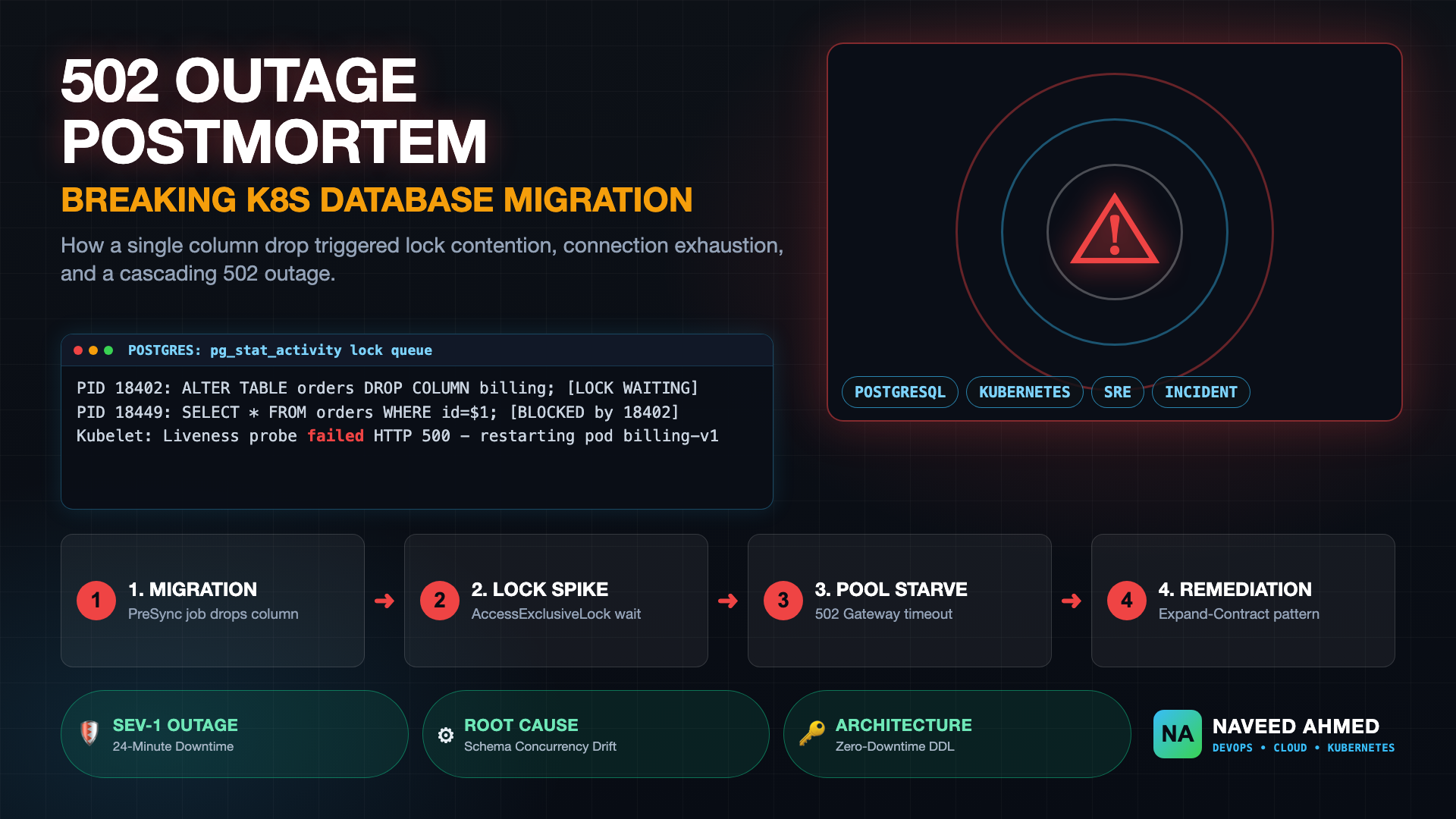
| 2. Breaking Schema Migrations | SQL exceptions and 500 errors thrown by v1 pods during deployment | Version 2 dropped or renamed a database column while version 1 pods were still serving active traffic concurrently | Enforce the Expand and Contract (Parallel Run) pattern. Read our detailed postmortem on how a breaking database migration caused a 502 outage. |
| 3. Blind Canary Promotion | Defects leak to 100% of production users despite canary staging | Canary traffic steps were promoted based on static wait timers rather than automated Prometheus metric queries (SLI/SLO) | Attach automated analysis templates evaluating HTTP 5xx error rate and p99 latency before allowing traffic promotion. |
| 4. Zombie Blue Environments | Cloud infrastructure costs balloon unexpectedly by 40% to 80% | Blue deployments were left running at 100% replica capacity days after Green took over production traffic | Implement automated post-promotion TTL scale-down scripts in your CI/CD pipeline to scale Blue replicas to zero after 60 minutes of stability. |
To test your incident response skills against real-world cluster rollout outages, practice real diagnostic scenarios on our interactive Kubectl outage simulator or explore all 24 production architecture modules on the Kubernetes Mastery Hub.
Key Takeaways for Platform Engineers
Mastering modern kubernetes deployment strategies allows platform engineering teams to convert releases from stressful midnight events into continuous, automated business operations.
- Start with Tuned Rolling Updates: If you use Kubernetes native deployments, set
maxUnavailable: 0and configure explicit readiness probes to prevent traffic blackholing. - Never Promote Blindly: Progressive delivery via Canary or A/B testing is only as effective as the automated observability metrics backing your promotion gates.
- Respect Data Layer Compatibility: In all dual-version deployment patterns (Rolling, Canary, Blue/Green, A/B), your database schema must remain backward-compatible with both running application versions.
- Reclaim Idle Resources: Decommission stale Blue environments promptly to prevent cloud infrastructure costs from doubling indefinitely.
Frequently Asked Questions
What are the built-in Kubernetes deployment strategies?
Kubernetes provides two core Deployment strategies natively in its API spec: RollingUpdate and Recreate. By tuning maxSurge and maxUnavailable to 1 and 0 (or vice versa), teams can also execute a Ramped Slow Rollout. Advanced strategies like Blue/Green, Canary, A/B testing, and Shadow require external tooling such as Argo Rollouts, Ingress controllers, or a service mesh like Istio.
When should you use Blue/Green deployment over Canary in Kubernetes?
Choose Blue/Green when you require an instantaneous cutover with one-click rollback and your cluster has sufficient resource capacity to run two identical 100% production environments simultaneously. Choose Canary when you want to minimize blast radius by exposing only a small percentage of real production traffic (e.g., 5% to 25%) while validating error rates and latency against Prometheus metrics.
Why do database schema changes break Kubernetes Rolling Updates?
During a Rolling Update or Canary rollout, pods running version 1 and version 2 serve production traffic concurrently. If version 2 introduces a destructive or non-backward-compatible database migration (such as dropping or renaming columns), version 1 pods fail immediately. Always use the Expand and Contract database migration pattern so both versions can run side by side safely.
What is the difference between A/B testing and Canary deployments in Kubernetes?
Canary deployments route a random fraction of total traffic (e.g., 5% to 10%) to test infrastructure stability, error rates, and resource utilization. In contrast, A/B testing selectively routes users based on HTTP request attributes—such as session cookies, user headers, or geolocation—to measure business metrics, conversion rates, and feature engagement.