Apache Kafka powers high-throughput data pipelines across modern enterprise infrastructure. Designed originally at LinkedIn and open-sourced under the Apache Software Foundation, Apache Kafka operates as a distributed, append-only commit log capable of processing millions of messages per second with microsecond latency. Platform teams rely on it for real-time telemetry, microservice event distribution, database change data capture, and stream processing engines.
Operating a distributed streaming cluster in production demands deep familiarity with its underlying storage semantics. Recent releases have eliminated external ZooKeeper dependencies in favor of the KRaft consensus protocol, streamlining cluster operations while shifting how metadata synchronization and controller quorums execute. This comprehensive guide covers internal architecture, storage mechanics, Docker Compose local clustering, consumer lag triage, and production Kubernetes deployment patterns.
sendfile zero-copy network system calls. Designing clusters around memory page cache rather than oversized JVM heaps remains the single most effective performance optimization.
What is Apache Kafka and How It Works?
Apache Kafka is a distributed event store and stream processing platform built on an append-only commit log architecture. Producers append structured event records to partitioned topics, while distributed consumer groups independently read and track their own record offsets. The platform preserves strict record ordering within individual partitions while scaling horizontally across cluster brokers.
To understand how it works, examine the primary role of the commit log. Unlike traditional message brokers that maintain complex in-memory state machines and delete messages upon acknowledgement, Apache Kafka treats data as an immutable sequence of ordered records persisted directly to disk segments. Messages remain readable across a configurable retention window (such as seven days or until disk utilization thresholds trigger cleanup), allowing multiple downstream systems to replay historical event streams at arbitrary offsets without impacting broker performance.
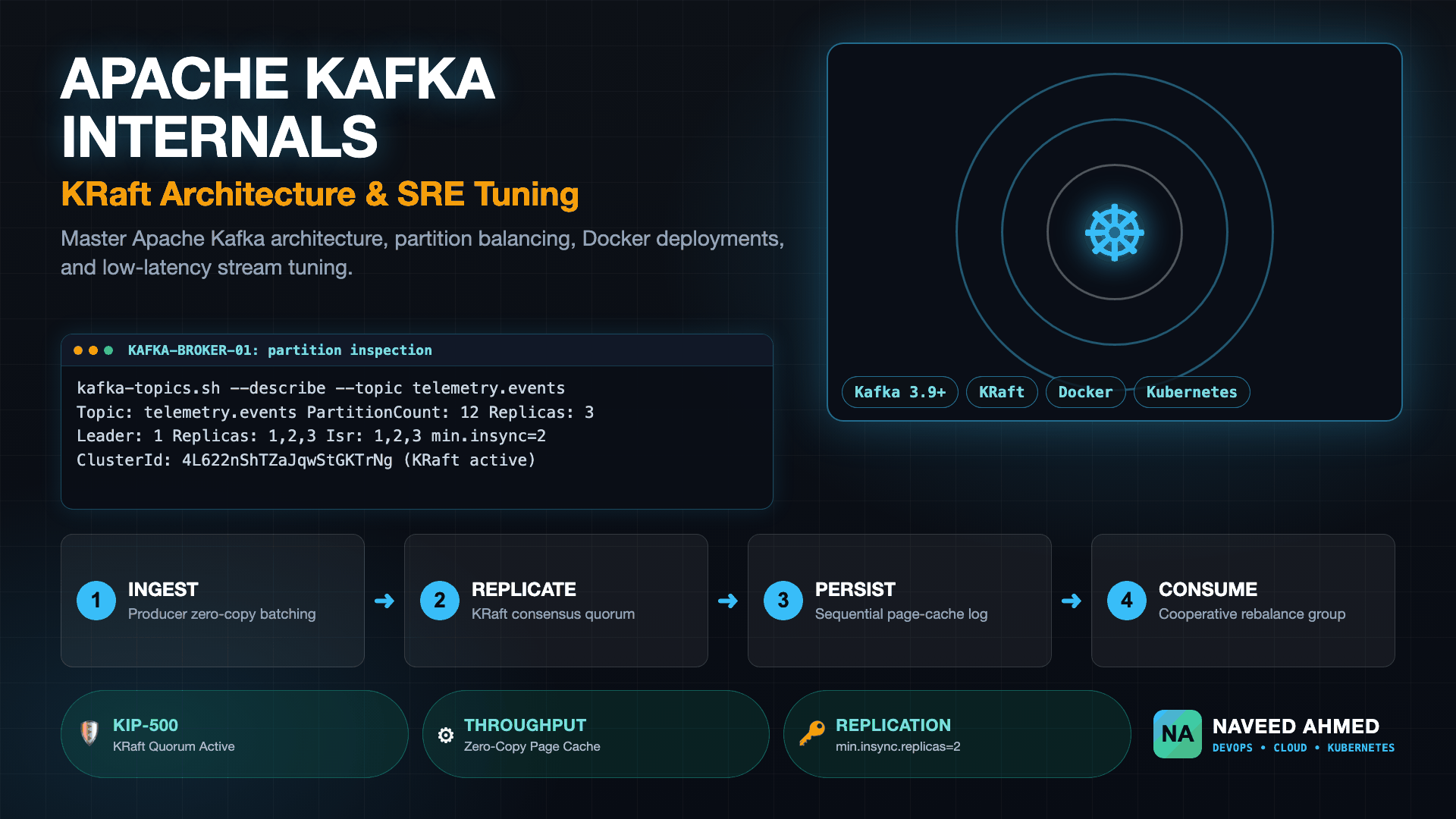
1. Event Ingestion
Producers serialize records into key-value byte arrays, compute partition assignments using consistent hashing (or round-robin), and dispatch compressed message batches over TCP to designated broker partition leaders.
2. Segment Persistence
Broker leaders write batches to sequential .log segment files, index record offsets in memory-mapped .index files, and propagate data to In-Sync Replicas (ISR) across the cluster quorum.
3. Zero-Copy Egress
Consumers poll partition leaders for new records. The Linux kernel transfers data directly from the OS page cache to network sockets via zero-copy system calls, bypassing JVM user-space memory copies.
Apache Kafka History and Open Source Licensing
Understanding Apache Kafka history clarifies its design principles. Engineered in 2010 by Jay Kreps, Neha Narkhede, and Jun Rao at LinkedIn headquarters (often searched by engineers as Apache Kafka HQ in Mountain View, California), the project was named after novelist Franz Kafka (pronounced /ˈkɑːfkə/) because it was designed as a system optimized for writing. LinkedIn open-sourced the codebase in 2011, and it graduated to a top-level Apache Software Foundation project in 2012.
A frequent question among enterprise procurement and infrastructure security teams is: is Apache Kafka open source? Yes, Apache Kafka is distributed under the permissive Apache License 2.0. This vendor-neutral open-source license permits commercial use, modification, private branching, and self-hosted redistribution without royalty obligations. It shares this legal foundation with other core data platforms in the Apache ecosystem, such as Apache Airflow, Apache Spark, and Apache Superset.
Core Production Use Cases
Apache Kafka is used for diverse streaming workloads across enterprise data infrastructure:
- Real-Time Event Streaming: Decoupling transactional microservices by publishing domain events (such as order placements, user authorizations, or inventory adjustments) into durable topics.
- Change Data Capture (CDC): Streaming database transaction logs into data lakes and search engines via tools like Debezium, maintaining read-model synchronization without dual-write race conditions.
- Metrics and Log Aggregation: Collecting high-frequency operational telemetry from thousands of servers and containers into centralized observability platforms.
- Stream Processing: Powering real-time analytical computations, fraud detection, and session window aggregations using Kafka Streams and Apache Flink.
The 970+ Incident Handbook & K8s Runbooks are exclusive to subscribers — unlock for FREE
Get battle-tested production runbooks, AWS architecture blueprints, and zero-downtime CI/CD post-mortems sent directly to your inbox. 100% free, no spam.
Apache Kafka Architecture: KRaft, Brokers, and Storage
Apache Kafka architecture separates cluster control plane metadata management from the data plane commit log. Storage nodes known as brokers store topic partitions on disk, while a quorum of KRaft controller nodes manages topic lifecycles, partition leadership elections, and cluster membership via an internal event log without requiring external coordination daemons.
Every Kafka topic is divided into one or more partitions. Partitions represent the fundamental unit of parallelism and physical storage. When a topic has twelve partitions, up to twelve individual consumers within a single consumer group can read from that topic simultaneously. Each partition maps directly to a directory on the broker filesystem containing append-only segment files.
Commit Log Segments and Zero-Copy I/O
Brokers write incoming records to the active segment file (typically named with the base offset, such as 00000000000000000000.log). Once the segment reaches its maximum size (default segment.bytes = 1073741824, or 1 GB) or roll time limit, the broker closes it and opens a new active segment. Accompanying each log segment are two sparse indices:
.index: Maps logical message offsets to physical byte positions in the.logfile..timeindex: Maps message timestamps to logical message offsets, accelerating time-based consumer seeks.
Because writes are strictly append-only, the underlying disk heads perform sequential writes. On modern NVMe SSDs and enterprise HDDs, sequential writes approach the raw physical throughput of the storage bus. Furthermore, when consumers fetch records, the broker executes the Linux sendfile(2) system call. This transmits data directly from the kernel page cache to the network interface card buffer, avoiding costly context switches between kernel space and JVM user space.
KRaft Consensus: The Post-ZooKeeper Era (KIP-500)
In older versions, Apache Kafka required Apache ZooKeeper to track cluster metadata, broker registrations, and leader elections. This split architecture created dual-state synchronization bugs, operational overhead, and partition scalability ceilings on high-density clusters. Beginning with KIP-500 and fully stabilized in the latest releases (Kafka 3.x and Kafka 4.x), ZooKeeper has been completely replaced by KRaft (Kafka Raft Metadata Mode).
In KRaft mode, designated brokers serve as metadata controllers. One controller is elected leader of the Raft quorum, maintaining the active cluster metadata log in an internal topic named @metadata. Controller failover completes in single-digit milliseconds because every controller node already replicates the metadata log in real time, enabling modern clusters to scale to millions of partitions.
Apache Kafka vs RabbitMQ: Architectural Comparison
The choice between Apache Kafka and RabbitMQ depends on whether your workload requires durable stream replayability or complex broker-side routing. Apache Kafka operates as a distributed dumb-broker commit log where consumers maintain reading state, whereas RabbitMQ acts as a smart-broker message queue that handles acknowledgements, dead-letter routing, and dynamic filtering before message deletion.
The following comparison table breaks down architectural, operational, and throughput differences:
| Evaluation Dimension | Apache Kafka (KRaft Mode) | RabbitMQ (AMQP 0-9-1 / Quorum Queues) |
|---|---|---|
| Core Paradigm | Distributed append-only commit log | Smart message broker with dynamic queues |
| Data Retention | Configurable time/size window; persistent replay | Transient; messages deleted after consumer ACK |
| Throughput Profile | Linear horizontal scaling via partition batching | Bounded by broker-side exchange routing overhead |
| Consumer Model | Pull-based; client tracks partition offset | Push-based (with prefetch); broker tracks ACK |
| Routing Complexity | Topic and partition key-based hashing | Direct, Fanout, Topic, and Header exchanges |
| Ordering Semantics | Strictly ordered within each individual partition | Ordered within a single queue; lost with concurrency |
| Clustering & Consensus | Internal KRaft (Kafka Raft) quorum | Erlang distributed nodes + Raft Quorum Queues |
| Best Suited Workloads | Event streaming, CDC, high-volume telemetry, logs | Complex transactional routing, RPC, task dispatch |
If you are designing distributed systems that require event replay, audit trails, or ingestion of continuous telemetry streams, Apache Kafka is the optimal platform. Conversely, if your application requires flexible message routing patterns with individual message acknowledgement timeouts, RabbitMQ or traditional AMQP brokers remain viable alternatives.
Hands-On Tutorial: Running Apache Kafka with Docker Compose
Deploying Apache Kafka locally using Docker Compose provides a clean environment for testing topics, producers, and consumer groups without installing JVM dependencies on host machines. Modern configurations run in KRaft mode using the official Apache Kafka container image published on Docker Hub, eliminating legacy ZooKeeper containers entirely.
Create a directory named kafka-local and save the following docker-compose.yml file. This manifest launches a single-node KRaft broker with separate internal and external listeners:
services:
  kafka:
    image: apache/kafka:latest
    container_name: kafka-kraft
    ports:
      - "9092:9092"
      - "9094:9094"
    environment:
      # Node and Cluster Identification
      KAFKA_NODE_ID: 1
      KAFKA_PROCESS_ROLES: broker,controller
      KAFKA_CLUSTER_ID: "4L622nShTZaJqwStGKTrNg"

      # Listener and Network Port Configuration
      KAFKA_LISTENERS: PLAINTEXT://:9092,CONTROLLER://:9093,EXTERNAL://:9094
      KAFKA_ADVERTISED_LISTENERS: PLAINTEXT://kafka:9092,EXTERNAL://localhost:9094
      KAFKA_LISTENER_SECURITY_PROTOCOL_MAP: PLAINTEXT:PLAINTEXT,CONTROLLER:PLAINTEXT,EXTERNAL:PLAINTEXT
      KAFKA_CONTROLLER_LISTENER_NAMES: CONTROLLER
      KAFKA_INTER_BROKER_LISTENER_NAME: PLAINTEXT
      KAFKA_CONTROLLER_QUORUM_VOTERS: 1@kafka:9093

      # Storage and Partition Defaults
      KAFKA_OFFSETS_TOPIC_REPLICATION_FACTOR: 1
      KAFKA_TRANSACTION_STATE_LOG_REPLICATION_FACTOR: 1
      KAFKA_TRANSACTION_STATE_LOG_MIN_ISR: 1
      KAFKA_LOG_DIRS: /tmp/kraft-combined-logs
      KAFKA_NUM_PARTITIONS: 3
    healthcheck:
      test: ["CMD-SHELL", "/opt/kafka/bin/kafka-broker-api-versions.sh --bootstrap-server localhost:9092"]
      interval: 10s
      timeout: 5s
      retries: 5
    restart: unless-stopped
Start the container using Docker Compose and verify that the broker passes its health check:
docker compose up -d
docker compose ps
The console output confirms that the container is healthy and operational:
NAME          IMAGE                 COMMAND                  SERVICE   CREATED          STATUS                    PORTS
kafka-kraft   apache/kafka:latest   "/__cacert_entrypoin…"   kafka     12 seconds ago   Up 11 seconds (healthy)   0.0.0.0:9092->9092/tcp, 0.0.0.0:9094->9094/tcp
Essential CLI Operations: Topics, Producers, and Consumers
With the cluster running, you can interact with Kafka using the built-in shell scripts located in /opt/kafka/bin/ inside the container. Begin by creating a partitioned topic named orders.events:
docker exec -it kafka-kraft /opt/kafka/bin/kafka-topics.sh \
  --create \
  --topic orders.events \
  --partitions 3 \
  --replication-factor 1 \
  --bootstrap-server localhost:9092
Inspect the newly created topic partition layout and configuration metadata:
docker exec -it kafka-kraft /opt/kafka/bin/kafka-topics.sh \
  --describe \
  --topic orders.events \
  --bootstrap-server localhost:9092
The describe command returns detailed partition leadership and replica assignments:
Topic: orders.events	TopicId: 9GzV1qfTQyWWa8B1h9tKLw	PartitionCount: 3	ReplicationFactor: 1	Configs: segment.bytes=1073741824
	Topic: orders.events	Partition: 0	Leader: 1	Replicas: 1	Isr: 1
	Topic: orders.events	Partition: 1	Leader: 1	Replicas: 1	Isr: 1
	Topic: orders.events	Partition: 2	Leader: 1	Replicas: 1	Isr: 1
Publish several test events using kafka-console-producer.sh with key-value delimiter support:
docker exec -i kafka-kraft /opt/kafka/bin/kafka-console-producer.sh \
  --bootstrap-server localhost:9092 \
  --topic orders.events \
  --property "parse.key=true" \
  --property "key.separator=:" <<EOF
order_101:{"item":"server-blade","qty":2,"status":"confirmed"}
order_102:{"item":"switch-fiber","qty":4,"status":"pending"}
order_103:{"item":"nvme-drive","qty":8,"status":"shipped"}
EOF
Read all records from the beginning of the topic using kafka-console-consumer.sh:
docker exec -it kafka-kraft /opt/kafka/bin/kafka-console-consumer.sh \
  --bootstrap-server localhost:9092 \
  --topic orders.events \
  --from-beginning \
  --property print.key=true \
  --property key.separator=" => "
The consumer streams records directly to standard output:
order_101 => {"item":"server-blade","qty":2,"status":"confirmed"}
order_102 => {"item":"switch-fiber","qty":4,"status":"pending"}
order_103 => {"item":"nvme-drive","qty":8,"status":"shipped"}
^CProcessed a total of 3 messages
Production Integration: Apache Kafka in Spring Boot
Integrating Apache Kafka into Java enterprise applications using Spring Boot requires configuring reliable producer idempotence and consumer concurrency settings. Without explicit configuration, default producer settings risk silent message loss or accidental out-of-order retries during transient network disconnections.
Add spring-kafka to your application dependencies and configure application.yml with production-grade reliability parameters:
spring:
  kafka:
    bootstrap-servers: localhost:9094
    producer:
      key-serializer: org.apache.kafka.common.serialization.StringSerializer
      value-serializer: org.apache.kafka.common.serialization.StringSerializer
      acks: all
      retries: 5
      properties:
        enable.idempotence: true
        max.in.flight.requests.per.connection: 5
        compression.type: zstd
        batch.size: 65536
        linger.ms: 10
    consumer:
      group-id: inventory-fulfillment-service
      auto-offset-reset: earliest
      enable-auto-commit: false
      key-deserializer: org.apache.kafka.common.serialization.StringDeserializer
      value-deserializer: org.apache.kafka.common.serialization.StringDeserializer
      properties:
        max.poll.interval.ms: 300000
        max.poll.records: 250
        partition.assignment.strategy: org.apache.kafka.clients.consumer.CooperativeStickyAssignor
    listener:
      ack-mode: MANUAL_IMMEDIATE
      concurrency: 3
Key architectural properties in this configuration include:
acks: all: The producer only considers a write successful when all in-sync replicas acknowledge receipt.enable.idempotence: true: Prevents duplicate messages caused by network retries by attaching producer IDs and sequence numbers to every batch.enable-auto-commit: false: Gives your application code explicit control over offset commits, preventing offset advances before business processing completes.CooperativeStickyAssignor: Avoids stop-the-world consumer group rebalances by revoking only reassigned partitions instead of halting all consumers.
Below is a production consumer implementation utilizing manual acknowledgements and error handling:
package com.example.kafka.consumer;

import org.apache.kafka.clients.consumer.ConsumerRecord;
import org.slf4j.Logger;
import org.slf4j.LoggerFactory;
import org.springframework.kafka.annotation.KafkaListener;
import org.springframework.kafka.support.Acknowledgment;
import org.springframework.stereotype.Service;

@Service
public class OrderEventConsumer {

    private static final Logger log = LoggerFactory.getLogger(OrderEventConsumer.class);

    @KafkaListener(topics = "orders.events", groupId = "inventory-fulfillment-service")
    public void consume(ConsumerRecord<String, String> record, Acknowledgment ack) {
        try {
            log.info("Processing order key: {}, partition: {}, offset: {}",
                     record.key(), record.partition(), record.offset());

            // Execute business logic (e.g., inventory reservation)
            processOrderPayload(record.value());

            // Explicitly commit offset only upon successful processing
            ack.acknowledge();
        } catch (Exception ex) {
            log.error("Failed processing record at offset {}: {}", record.offset(), ex.getMessage());
            // Route to dead letter queue or let retry template handle backoff
            throw ex;
        }
    }

    private void processOrderPayload(String payload) {
        // Business processing implementation
    }
}
Kubernetes Hardening: Helm Charts and Hardware Sizing
Running Apache Kafka on Kubernetes requires stateful workload orchestrators capable of managing persistent storage identities and strict rack awareness. Production deployments predominantly use either the Strimzi Kafka Operator or enterprise Helm charts to orchestrate stateful sets, automate rolling upgrades, and enforce network policies across cluster topologies.
When orchestrating Kafka on cloud-native clusters, you can streamline manifest authoring with our Kubernetes YAML generator to template hardened StatefulSets and volume claim templates. Reviewing our comprehensive guide to the best Kubernetes tools for production SREs also provides essential context on observability operators like Prometheus and OpenTelemetry collectors for stream monitoring.
Hardware Requirements and Memory Allocation
A common misconfiguration in production Kafka deployments is over-allocating JVM heap memory at the expense of operating system page cache. Kafka does not store message data in the Java heap; it delegates file caching entirely to the Linux OS page cache. Allocating oversized heaps leads to prolonged garbage collection pauses without improving read performance.
| Resource Dimension | Minimum Lab / Development | Production High-Throughput Node |
|---|---|---|
| JVM Heap Memory | 2 GB (-Xms2g -Xmx2g) | 6 GB to 8 GB (Avoid heaps > 12 GB) |
| Host / Pod RAM | 4 GB to 8 GB | 32 GB to 64 GB (Remainder dedicated to OS Page Cache) |
| CPU Allocation | 2 vCPUs | 8 to 16 dedicated physical cores |
| Disk Storage | Standard SSD (100 GB) | NVMe SSDs in RAID-10 or AWS gp3/io2 with 5000+ IOPS |
| Network Interface | 1 Gbps | 10 Gbps to 25 Gbps bonded NICs |
Production Strimzi Helm Values
Deploying Kafka with Strimzi via Helm ensures that brokers and KRaft nodes remain resilient against node drain events and zone outages. The following configuration snippet illustrates a 3-broker KRaft setup with persistent storage and anti-affinity rules:
apiVersion: kafka.strimzi.io/v1beta2
kind: KafkaNodePool
metadata:
  name: dual-role
  labels:
    strimzi.io/cluster: production-kafka
spec:
  replicas: 3
  roles:
    - controller
    - broker
  storage:
    type: jbod
    volumes:
      - id: 0
        type: persistent-claim
        size: 500Gi
        class: premium-rwo
        deleteClaim: false
  template:
    pod:
      affinity:
        podAntiAffinity:
          requiredDuringSchedulingIgnoredDuringExecution:
            - labelSelector:
                matchExpressions:
                  - key: strimzi.io/name
                    operator: In
                    values: ["production-kafka-dual-role"]
              topologyKey: "topology.kubernetes.io/zone"
    kafkaContainer:
      resources:
        requests:
          memory: 16Gi
          cpu: "4"
        limits:
          memory: 16Gi
          cpu: "8"
For cross-region failover and active-active data center topologies, review our deep-dive analysis on multi-cloud Kafka MirrorMaker active-active replication scenarios to evaluate replication latency trade-offs and network egress costs.
Production Troubleshooting: Consumer Lag & Rebalance Runbooks
Production incidents in Apache Kafka typically manifest as escalating consumer group lag or destabilizing rebalance storms. When downstream consumers crash, hang during processing, or exceed maximum poll intervals, brokers trigger partition reassignment across the remaining active consumers in the group.
When investigating consumer starvation or latency spikes, use our Kafka consumer group rebalance storm triage drill for step-by-step incident response procedures. For edge proxy setups and ingress routing into edge endpoints, see our Caddy reverse proxy and ingress guide.
Triage Step 1: Inspect Consumer Group Offsets and Partition Lag
Run the kafka-consumer-groups.sh utility against the cluster bootstrap server to identify exactly which partitions are accumulating unprocessed records:
kafka-consumer-groups.sh \
  --bootstrap-server localhost:9092 \
  --describe \
  --group inventory-fulfillment-service
Review the command output for high numbers in the LAG column and identify unresponsive client hosts:
GROUP                         TOPIC           PARTITION  CURRENT-OFFSET  LOG-END-OFFSET  LAG             CONSUMER-ID                                     HOST            CLIENT-ID
inventory-fulfillment-service orders.events   0          1849201         1849210         9               consumer-1-a89b7c12-32                          /10.244.3.41    consumer-1
inventory-fulfillment-service orders.events   1          2941002         3401920         460918          consumer-2-d18e9a44-11                          /10.244.5.18    consumer-2
inventory-fulfillment-service orders.events   2          1402911         1402915         4               consumer-3-f44c2b99-04                          /10.244.2.89    consumer-3
In this triage output, Partition 1 exhibits significant uncommitted record lag assigned to consumer-2 on host 10.244.5.18. This pattern highlights a localized worker bottleneck, such as a deadlocked thread, slow database query, or memory leak.
Triage Step 2: Emergency Offset Reset Runbook
If unprocessable poison-pill messages are causing downstream consumers to continuously crash and fail their poll intervals, operators can shift the consumer group offset past the offending records or reset to a known timestamp. Ensure the consumer application is stopped before running the reset command:
kafka-consumer-groups.sh \
  --bootstrap-server localhost:9092 \
  --group inventory-fulfillment-service \
  --topic orders.events \
  --reset-offsets \
  --to-latest \
  --dry-run

# Execute the offset shift after verifying the dry-run output
kafka-consumer-groups.sh \
  --bootstrap-server localhost:9092 \
  --group inventory-fulfillment-service \
  --topic orders.events \
  --reset-offsets \
  --to-latest \
  --execute
If you are planning migration of stateful streaming pipelines into cloud environments, our step-by-step AWS cloud migration runbook for high-throughput streaming details automated snapshotting and disk synchronization workflows.
Apache Kafka Interview Questions for Experienced Engineers
Senior distributed systems and DevOps engineering interviews evaluate how candidates diagnose failure scenarios, manage data consistency models, and optimize broker I/O pipelines. Interviewers focus on real-world edge cases rather than textbook definitions of topics and partitions.
The following questions represent core architectural scenarios asked during technical evaluation rounds:
Scenario 1: How does Apache Kafka achieve Exactly-Once Semantics (EOS) across producer-consumer streams?
Model Answer: Exactly-Once Semantics in Apache Kafka combines three distinct mechanisms: idempotent producers (via enable.idempotence=true, which assigns unique Producer IDs and monotonic sequence numbers to deduplicate network retries), transactional production across multiple partitions (coordinated by the Transaction Coordinator and recorded in __transaction_state), and read-committed consumer isolation (isolation.level=read_committed). In a consume-transform-produce loop, offsets are committed within the same atomic transaction as the downstream message production, ensuring records and offsets are either committed together or aborted completely.
Scenario 2: What happens during an ISR (In-Sync Replicas) shrink event, and how does min.insync.replicas prevent data loss?
Model Answer: The leader broker continuously tracks replica follower fetch progress. If a follower replica fails to send a fetch request within the configured replica.lag.time.max.ms window, the leader removes that broker from the In-Sync Replicas (ISR) list and logs the change to the KRaft metadata quorum. If the producer sends writes with acks=all and the count of active ISR members falls below min.insync.replicas (e.g., configured to 2 in a 3-replica topic), the leader rejects incoming produce requests with NotEnoughReplicasException. This prevents the leader from accepting uncommitted writes that would be lost if that single broker subsequently crashed.
Scenario 3: How does the CooperativeStickyAssignor eliminate stop-the-world rebalance storms?
Model Answer: Legacy partition assignors like the RangeAssignor or RoundRobinAssignor used eager rebalancing, which forced all consumers in a group to revoke all assigned partitions simultaneously upon any membership change, halting processing until full reassignment completed. The CooperativeStickyAssignor uses a two-phase protocol: in phase one, consumers retain their currently assigned partitions and report them to the group coordinator; only partitions that must physically move between members are revoked. Unaffected consumers continue processing their existing partitions without interruption, preventing group-wide throughput collapses.
Summary and Production Readiness Checklist
Apache Kafka provides the fundamental foundation for enterprise streaming, combining sequential disk persistence, zero-copy kernel transfers, and the modern KRaft metadata consensus engine. Designing reliable streaming infrastructure requires looking past default configuration parameters to actively manage operating system page cache allocation, partition distribution, and consumer group assignment strategies.
Before launching Apache Kafka clusters into production environments, review the following operational checklist:
- Consensus Quorum: Standardize on KRaft mode with dedicated controller nodes across separate availability zones to eliminate ZooKeeper dependencies.
- Memory Architecture: Restrict JVM heap allocation to 6 GB–8 GB, reserving the majority of host RAM for the Linux kernel page cache.
- Producer Durability: Enforce
acks=all,enable.idempotence=true, and configuremin.insync.replicas=2on all business-critical topics. - Consumer Stability: Configure the
CooperativeStickyAssignorand calibratemax.poll.interval.msto accommodate downstream processing latency without triggering rebalances. - Storage Performance: Provision high-IOPS NVMe storage with separate filesystems for data logs and controller metadata.
Frequently Asked Questions
Is Apache Kafka open source software and what license does it use?
Yes, Apache Kafka is fully open source under the permissive Apache License 2.0. Governed by the Apache Software Foundation (ASF), it shares the same vendor-neutral open-source heritage as Apache Airflow, Apache Spark, and Apache Superset, allowing unrestricted commercial use, modification, and self-hosted redistribution.
What is Apache Kafka used for in distributed systems?
Apache Kafka is used for high-volume event streaming, real-time telemetry ingestion, asynchronous microservice communication, database change data capture (CDC via Debezium), and stream processing pipelines (via Kafka Streams and Apache Flink). It acts as an append-only, durable commit log.
How does Apache Kafka compare to RabbitMQ?
Apache Kafka is an append-only distributed commit log where consumers track their own offsets and can replay historical events across retention windows. RabbitMQ is an AMQP-based message broker with smart broker routing where messages are acknowledged and deleted upon consumption. Kafka handles millions of events per second with persistent replayability, whereas RabbitMQ is optimized for complex point-to-point routing and priority task queues.
What are the default Apache Kafka network ports and hardware requirements?
By default, Apache Kafka listens on port 9092 for plaintext client traffic, port 9093 for controller/KRaft communication, and port 9094 for external SSL/TLS traffic. For production hardware, plan for at least 32GB to 64GB of RAM (prioritizing OS page cache over JVM heap), NVMe or RAID-10 SSDs for linear disk I/O, and 10GbE network interfaces.
What is KRaft mode and why did Apache Kafka remove ZooKeeper?
KRaft (Kafka Raft Metadata Mode, formalized in KIP-500) replaces external Apache ZooKeeper ensembles with an internal Raft consensus quorum directly inside Kafka brokers. This simplifies operations, eliminates dual-metadata synchronization bottlenecks, supports millions of partitions per cluster, and accelerates controller failover to single-digit milliseconds.