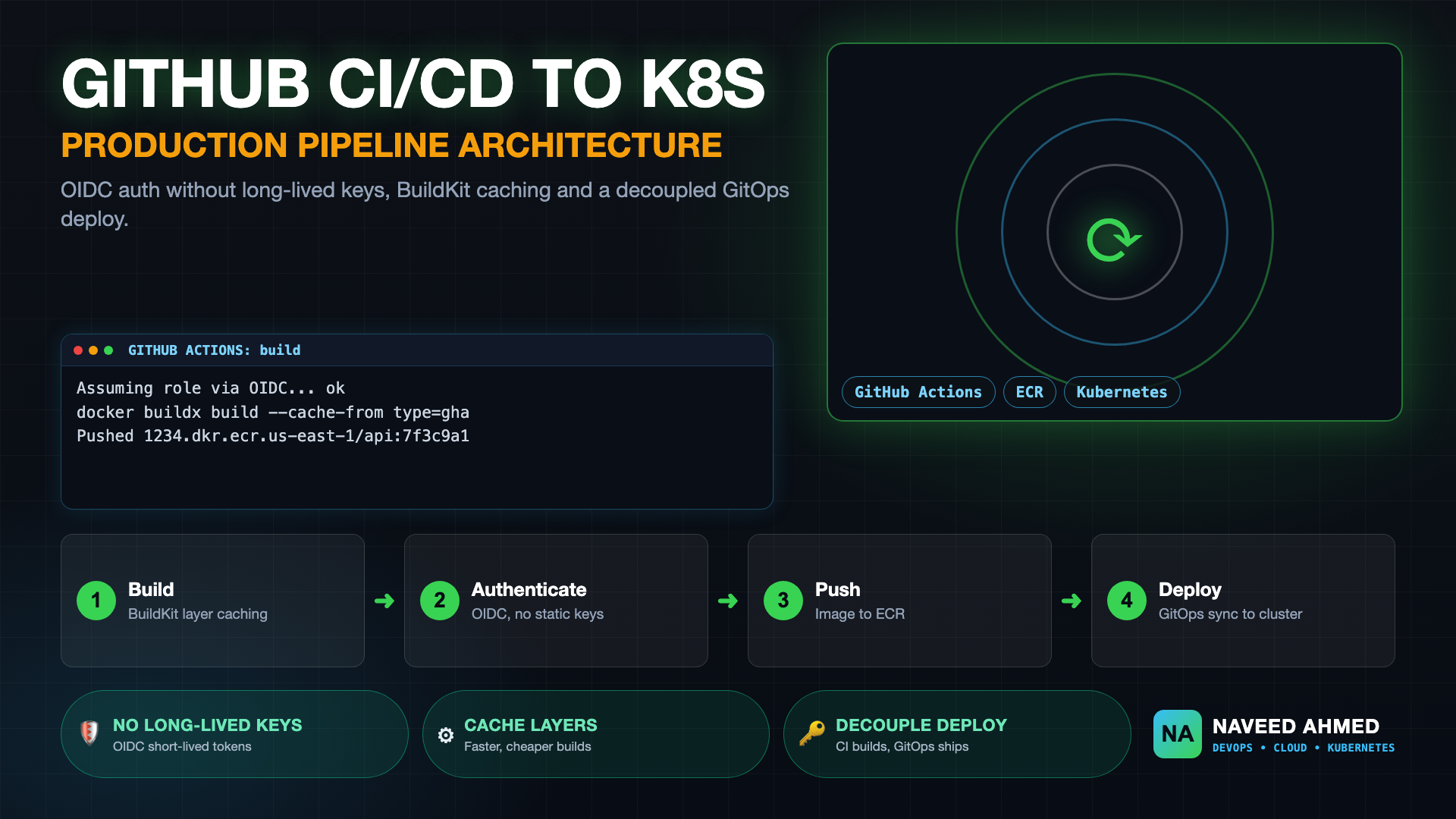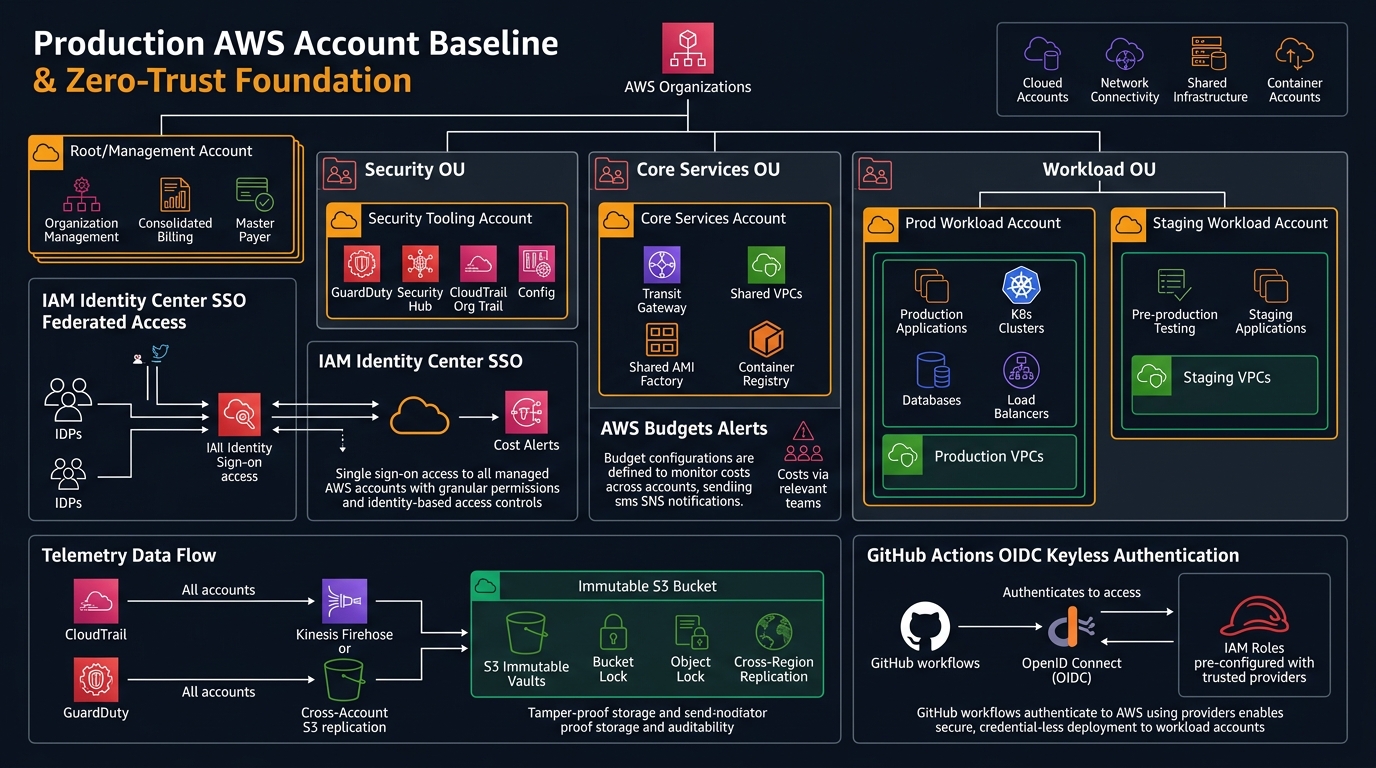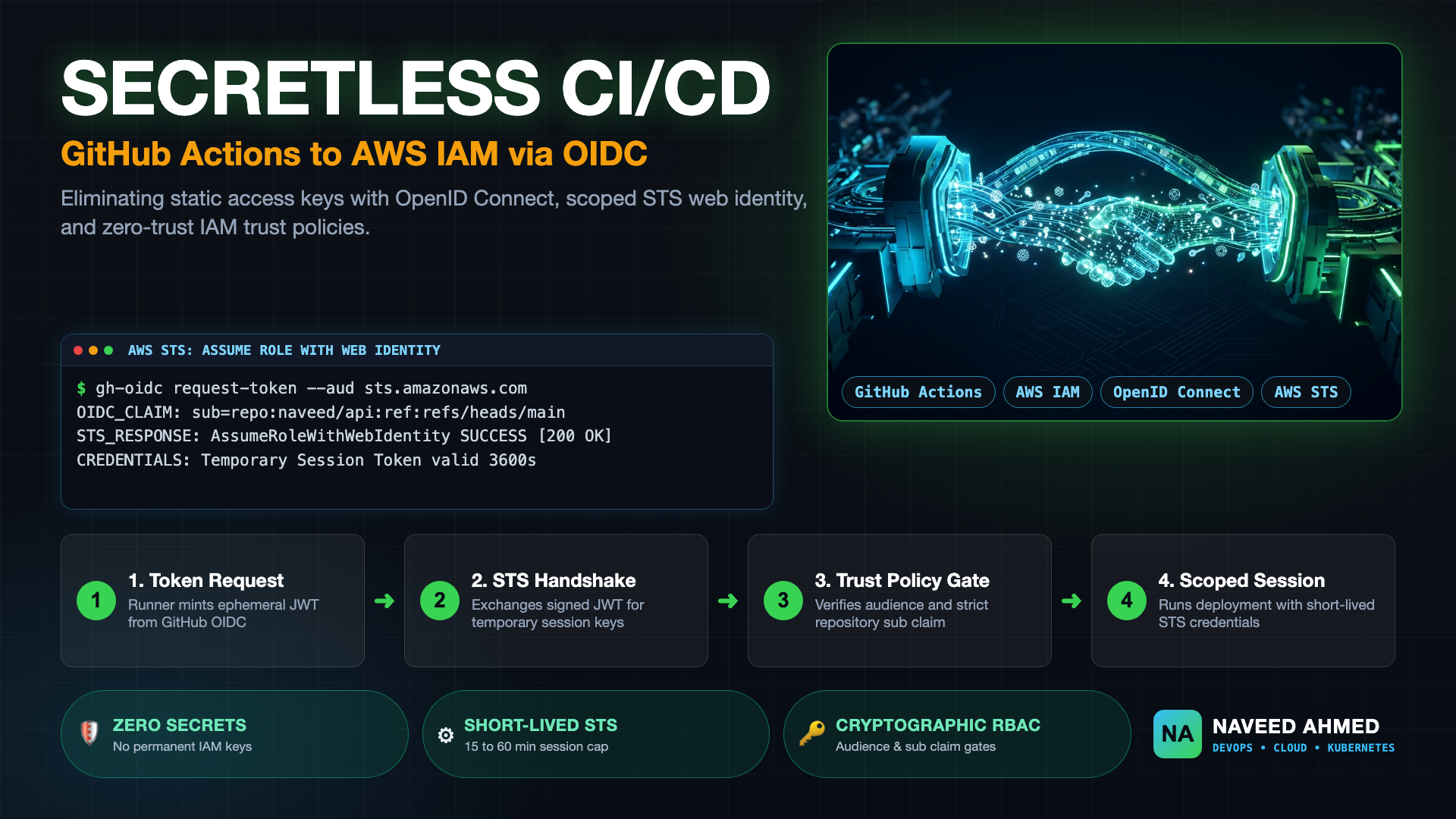
Storing static AWS_ACCESS_KEY_ID and AWS_SECRET_ACCESS_KEY credentials in GitHub repository secrets remains one of the most hazardous anti-patterns in modern cloud engineering. These long-lived IAM credentials never expire on their own, require complex manual rotation procedures, and present an enormous blast radius if exposed through build logs, compromised dependencies, or malicious pull request workflows. Adopting github actions oidc aws authentication completely eliminates permanent cloud credentials by establishing a cryptographically verifiable trust relationship between GitHub's OpenID Connect (OIDC) identity provider and AWS Identity and Access Management (IAM).
With OpenID Connect federation, every time your GitHub Actions workflow runs, the runner requests a short-lived JSON Web Token (JWT) signed by GitHub. This token is exchanged with AWS Security Token Service (STS) for temporary, scoped IAM credentials via the AssumeRoleWithWebIdentity API. In this comprehensive guide, we examine the underlying cryptography of the OIDC handshake, walk through production-grade Terraform and AWS CLI identity configurations, break down essential trust policy claim constraints, and troubleshoot the most frequent authorization pitfalls seen in high-throughput enterprise pipelines.
Unlike static access keys that maintain 24/7 ambient access to your AWS infrastructure, an OIDC session token expires automatically after your workflow finishes (defaulting to 1 hour, configurable down to 15 minutes). If a build runner is compromised or diagnostic debug logging leaks environment variables, the exfiltrated session keys will have already expired or will fail outside the tightly constrained IAM session context.
The Anatomy of the GitHub Actions OIDC AWS Handshake
To implement secretless CI/CD securely, you must understand the cryptographic sequence that takes place behind the scenes during a github actions oidc aws authentication handshake. The flow involves three distinct actors: the GitHub Actions Runner, the GitHub OIDC Identity Provider (IdP), and the AWS Security Token Service (STS).
AssumeRoleWithWebIdentity sending the signed JWT and target Role ARN.The core of this verification process is the GitHub-minted JSON Web Token (JWT). When decoded, this token contains critical standard and custom claims:
{
  "iss": "https://token.actions.githubusercontent.com",
  "aud": "sts.amazonaws.com",
  "sub": "repo:naveed-org/production-workloads:ref:refs/heads/main",
  "repository": "naveed-org/production-workloads",
  "repository_owner": "naveed-org",
  "ref": "refs/heads/main",
  "workflow": "Deploy Infrastructure",
  "job_id": "deploy-us-east-1",
  "run_id": "1849204812",
  "actor": "naveedkumbhar"
}
When AWS STS receives this token, it performs two levels of cryptographic and logical validation. First, it verifies the cryptographic signature against the public JSON Web Key Sets (JWKS) published by https://token.actions.githubusercontent.com/.well-known/jwks. Second, it checks the token payload against the IAM Role's trust policy condition keys. If the audience (aud) does not match sts.amazonaws.com, or if the subject (sub) does not match your specified repository and git branch, the request is instantly rejected with a 403 AccessDenied error.
The 970+ Incident Handbook & K8s Runbooks are exclusive to subscribers — unlock for FREE
Get battle-tested production runbooks, AWS architecture blueprints, and zero-downtime CI/CD post-mortems sent directly to your inbox. 100% free, no spam.
Step 1: Creating the AWS IAM OIDC Identity Provider
Before any IAM role can be assumed by GitHub Actions, you must register GitHub as an OpenID Connect Identity Provider in your AWS account. You only need to create this IdP once per AWS account.
Provisioning via AWS CLI
You can create the Identity Provider directly using the AWS CLI. While AWS previously required maintaining thumbprints for GitHub's SSL certificate chain, AWS STS now validates certificates directly against trusted public root Certificate Authorities. However, the IAM API still requires the --thumbprint-list parameter for backwards compatibility:
# Create the OpenID Connect Identity Provider for GitHub Actions
aws iam create-open-id-connect-provider \
  --url "https://token.actions.githubusercontent.com" \
  --client-id-list "sts.amazonaws.com" \
  --thumbprint-list "6938fd4d98bab03faadb97b34396831e3780aea1" "1c58a3a8518e8759bf075b76b750d4f2df264fcd"
Provisioning Declaratively via Terraform
In enterprise multi-account architectures, defining the OIDC provider in your root or workload account baseline via Infrastructure as Code ensures consistency and reproducibility. As detailed in our comprehensive guide on AWS Account Setup and IAM Baseline, codifying your identity boundary eliminates drift:
# Terraform declaration for GitHub Actions OIDC Provider
resource "aws_iam_openid_connect_provider" "github_actions" {
  url             = "https://token.actions.githubusercontent.com"
  client_id_list  = ["sts.amazonaws.com"]
  thumbprint_list = [
    "6938fd4d98bab03faadb97b34396831e3780aea1",
    "1c58a3a8518e8759bf075b76b750d4f2df264fcd"
  ]

  tags = {
    Environment = "Core-Security"
    ManagedBy   = "Terraform"
    Purpose     = "GitHub-Actions-OIDC-Authentication"
  }
}
Step 2: Designing Least-Privilege IAM Trust Policies
The single most dangerous misconfiguration in github actions oidc aws setups is a permissive trust relationship. An incorrectly configured trust policy allows any repository on all of GitHub—or any developer with repository access across unrelated projects—to assume your production AWS IAM roles.
The Anti-Pattern: Permissive Subject Wildcards
Consider this flawed trust policy condition that frequently slips through code reviews:
/* DANGEROUS ANTI-PATTERN: DO NOT USE IN PRODUCTION */
{
  "Condition": {
    "StringEquals": {
      "token.actions.githubusercontent.com:aud": "sts.amazonaws.com"
    },
    "StringLike": {
      "token.actions.githubusercontent.com:sub": "*"
    }
  }
}
Because the wildcard * matches any subject claim, any GitHub user in the world who creates a GitHub Actions workflow and points it to your role ARN can assume your IAM role. Even scoping it to repo:my-organization/* is overly permissive for production deployments, as a bug or test script in an internal experimental repository could accidentally deploy changes to production.
The Production Standard: Strict Repository and Branch Scoping
A production-hardened trust policy mandates an exact match on both the audience and the specific repository, branch, or GitHub environment. Here is a battle-tested trust relationship policy scoped strictly to the main branch of a production deployment repository:
{
  "Version": "2012-10-17",
  "Statement": [
    {
      "Sid": "GitHubActionsOidcAssumeRole",
      "Effect": "Allow",
      "Principal": {
        "Federated": "arn:aws:iam::112233445566:oidc-provider/token.actions.githubusercontent.com"
      },
      "Action": "sts:AssumeRoleWithWebIdentity",
      "Condition": {
        "StringEquals": {
          "token.actions.githubusercontent.com:aud": "sts.amazonaws.com"
        },
        "StringLike": {
          "token.actions.githubusercontent.com:sub": "repo:naveed-org/payment-service:ref:refs/heads/main"
        }
      }
    }
  ]
}
Scoping by GitHub Environment and Protected Deployments
For organizations leveraging GitHub Enterprise Environments with mandatory manual approval gates, you can lock the IAM role to an environment claim rather than a git ref. This ensures that AWS credentials can only be generated after designated senior engineers approve the deployment in GitHub's UI:
{
  "Condition": {
    "StringEquals": {
      "token.actions.githubusercontent.com:aud": "sts.amazonaws.com",
      "token.actions.githubusercontent.com:sub": "repo:naveed-org/payment-service:environment:production"
    }
  }
}
For scenario-based interview questions on how this condition protects against credential escalation in multi-tenant pipelines, review our dedicated drill on GitHub Actions OIDC AWS IAM Role Assumption.
Step 3: Building the Complete GitHub Actions Workflow
Now that the IAM IdP and Role trust policies are active, we construct the GitHub Actions workflow. Two configuration keys are mandatory in the workflow YAML:
permissions: id-token: write: Grants the GitHub runner permission to request the OIDC JWT from GitHub's token service. If omitted, the workflow defaults to read-only permissions, and token generation fails with an HTTP 403 error.permissions: contents: read: Explicitly maintains repository checkout capabilities when modifying default workflow permissions.
Here is an end-to-end, runnable workflow utilizing the official aws-actions/configure-aws-credentials@v4 action:
name: Deploy Application to AWS via OIDC

on:
  push:
    branches:
      - main

permissions:
  id-token: write   # Mandatory for OIDC JWT token retrieval
  contents: read    # Required for actions/checkout

jobs:
  deploy:
    name: Authenticate and Deploy
    runs-on: ubuntu-latest

    # Optional: Pin to GitHub Environment for protected approval gates
    environment: production

    steps:
      - name: Checkout Codebase
        uses: actions/checkout@v4

      - name: Configure AWS Credentials via OIDC
        uses: aws-actions/configure-aws-credentials@v4
        with:
          role-to-assume: arn:aws:iam::112233445566:role/GitHubActionsProductionDeployer
          aws-region: us-east-1
          role-session-name: GitHubActions-${{ github.run_id }}
          role-duration-seconds: 1200 # 20 minutes session cap

      - name: Verify AWS Identity & Caller Context
        run: |
          echo "Verifying assumed IAM role identity..."
          aws sts get-caller-identity

      - name: Deploy Workloads to AWS
        run: |
          echo "Executing zero-secret deployment commands..."
          # Deploy assets, trigger container builds, or sync manifests
          aws s3 ls
Notice that no static secrets (like AWS_ACCESS_KEY_ID) are referenced anywhere in this workflow. Only the public role-to-assume ARN is needed. Storing the Role ARN as a secret or plain variable is completely safe because anyone attempting to use that ARN without matching the cryptographic sub claim in GitHub's token will be rejected by AWS STS.
If your pipeline deploys container images to Amazon ECR and updates GitOps manifests, check out our guide on GitHub Actions Kubernetes Deployment: ECR and GitOps for complete multi-stage caching and deployment patterns.
Step 4: Terraform Module for Reusable GitHub Actions IAM Roles
To scale OIDC authentication across dozens of microservices without duplicating raw JSON policies, create a standardized Terraform module. This module dynamically builds the trust policy based on the target organization, repository, and deployment branch:
# modules/github-oidc-role/main.tf
variable "role_name" {
  type        = string
  description = "Name of the IAM role to create"
}

variable "github_repo" {
  type        = string
  description = "Target repository formatted as 'owner/repo'"
}

variable "allowed_branches" {
  type        = list(string)
  default     = ["main"]
  description = "Git branches allowed to assume this role"
}

data "aws_caller_identity" "current" {}

data "aws_iam_policy_document" "oidc_trust" {
  statement {
    effect  = "Allow"
    actions = ["sts:AssumeRoleWithWebIdentity"]

    principals {
      type        = "Federated"
      identifiers = ["arn:aws:iam::${data.aws_caller_identity.current.account_id}:oidc-provider/token.actions.githubusercontent.com"]
    }

    condition {
      test     = "StringEquals"
      variable = "token.actions.githubusercontent.com:aud"
      values   = ["sts.amazonaws.com"]
    }

    condition {
      test     = "StringLike"
      variable = "token.actions.githubusercontent.com:sub"
      values   = [for branch in var.allowed_branches : "repo:${var.github_repo}:ref:refs/heads/${branch}"]
    }
  }
}

resource "aws_iam_role" "this" {
  name               = var.role_name
  assume_role_policy = data.aws_iam_policy_document.oidc_trust.json
  max_session_duration = 3600

  tags = {
    Repository = var.github_repo
    ManagedBy  = "Terraform"
  }
}

output "role_arn" {
  value       = aws_iam_role.this.arn
  description = "The ARN of the assumed IAM role"
}
With this modular definition, platform teams can safely vend least-privilege roles to product development squads, ensuring that each microservice pipeline is strictly sandboxed to its respective cloud resources. You can test your cloud networking and subnet isolation using our interactive tools on the Kubernetes Mastery Path.
Troubleshooting Common GitHub Actions OIDC AWS Failure Modes
When migrating legacy workflows from static keys to OpenID Connect, engineering teams frequently encounter authorization errors. The matrix below outlines the primary failure symptoms, their root causes, and immediate triage actions:
| Error Message / Symptom | Root Cause | Remediation & Triage Command |
|---|---|---|
Not authorized to perform sts:AssumeRoleWithWebIdentity |
Mismatch in the token.actions.githubusercontent.com:sub condition in the IAM Trust Policy. |
Inspect GitHub runner run log. Check if the trigger was a tag (ref:refs/tags/v*) or PR rather than a branch push (ref:refs/heads/main). |
Error: Credentials could not be loaded, please check your action inputs |
Missing permissions: id-token: write block in the workflow YAML file. |
Add permissions: id-token: write and contents: read at either the top level or individual job level in your workflow file. |
OpenIDConnect provider not found for URL |
The IAM OIDC Identity Provider has not been provisioned in the destination AWS account or region. | Verify provider presence with aws iam list-open-id-connect-providers and ensure the URL matches https://token.actions.githubusercontent.com exactly. |
Audience doesn't match client ID list |
The audience claim emitted by the GitHub action does not match sts.amazonaws.com. |
Check client_id_list in the AWS IAM OIDC provider. Ensure it contains sts.amazonaws.com and no trailing spaces or misspellings. |
Assumed role session limit exceeded |
Workflow requested a session duration exceeding the IAM role's MaxSessionDuration setting. |
Lower role-duration-seconds in configure-aws-credentials or increase max-session-duration on the IAM role (up to 43200s). |
Production Security Checklist for Secretless CI/CD
Before standardizing github actions oidc aws authentication across your engineering organization, verify that your pipelines adhere to this seven-point production security baseline:
- Eliminate All Static Keys: Audit your AWS IAM accounts and GitHub Secrets repository settings. Delete all permanent programmatic access keys assigned to CI/CD service accounts.
- Enforce Exact Sub Claims: Never allow bare wildcards (
*) in your trust policy'ssubclaim. Require explicit repository names and branch refs (or environment names). - Cap STS Session Durations: Set
role-duration-secondsto the minimum time required for your build job (e.g., 900 to 1800 seconds). Avoid default 12-hour sessions. - Isolate Production Roles by Account: Do not share a single IAM deployment role across development, staging, and production. Maintain dedicated IAM roles in isolated AWS accounts.
- Protect Deployment Branches: Implement GitHub Branch Protection Rules or Rulesets on your deployment branches (e.g., requiring pull request approvals and status checks) so unauthorized developers cannot push code directly to branches that assume production roles.
- Audit CloudTrail STS Events: Configure Amazon CloudWatch Logs and Athena queries over AWS CloudTrail logs to track
AssumeRoleWithWebIdentityevents, monitoring for abnormal IP addresses or unexpected GitHub repository actors. - Restrict Fork Pull Requests: Never grant write or deployment permissions to untrusted fork pull requests; keep pull request testing decoupled from production deployment credentials.
By enforcing cryptographic verification via OpenID Connect, your platform engineering and security teams can achieve complete visibility, enforce zero-trust boundary controls, and ensure that static credential leaks are permanently banished from your software delivery lifecycle.
Frequently Asked Questions
Why is GitHub Actions OIDC AWS authentication superior to static IAM access keys?
Static AWS IAM access keys stored as repository secrets are permanent credentials that do not rotate automatically, risk exposure in workflow logs or git commit histories, and provide broad ambient authority if exfiltrated. GitHub Actions OIDC AWS authentication is entirely secretless: GitHub issues an ephemeral, cryptographically signed JSON Web Token (JWT) that AWS STS validates to return temporary session credentials valid for as little as 15 minutes, completely removing credential maintenance and leakage vectors.
Why does GitHub Actions fail with 'Not authorized to perform sts:AssumeRoleWithWebIdentity'?
This error typically stems from three root causes: (1) Missing 'permissions: id-token: write' in the workflow YAML, which prevents the GitHub runner from minting a JWT; (2) A mismatch in the IAM role trust policy's 'sub' claim (such as referencing 'ref:refs/heads/main' when running on a pull_request or tag); or (3) An incorrect audience claim, which must strictly equal 'sts.amazonaws.com'.
What IAM trust policy condition prevents workflow impersonation across repositories?
You must enforce a StringLike or StringEquals condition on the 'token.actions.githubusercontent.com:sub' claim scoping it to your specific organization and repository (e.g., 'repo:my-org/my-repo:ref:refs/heads/main' or 'repo:my-org/my-repo:environment:production'). Never use a bare wildcard like 'repo:my-org/*' unless deliberately sharing a role across an entire audited organization, and never omit the 'sub' check entirely.
Does AWS still require thumbprints when creating the GitHub OIDC Identity Provider?
While AWS STS upgraded its validation infrastructure to verify certificates against trusted root Certificate Authorities (eliminating breakage during GitHub CA certificate rotations), the AWS IAM CreateOpenIDConnectProvider API still syntactically requires a thumbprint list parameter. Standard practice is to supply GitHub's known intermediate thumbprints (e.g., 6938fd4d98bab03faadb97b34396831e3780aea1 or 1c58a3a8518e8759bf075b76b750d4f2df264fcd) or pass dummy 40-character hex strings.
How does OIDC authentication handle GitHub Actions pull requests from forks?
By default, workflows triggered by 'pull_request' from external forks do not have write access to repository secrets, and their OIDC tokens carry a 'sub' claim matching the fork repository (e.g., 'repo:fork-user/my-repo:*'). Because your AWS IAM trust policy strictly enforces 'sub: repo:my-org/my-repo:*', fork pull requests are cryptographically barred from assuming your production or staging AWS roles.