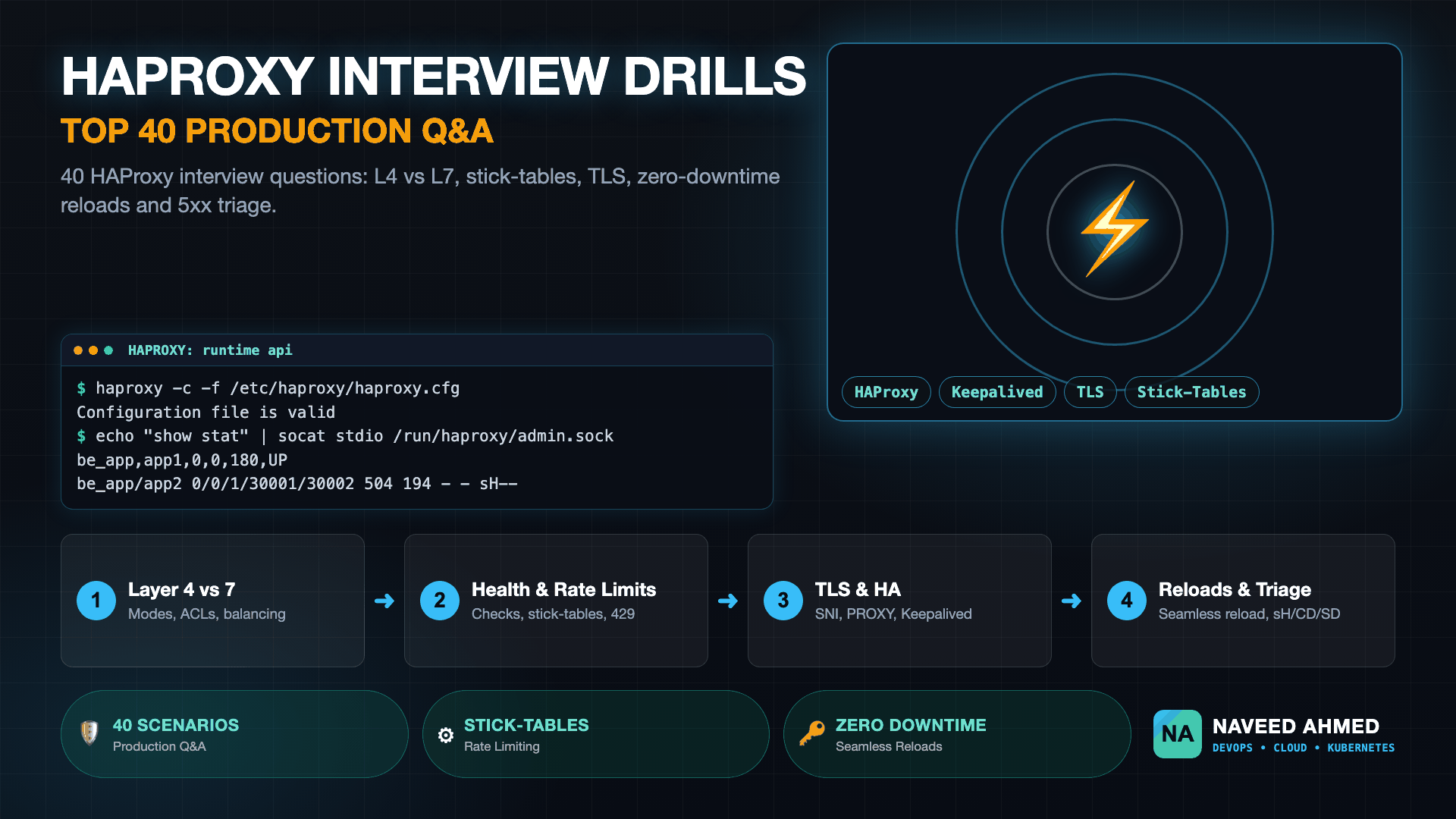
Senior infrastructure interviews rarely ask you to recite directives. They ask what you do when a health check flaps during a deploy, when one client floods an endpoint, or when a config reload drops long-lived connections. These HAProxy interview questions cover 40 production scenarios across Layer 4 and Layer 7 routing, health checks, stick-tables, TLS, high availability and troubleshooting. Each answer is short and comes with configuration or CLI you can try on a test box. To rehearse the same topics out loud, use the HAProxy interview practice hub.
Three scenario drills go deeper than a single answer can: the HAProxy zero-downtime reload and seamless sockets drill, the SSL termination vs passthrough and PROXY protocol drill, and the Keepalived VRRP virtual IP failover drill. Each module below links to more drills where they fit.
Examples target HAProxy 2.x, and I note where behaviour changed in a later release or in 3.x. Check haproxy -vv on your own build first, because some features depend on how the binary was compiled. Validate every change with haproxy -c -f /etc/haproxy/haproxy.cfg before you reload.
HAProxy Interview Questions on Fundamentals & Layer 4 vs Layer 7 (Q1-Q7)
Fundamentals questions test whether you can explain what HAProxy does with a connection at each layer. Know the difference between mode tcp and mode http, how frontend, backend and listen sections fit together, how ACLs route traffic, which balance algorithm suits which workload, and what each timeout controls.
1. What is the difference between mode tcp and mode http in HAProxy?
In mode tcp HAProxy treats the connection as an opaque byte stream. It balances on addresses and ports, applies TCP-level checks and never parses the payload, so it works for databases, SMTP, TLS passthrough and anything else. In mode http it parses requests and responses, which unlocks header rewriting, path-based routing, cookies, HTTP health checks, compression and per-request logging. The mode is set per frontend and backend, and a frontend and its backend must agree. HTTP mode costs more CPU per request, but it is the only way to make decisions based on the URL or headers.
defaults
    mode http
    timeout connect 5s
    timeout client  30s
    timeout server  30s

listen postgres
    bind :5432
    mode tcp
    option tcplog
    server pg1 10.0.1.11:5432 check
2. How do frontend, backend, listen and defaults sections relate?
A frontend defines how connections arrive: bind lines, ACLs and rules that pick a backend. A backend defines where they go: the server list, the balance algorithm and health checks. A listen section is shorthand that combines both in one block, handy for a simple TCP service. defaults sets options that every section after it inherits until the next defaults block, and since 1.9 you can name defaults sections and reference them with from. Keeping frontends and backends separate is what lets several frontends share one backend or one frontend route to many.
frontend fe_web
    bind :80
    default_backend be_app

backend be_app
    balance roundrobin
    server app1 10.0.0.11:8080 check
    server app2 10.0.0.12:8080 check
3. How do ACLs and use_backend rules route traffic?
An ACL is a named condition built from a fetch (what to look at) and optional converters, flags and values. Rules such as use_backend, http-request deny or http-request redirect apply when the condition is true. Rules are evaluated top to bottom, and for use_backend the first match wins, so put specific conditions first and finish with default_backend. Anonymous ACLs in braces are fine for one-offs. Name an ACL when you reuse it or when the rule would otherwise be hard to read in review.
frontend fe_web
    bind :80
    acl is_api  path_beg /api/
    acl is_host hdr(host) -i shop.example.com
    http-request redirect scheme https unless { ssl_fc }
    use_backend be_api  if is_api
    use_backend be_shop if is_host
    default_backend be_app
4. Which balance algorithms does HAProxy offer and when do you pick each?
roundrobin is the default choice for short, similar requests. leastconn sends new connections to the server with the fewest active ones, which suits long-lived or uneven sessions such as databases and WebSockets. source hashes the client address for crude affinity, and uri, url_param and hdr() hash part of the request, useful for cache locality. random(2) picks two random servers and chooses the less loaded, which behaves well with many load balancers sharing one pool. Add hash-type consistent to hash-based algorithms so that adding or removing a server remaps only a fraction of keys.
backend be_cache
    balance uri
    hash-type consistent
    server c1 10.0.2.11:80 check
    server c2 10.0.2.12:80 check
5. Which timeouts must every HAProxy config set, and what does each control?
timeout connect limits how long HAProxy waits for a TCP connection to a server. timeout client and timeout server limit inactivity on each side of an established connection. timeout http-request bounds how long a client may take to send a full request, which blunts slow-header attacks. timeout http-keep-alive bounds idle time between requests, timeout queue bounds time waiting for a free server slot, and timeout tunnel replaces client and server timeouts for upgraded connections such as WebSockets. A config without the first three triggers a warning and falls back to no timeout at all, which leaks connections.
defaults
    timeout connect       5s
    timeout client        30s
    timeout server        30s
    timeout http-request  10s
    timeout http-keep-alive 5s
    timeout queue         10s
    timeout tunnel        1h
6. What are the performance tradeoffs between Layer 4 and Layer 7 load balancing?
Layer 4 forwards bytes without understanding them, so it uses less CPU and memory per connection and adds little latency. It cannot route by path, retry a failed request transparently or rewrite headers. Layer 7 can do all of that, plus per-request logs and metrics, but it parses every request and holds buffers while it does. HAProxy runs multithreaded and from 2.4 defaults to one thread per available CPU, so a single instance scales across cores. Choose Layer 7 when you need request-aware behaviour, and Layer 4 when you only need distribution, or when end-to-end encryption must be preserved.
| Aspect | Layer 4 (mode tcp) | Layer 7 (mode http) |
|---|---|---|
| Routing inputs | Source/destination address, port, SNI via inspection | Path, host, headers, cookies, methods |
| Health checks | TCP connect, protocol checks (MySQL, PostgreSQL, SMTP) | HTTP status and body checks |
| Per-request retries and rewrites | No | Yes |
| TLS | Passthrough keeps end-to-end encryption | Termination required to read requests |
| Typical use | Databases, MQTT, TLS passthrough | Web apps, APIs, gRPC, canary routing |
7. How does HAProxy compare with NGINX, Envoy and Traefik?
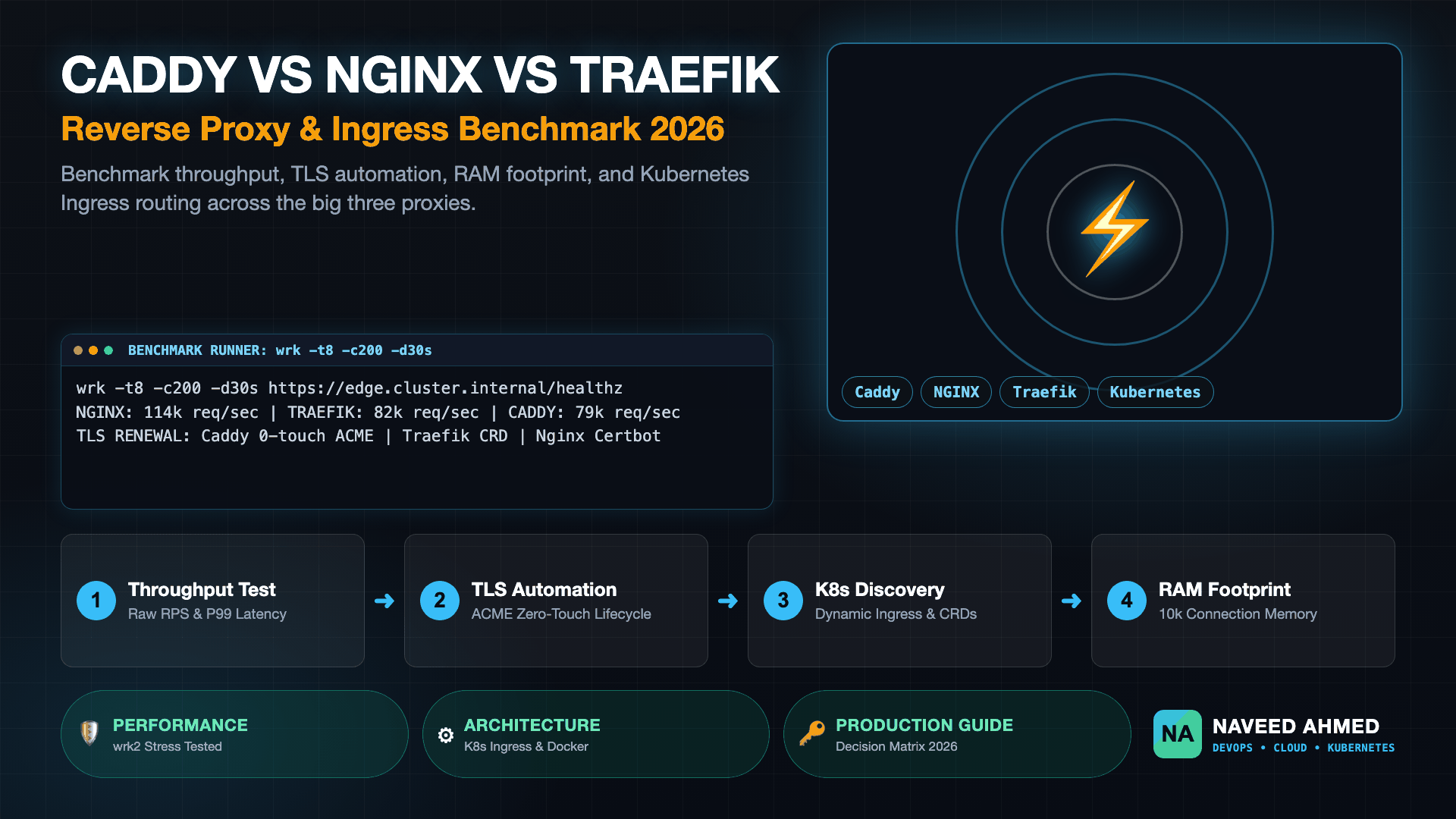
All four can proxy HTTP, and the differences are mostly in focus and operations. HAProxy is a dedicated load balancer with a deep traffic-management feature set, a runtime API and detailed logging. NGINX is a web server and reverse proxy, so it often handles static files and caching in the same process. Envoy is built around dynamic configuration through xDS APIs and is common as a service-mesh data plane. Traefik discovers routes from Docker, Kubernetes and other providers, which suits fast-changing environments. Benchmarks depend heavily on workload, so test your own traffic. For deeper comparisons see my Caddy vs NGINX vs Traefik comparison and the Traefik interview questions and answers.
| Proxy | Primary identity | Config model | Common fit |
|---|---|---|---|
| HAProxy | Dedicated load balancer and proxy | Static file plus runtime API, reload for structural changes | Edge and internal L4/L7 balancing, high connection counts |
| NGINX | Web server and reverse proxy | Static file, reload | Web serving, caching, simple proxying |
| Envoy | Programmable proxy and mesh data plane | Dynamic via xDS or static file | Service mesh, gRPC-heavy platforms |
| Traefik | Auto-discovering edge router | Provider-driven dynamic config | Container and Kubernetes ingress |
The 970+ Incident Handbook & K8s Runbooks are exclusive to subscribers — unlock for FREE
Get battle-tested production runbooks, AWS architecture blueprints, and zero-downtime CI/CD post-mortems sent directly to your inbox. 100% free, no spam.
HAProxy Interview Questions on Health Checks & Server Lifecycle (Q8-Q14)
Health check questions probe how you keep bad servers out of rotation without causing outages of your own. Be ready to explain option httpchk, inter, rise and fall, slowstart, maxconn queueing, agent checks, draining through the admin socket, and why aggressive thresholds cause flapping during deploys.
8. How do you configure an HTTP health check with option httpchk?
Enable check on each server and describe the probe. On 2.2 and later the http-check directives are the clearest form, letting you set method, URI, version and headers, then assert on status or body. Older configs use option httpchk GET /health and still work. Point the check at an endpoint that verifies dependencies the app needs, but keep it cheap, because every load balancer probes every server on every interval. A check that returns 200 while the database is down keeps broken servers in the pool, and one that is too heavy becomes load of its own.
backend be_app
    option httpchk
    http-check send meth GET uri /healthz ver HTTP/1.1 hdr Host app.example.com
    http-check expect status 200
    default-server inter 3s fall 3 rise 2
    server app1 10.0.0.11:8080 check
    server app2 10.0.0.12:8080 check
9. What do inter, fall and rise mean, and how do you avoid flapping?
inter is the interval between checks (default 2s). fall is how many consecutive failures mark a server down (default 3), and rise is how many consecutive successes bring it back (default 2). Flapping happens when a server oscillates around those thresholds, often because the check timeout is shorter than normal response time under load, or because the app is restarting. Raise fall, set timeout check above realistic latency, use fastinter and downinter only when you need faster transitions, and pair rise with slowstart. The health check flapping, slowstart and warming drill walks through a full incident.
default-server inter 5s fastinter 1s downinter 5s fall 3 rise 4
timeout check 2s
10. What does slowstart do?
When a server returns to service, slowstart ramps its effective weight from near zero to its configured weight over the given period. This protects cold JVMs, empty caches and connection pools from receiving full traffic the instant a check passes. It works with algorithms that honour weights, such as roundrobin and leastconn, and it requires health checks to be enabled. Pick a duration that matches your real warm-up, for example 30 to 60 seconds, instead of a guess. Slowstart applies after a server transitions to up, so it does not help if the server is marked up before the app is actually ready, which is a readiness endpoint problem.
server app1 10.0.0.11:8080 check slowstart 45s weight 10011. How do maxconn and queueing protect a backend?
A server-level maxconn caps concurrent connections HAProxy opens to that server. Extra requests wait in the backend queue instead of piling onto an overloaded app. The queue is bounded in time by timeout queue; when it expires the client gets a 503. The frontend maxconn and global maxconn limit what HAProxy accepts. minconn with fullconn lets the per-server limit scale dynamically with backend load. Queueing is usually preferable to forwarding everything, because a saturated app gets slower for all callers, and a short wait in HAProxy is cheaper than a timed-out request.
backend be_app
    timeout queue 5s
    server app1 10.0.0.11:8080 check maxconn 200
    server app2 10.0.0.12:8080 check maxconn 200
12. What is agent-check and when would you use it?
An agent check connects to a separate port on the server, reads a short text reply and applies it. The agent can return a percentage to adjust weight (75%), or words such as drain, down, up, stopped or maint. This lets the server report its own load or readiness, for instance an app that wants to shed traffic at high CPU, without HAProxy knowing how it measures that. The agent check runs alongside normal health checks, so a server can pass HTTP checks and still ask for less traffic. Keep the agent simple and fast, since a hung agent counts as a failed check.
server app1 10.0.0.11:8080 check agent-check agent-port 9999 agent-inter 5s13. How do you drain a server for maintenance using the admin socket?
Expose a stats socket with admin level, then set the server state to drain. New sessions stop going to it (except those with persistence to it), while existing connections finish naturally. When the count reaches zero you can patch the node, then return it to ready. Use maint to take it out immediately. Changes made on the socket are runtime-only, so they vanish on reload unless you persist them with server-state-file or update the config.
global
    stats socket /run/haproxy/admin.sock mode 660 level admin

# shell
echo "set server be_app/app1 state drain" | socat stdio /run/haproxy/admin.sock
echo "show servers state be_app"           | socat stdio /run/haproxy/admin.sock
echo "set server be_app/app1 state ready" | socat stdio /run/haproxy/admin.sock
14. How do you health check databases and non-HTTP services?
In mode tcp a plain check only confirms the port accepts connections, which can hide a half-dead service. Protocol-aware checks are better: option mysql-check user haproxy, option pgsql-check user haproxy and option smtpchk speak enough of the protocol to confirm the server is alive. For MySQL the check user must exist without a password for the HAProxy source address, and it only verifies the server answers, not that replication is healthy. For role-aware routing, such as sending writes only to a primary, use tcp-check scripts or an external agent that reports the role. Add on-marked-down shutdown-sessions so connections to a failed node close instead of hanging until a timeout.
backend be_pg
    mode tcp
    option pgsql-check user haproxy
    default-server inter 3s fall 3 rise 2 on-marked-down shutdown-sessions
    server pg1 10.0.1.11:5432 check
    server pg2 10.0.1.12:5432 check backup
HAProxy Interview Questions on Stick-Tables & Rate Limiting (Q15-Q21)
Stick-table questions show whether you can use HAProxy as more than a balancer. Expect to explain how a table stores per-key counters, how track-sc0 feeds it, how to return a 429 above a rate, how persistence differs from cookies, and how peers replicate tables between load balancers.
15. What is a stick-table and what can it store?
A stick-table is an in-memory key-value store inside HAProxy. The key can be an IP address, string, integer or other type, and each entry holds counters or data you choose with store: connection count, request rate, error rate, bytes, general purpose counters (gpc) and more. Entries expire after the expire period of inactivity, and size caps the number of entries. Tables serve two jobs: tracking behaviour for rate limiting and abuse detection, and remembering which server a client belongs to for persistence. Rules fill a table with track-sc0 to track-sc2 or with stick rules.
backend st_clients
    stick-table type ip size 100k expire 10m store http_req_rate(10s),conn_cur,http_err_rate(10s)
16. How do you rate limit requests per client IP and return 429?
Track the source address in a table that stores request rate, then deny when the rate exceeds your limit. track-sc0 must run before the rule that reads the counter. The deny_status argument changes the default 403 to 429, which is the correct signal for rate limiting. Pick the window in the table definition, here 10 seconds, and compare against a count that makes sense for a human user. The stick-tables DDoS and rate limiting drill extends this into a layered defence.
frontend fe_web
    bind :80
    http-request track-sc0 src table st_clients
    http-request deny deny_status 429 if { sc_http_req_rate(0) gt 100 }
    default_backend be_app
17. How do you limit concurrent connections per client?
Store conn_cur in the table and check it at the TCP layer, before HTTP parsing, so abusive connections are rejected cheaply. tcp-request connection track-sc0 registers the connection, and tcp-request connection reject drops it when the count is too high. Choose the limit with NAT in mind, because many legitimate users can share one public address. A pairing of connection limits at Layer 4 and request-rate limits at Layer 7 covers both connection floods and request floods without penalising shared networks too aggressively.
frontend fe_web
    bind :80
    tcp-request connection track-sc0 src table st_clients
    tcp-request connection reject if { sc_conn_cur(0) gt 50 }
18. How do you provide session persistence in HAProxy?
There are three common approaches. Cookie insertion with cookie SRV insert indirect nocache and a cookie value on each server needs no memory and survives reloads. A stick-table with stick on maps an application cookie, header or source IP to a server and keeps that map in memory. balance source or other hash algorithms give implicit affinity with no state, but remap when the pool changes. Cookies are the usual first choice for web apps. Use stick-tables when you cannot add a cookie or must key on an existing session ID. Persistence is a convenience, so the app should still survive losing a server.
backend be_app
    cookie SRV insert indirect nocache httponly secure
    server app1 10.0.0.11:8080 check cookie a1
    server app2 10.0.0.12:8080 check cookie a2

backend be_legacy
    stick-table type string len 64 size 1m expire 30m
    stick on req.cook(JSESSIONID)
    server j1 10.0.3.11:8080 check
    server j2 10.0.3.12:8080 check
19. What are peers and why do stick-tables need them?
Each HAProxy process keeps its tables in its own memory. With two load balancers, a client rate-limited on one is unknown to the other, and persistence entries differ. A peers section lists the nodes and lets tables with peers <name> replicate entries between them over TCP. The local peer name must match the machine's hostname, or the value passed with -L, otherwise the section is ignored. With peers, a reload can also push the table to the new process, so counters and persistence survive. Replication is asynchronous, so expect small differences at any instant.
peers lbpeers
    peer lb1 10.0.0.1:10000
    peer lb2 10.0.0.2:10000

backend st_clients
    stick-table type ip size 100k expire 10m store http_req_rate(10s) peers lbpeers
20. How do you inspect and clear stick-table entries at runtime?
Use the admin socket. show table lists tables, show table <name> dumps entries with their stored data, and a data. filter limits the output. clear table <name> key <ip> removes a single entry, which is the quick way to unblock a false positive, and set table can adjust values. This is also how you confirm a rule works: send traffic and watch the counters climb. Dumping a very large table on a busy node takes time, so filter rather than listing everything in production.
$ echo "show table st_clients" | socat stdio /run/haproxy/admin.sock
# table: st_clients, type: ip, size:102400, used:2
0x55d0c3a1: key=203.0.113.9 use=0 exp=598000 shard=0 http_req_rate(10000)=143
0x55d0c3b2: key=198.51.100.4 use=0 exp=590000 shard=0 http_req_rate(10000)=7

$ echo "clear table st_clients key 203.0.113.9" | socat stdio /run/haproxy/admin.sock
21. Why does IP-based rate limiting fail behind a CDN or another proxy?
If a CDN or upstream proxy terminates the client connection, src is the proxy's address, so one limit applies to everyone behind it, or every client shares the CDN's addresses. Fix this by recovering the real client address: accept the PROXY protocol with accept-proxy on the bind line, or trust a header such as X-Forwarded-For only from known proxy ranges and track that value. Never trust the header from arbitrary clients, because they can set it to anything and evade the limit. In 2.x you can use http-request set-src after validating the source, so later rules, logs and tables all see the real address.
frontend fe_web
    bind :80 accept-proxy
    # or, only when the peer is a trusted proxy:
    acl from_cdn src 192.0.2.0/24
    http-request set-src req.hdr_ip(X-Forwarded-For,-1) if from_cdn
    http-request track-sc0 src table st_clients
HAProxy Interview Questions on SSL/TLS (Q22-Q28)
TLS questions check that you know where encryption ends and what that means for routing and client IPs. Be able to compare termination with passthrough, route by SNI, explain PROXY protocol and ALPN, describe OCSP stapling, reload certificates safely and set sensible TLS versions and ciphers.
22. What is the difference between TLS termination and passthrough?
With termination, HAProxy holds the certificate, decrypts traffic and can then route on HTTP content, add headers and apply rules, optionally re-encrypting to the backend with ssl verify required. With passthrough, it stays in mode tcp and forwards encrypted bytes untouched, so it can only route on connection data and the SNI name, but clients get end-to-end encryption and the backend keeps the certificate. Termination centralises certificates and enables Layer 7 features. Passthrough fits strict compliance needs or protocols where you cannot decrypt. The SSL termination vs passthrough drill covers the tradeoffs in more detail.
frontend fe_https
    bind :443 ssl crt /etc/haproxy/certs/ alpn h2,http/1.1
    default_backend be_app

backend be_app
    server app1 10.0.0.11:8443 ssl verify required ca-file /etc/ssl/certs/ca-certificates.crt check
23. How do you route by SNI without terminating TLS?
In mode tcp, wait briefly for the ClientHello with tcp-request inspect-delay, accept once a hello arrives, then use the req_ssl_sni fetch in ACLs. HAProxy reads the server name from the hello and sends the still-encrypted stream to the matching backend. This only works when the client sends SNI, which all modern clients do. Without a match, fall through to a default backend, or reject the connection. Keep the inspect delay short so clients that never send a hello do not hold a slot.
frontend fe_tls
    bind :443
    mode tcp
    tcp-request inspect-delay 5s
    tcp-request content accept if { req_ssl_hello_type 1 }
    use_backend be_a if { req_ssl_sni -i a.example.com }
    use_backend be_b if { req_ssl_sni -i b.example.com }
    default_backend be_a
24. What is PROXY protocol and when do you use v1 or v2?
A TCP proxy hides the client address, since the backend sees HAProxy as the peer. PROXY protocol prepends a small header carrying the original source and destination, so the next hop can recover them. Version 1 is a human-readable text line; version 2 is binary, more compact and can carry extra data such as TLS details. Use send-proxy-v2 on server lines when the backend supports it, and accept-proxy on a bind line when something upstream sends it. Both ends must agree, or connections break with garbled requests. Only accept it from trusted sources, since a client that can send the header can fake its address.
backend be_tls_passthrough
    mode tcp
    server s1 10.0.0.21:443 check send-proxy-v2

frontend fe_edge
    bind :443 accept-proxy
25. How do ALPN, HTTP/2 and gRPC work through HAProxy?
ALPN is the TLS extension where client and server agree on the application protocol during the handshake. Setting alpn h2,http/1.1 on a TLS bind lets HAProxy negotiate HTTP/2 with clients that support it and fall back otherwise. The backend leg is separate: use proto h2 on a server to speak HTTP/2 to it, which gRPC requires, and raise timeout tunnel or timeout server for long streams. HTTP/2 multiplexes many requests over one connection, so connection-based limits behave differently. The ALPN, HTTP/2 and gRPC multiplexing drill covers the failure modes.
frontend fe_grpc
    bind :443 ssl crt /etc/haproxy/certs/api.pem alpn h2
    default_backend be_grpc

backend be_grpc
    balance leastconn
    timeout server 1h
    server g1 10.0.4.11:50051 proto h2 check
26. What is OCSP stapling and how do you enable it?
With stapling, HAProxy attaches a signed, recent OCSP response to the handshake, so clients do not query the CA themselves. The classic method is to fetch the response with openssl ocsp and save it as <cert>.pem.ocsp beside the certificate, then reload so HAProxy loads it. You must refresh it before it expires, typically with a cron job. From 2.8, HAProxy can update responses itself when you set ocsp-update on in a crt-list entry. Stapling needs a certificate whose issuer provides an OCSP responder, and it does not apply if the CA has stopped offering OCSP, so check yours first.
# /etc/haproxy/certs.list
/etc/haproxy/certs/example.pem [ocsp-update on] example.com
27. How do you replace a certificate without dropping connections?
A reload is the simplest option: new workers load the new certificate while old ones finish existing connections. For changes without a reload, the runtime API can update a certificate in place: set ssl cert stages the new file and commit ssl cert activates it, with the transaction visible via show ssl cert. Existing TLS sessions keep the old certificate, and new handshakes use the new one. This works for certificates already loaded, so adding a brand new hostname usually needs a crt-list change or reload. Test the PEM bundle (key, cert, chain) with openssl first, because a bad bundle fails at load time.
echo -e "set ssl cert /etc/haproxy/certs/example.pem << \n$(cat new.pem)\n" | socat stdio /run/haproxy/admin.sock
echo "commit ssl cert /etc/haproxy/certs/example.pem" | socat stdio /run/haproxy/admin.sock
28. How do you choose TLS versions and ciphers in HAProxy?
Set a global default with ssl-default-bind-options so every frontend inherits it. A common baseline is ssl-min-ver TLSv1.2 and no-tls-tickets if you do not manage ticket keys across nodes. TLS 1.2 ciphers go in ssl-default-bind-ciphers, and TLS 1.3 suites go in the separate ssl-default-bind-ciphersuites, since the two lists use different settings. Prefer ECDHE with AEAD ciphers, and take current recommendations from the Mozilla SSL configuration generator instead of copying an old list. Verify the result from outside with openssl s_client -tls1_1 and confirm it fails.
global
    ssl-default-bind-options ssl-min-ver TLSv1.2 no-tls-tickets
    ssl-default-bind-ciphersuites TLS_AES_128_GCM_SHA256:TLS_AES_256_GCM_SHA384:TLS_CHACHA20_POLY1305_SHA256
HAProxy Interview Questions on Zero-Downtime & High Availability (Q29-Q34)
High availability questions ask what happens to live traffic during reloads and node failures. Know master-worker mode, how listening sockets transfer to a new process, what hard-stop-after protects, how Keepalived and VRRP move a virtual IP, and when active-active with ECMP beats active-passive.
29. What is master-worker mode and why does it matter?
In master-worker mode, enabled with master-worker in global or the -W flag, a master process supervises one or more worker processes that handle traffic. The master survives reloads, tracks old and new workers, restarts workers that crash and exposes its own CLI. It is the standard way to run HAProxy under systemd, and the reload mechanism relies on it. On a reload, the master starts a new worker with the new config, and the old worker stops accepting connections and exits when its sessions end. The master CLI can list both generations.
global
    master-worker

$ echo "show proc" | socat stdio /run/haproxy-master.sock
#<PID>   <type>   <reloads>   <uptime>       <version>
1234     master   2 [failed: 0]   0d00h12m05s   2.8.5
# workers
1301     worker   0               0d00h02m10s   2.8.5
# old workers
1250     worker   1               0d00h10m00s   2.8.5
30. How does a reload avoid dropping new connections?
A reload signals the master, which re-reads the config and starts a new worker. If the old process closed its listening sockets before the new one bound them, connections arriving in the gap would be refused. To avoid that, expose the sockets with expose-fd listeners on the stats socket. In master-worker mode the new worker requests the listeners from the old one over that socket, which is the -x mechanism, so the kernel queue never goes away. On systemd, ExecReload should run haproxy -c first, then signal the master. See the zero-downtime reload with seamless sockets scenario for the full runbook.
global
    master-worker
    stats socket /run/haproxy/admin.sock mode 660 level admin expose-fd listeners

# validate then reload
haproxy -c -f /etc/haproxy/haproxy.cfg && systemctl reload haproxy
31. What does hard-stop-after do, and what are old workers?
After a reload, the old worker keeps serving its established connections until they finish. If clients hold long-lived connections such as WebSockets or streaming, old workers can linger for hours and pile up with frequent reloads, each holding memory. hard-stop-after 30m forces the old worker to exit after that time, cutting any connection still open. Choose a value longer than your longest legitimate session or tolerable for clients that can reconnect. mworker-max-reloads can also bound how many reloads an old worker survives. Watch show proc after deploys to confirm old workers disappear.
global
    hard-stop-after 30m
    mworker-max-reloads 5
32. How do Keepalived and VRRP provide a floating virtual IP?
Two HAProxy nodes run Keepalived. VRRP elects a master by priority, and the master holds a virtual IP that clients use. If the master fails or its tracking script fails, the backup takes the address and sends a gratuitous ARP so neighbours update. Add a vrrp_script that checks HAProxy itself, so a dead proxy gives up the VIP even when the host is alive. Set net.ipv4.ip_nonlocal_bind=1 so HAProxy on the backup can bind to an address it does not currently own. The Keepalived VRRP virtual IP failover drill goes through testing.
vrrp_script chk_haproxy {
    script "/usr/bin/killall -0 haproxy"
    interval 2
    weight -20
}
vrrp_instance VI_1 {
    state BACKUP
    interface eth0
    virtual_router_id 51
    priority 100
    advert_int 1
    virtual_ipaddress { 10.0.0.100/24 }
    track_script { chk_haproxy }
}
33. When do you choose active-passive over active-active with ECMP?
Active-passive with VRRP is simple: one node serves, the other waits, and failover takes a few seconds. It wastes the standby's capacity but has no routing dependencies. Active-active spreads traffic across several HAProxy nodes by advertising the same service address from each over BGP or OSPF, and the upstream router uses ECMP to split flows by hash. It scales beyond one node and fails over as routes withdraw, but needs routing support and careful hashing, since a topology change can remap flows to a different node and break established connections unless the router uses resilient hashing. Per-node state such as stick-tables then needs peers.
34. How do you test an HA setup before trusting it?
Validate configs automatically with haproxy -c -f in CI, and apply to a staging pair first. Then test failure, not just config: stop HAProxy on the master and watch the VIP move, pull the network cable, kill Keepalived, and reload under load while a client loop records errors. Measure the failover time and any lost connections, and compare it with your targets. Check that both nodes carry identical config and certificates, that preemption behaviour does not cause a second flip when the old master returns, and that alerts fire. Repeat the exercise after upgrades, because behaviour can change between versions.
while true; do curl -s -o /dev/null -w "%{http_code} %{time_total}\n" http://10.0.0.100/healthz; sleep 0.2; doneHAProxy Interview Questions on Observability & Troubleshooting (Q35-Q40)
Troubleshooting questions reward a method: read the log line, read the termination state, then check queues and limits. Be fluent in log-format, the stats page and Prometheus metrics, termination codes such as sH, CD and SD, queue and timeout tuning, and the maxconn and file descriptor limits that cap a node.
35. How do you read and customise HAProxy logs?
option httplog produces a detailed HTTP line and option tcplog a shorter TCP one. The HTTP line holds the client address, frontend, backend and server, five timers, status, bytes, termination flags, connection counters and the request. Use log-format when you need a specific layout, for example JSON or request IDs. Send logs to syslog with log 127.0.0.1:514 local0 or to a ring buffer. Always keep the termination flags and timers in any custom format, since they carry most of the diagnostic value.
haproxy[1301]: 203.0.113.9:51234 [29/Nov/2026:12:00:01.234] fe_https~ be_app/app2 0/0/1/30001/30002 504 194 - - sH-- 12/10/3/1/0 0/0 "GET /report HTTP/1.1"The timers are request wait, queue time, connect time, response time and total time in milliseconds. A response time near your timeout server value points straight at a slow backend.
36. How do you expose the stats page and Prometheus metrics?
The built-in stats page is enabled in a frontend or listen section with stats enable and stats uri, and should be protected with authentication and bound to an internal address. For Prometheus, HAProxy 2.0 and later include a native exporter in builds with Promex support: route a path to it with http-request use-service prometheus-exporter. It exposes frontend, backend and server metrics, so scrape that instead of parsing the CSV. Alert on backend servers down, queue length, response codes and session rate against limits.
frontend fe_stats
    bind 127.0.0.1:8404
    mode http
    http-request use-service prometheus-exporter if { path /metrics }
    stats enable
    stats uri /stats
    stats refresh 10s
37. How do you diagnose 502, 503 and 504 errors using termination state codes?
The four-character flags field in the log has the first character for who ended the session and the second for the stage. sH means the server timed out while HAProxy waited for response headers, which yields a 504. sC is a timeout connecting, and SC means the connection was refused or reset. SH means the server closed or sent an invalid response before headers, typically a 502 from a crashing app. CD is the client aborting during the data phase and SD the server aborting during data. sQ is a queue timeout giving a 503, and a 503 without queueing often means no server was available. Use the flags to decide whether to look at the client, HAProxy or the app.
| Flags | Meaning | Typical status | First thing to check |
|---|---|---|---|
| sH | Server timeout waiting for response headers | 504 | Slow query or app, timeout server |
| sC | Timeout while connecting to server | 503 | Network path, timeout connect |
| SC | Server refused or reset connection | 503 | App process down, wrong port |
| SH | Server aborted before sending headers | 502 | App crash, protocol mismatch |
| sQ | Timed out in queue | 503 | Server maxconn, saturation |
| CD | Client aborted during data transfer | Varies | Client network, large downloads |
| SD | Server aborted during data transfer | Varies | App errors mid-response |
38. How do you tune queues and timeouts when latency spikes?
Start with show stat to see the queue current and maximum values per server, and the session rate against limits. If requests queue because servers sit at maxconn, raising it only helps when the app has spare capacity; otherwise add capacity or shed load. If sH events appear, find the slow endpoints before lengthening timeout server, since a longer timeout hides the problem and ties up connections. Keep timeout queue shorter than the client's own timeout so users see a fast 503 rather than hanging. Change one value at a time and watch the percentile, not the average.
$ echo "show stat" | socat stdio /run/haproxy/admin.sock | cut -d, -f1,2,3,4,5,18 | column -s, -t
# pxname  svname  qcur  qmax  scur  status
be_app    app1    0     14    180   UP
be_app    app2    6     31    200   UP
be_app    BACKEND 6     31    380   UP
39. What limits connections, and how do ulimit and maxconn interact?
Each connection uses file descriptors, and a proxied request uses at least two, one for the client side and one for the server side. Global maxconn caps total concurrent connections, frontend maxconn caps per-frontend, and server maxconn caps toward a server. HAProxy computes the descriptors it needs from maxconn and tries to raise its limit at startup, but the service manager can still cap it, for example LimitNOFILE in a systemd unit. If the numbers disagree, you see warnings at start or refused connections under load. Confirm what the running process got with show info and compare Ulimit-n to Maxconn.
$ echo "show info" | socat stdio /run/haproxy/admin.sock | grep -E "^(Version|Maxconn|CurrConns|Ulimit-n|MaxSock)"
Version: 2.8.5
Ulimit-n: 100050
Maxconn: 50000
MaxSock: 100050
CurrConns: 412
40. What is a good first-five-minutes triage for an HAProxy incident?
Check the log for the dominant status and flags in the last few minutes. Run show stat for server state, queue and error counters, and show info for connection counts against limits. Look at whether the problem is on one server, one backend or everywhere, and whether it started with a deploy or a reload (show proc shows reload count and old workers). If one server is bad, set it to drain or maint through the admin socket while you investigate. Validate any config fix with haproxy -c, reload, and confirm recovery in the logs. Write down the timeline, because the review will need it.
echo "show servers state" | socat stdio /run/haproxy/admin.sock
echo "show errors"        | socat stdio /run/haproxy/admin.sock
journalctl -u haproxy --since "10 min ago" | grep -E " (50[234]) "
Conclusion: How to Practise These HAProxy Interview Questions
These HAProxy interview questions work best as a rehearsal script. Build a small lab with two HAProxy nodes, Keepalived and three app containers, then break it on purpose: kill an app, slow its health endpoint, flood it from one address, and reload under load. Explain each recovery aloud in about two minutes. Then work the practice drills in the HAProxy interview practice hub, and if Kubernetes is on your loop too, continue with the Kubernetes interview questions and answers.
Frequently Asked Questions
Direct answers to common technical, architectural, and production troubleshooting questions.
What are the most common HAProxy interview questions?
Senior interviews usually cover Layer 4 vs Layer 7 (mode tcp vs mode http), ACL routing and balance algorithms, health check tuning with inter, fall and rise, stick-tables for rate limiting and persistence, TLS termination vs passthrough, PROXY protocol, zero-downtime reloads with master-worker mode, Keepalived failover, and reading termination state codes in logs.
What is the difference between Layer 4 and Layer 7 load balancing in HAProxy?
In mode tcp HAProxy forwards bytes without parsing them, which is cheaper and works for any protocol. In mode http it parses requests, so it can route by path or header, rewrite headers, retry requests and log each request, at a higher CPU cost per request.
How do you rate limit clients with HAProxy stick-tables?
Define a stick-table that stores http_req_rate, add http-request track-sc0 src to record each client, then deny with deny_status 429 when sc_http_req_rate(0) exceeds your limit. Use a peers section if several HAProxy nodes need to share the counters.
How do you reload HAProxy without dropping connections?
Run in master-worker mode and add expose-fd listeners to the stats socket so the new worker takes over the listening sockets from the old one. Validate with haproxy -c -f first, reload with systemctl reload, and set hard-stop-after so old workers holding long connections eventually exit.
What does the sH termination state mean in HAProxy logs?
The first character s means the server-side timeout expired, and H means HAProxy was waiting for the response headers. It typically produces a 504 and points at a slow backend or a timeout server value that is too low for that endpoint.