1. Decision Matrix: Amazon EKS vs. Self-Managed Kubernetes (kOps / kubeadm)
When architects evaluate how to deploy Kubernetes on AWS, the initial question is often: Should we use managed Amazon EKS or deploy self-hosted control planes with kOps or kubeadm on raw EC2?
In 2026, the operational reality is unambiguous: For 99% of enterprise production workloads, Amazon EKS is the undisputed industry standard. Running self-managed control plane instances introduces heavy operational toil without business value:
| Architectural Capability | Amazon EKS (Managed) | Self-Managed (kOps / kubeadm on EC2) |
|---|---|---|
| Control Plane SLA | 99.95% AWS Financed SLA | 0% (Team bears 100% on-call burden) |
| etcd Quorum & Maintenance | Fully automated snapshots & disk tuning | Manual EBS volume tuning, defrag, & backup scripts |
| Cluster Upgrades | One-click blue/green API server rollout | Manual rolling master node OS & kube-apiserver upgrades |
| AWS IAM Native Auth | EKS Pod Identity & Access Entries | Requires custom webhook token authenticators |
| Base Control Plane Cost | $0.10/hour ($73/month flat fee) | 3x EC2 instances (t4g.xlarge ~ $96/month) + EBS storage |
As demonstrated by the cost breakdown, self-hosting etcd and API servers on three multi-AZ EC2 instances actually costs more in pure compute and storage fees ($96+/mo) than the $73/mo managed EKS cluster fee—before counting the hundreds of engineering hours spent troubleshooting split-brain etcd quorums during AZ network blips.
The 970+ Incident Handbook & K8s Runbooks are exclusive to subscribers — unlock for FREE
Get battle-tested production runbooks, AWS architecture blueprints, and zero-downtime CI/CD post-mortems sent directly to your inbox. 100% free, no spam.
2. Production VPC & Subnet Architecture (Avoiding IP Starvation)
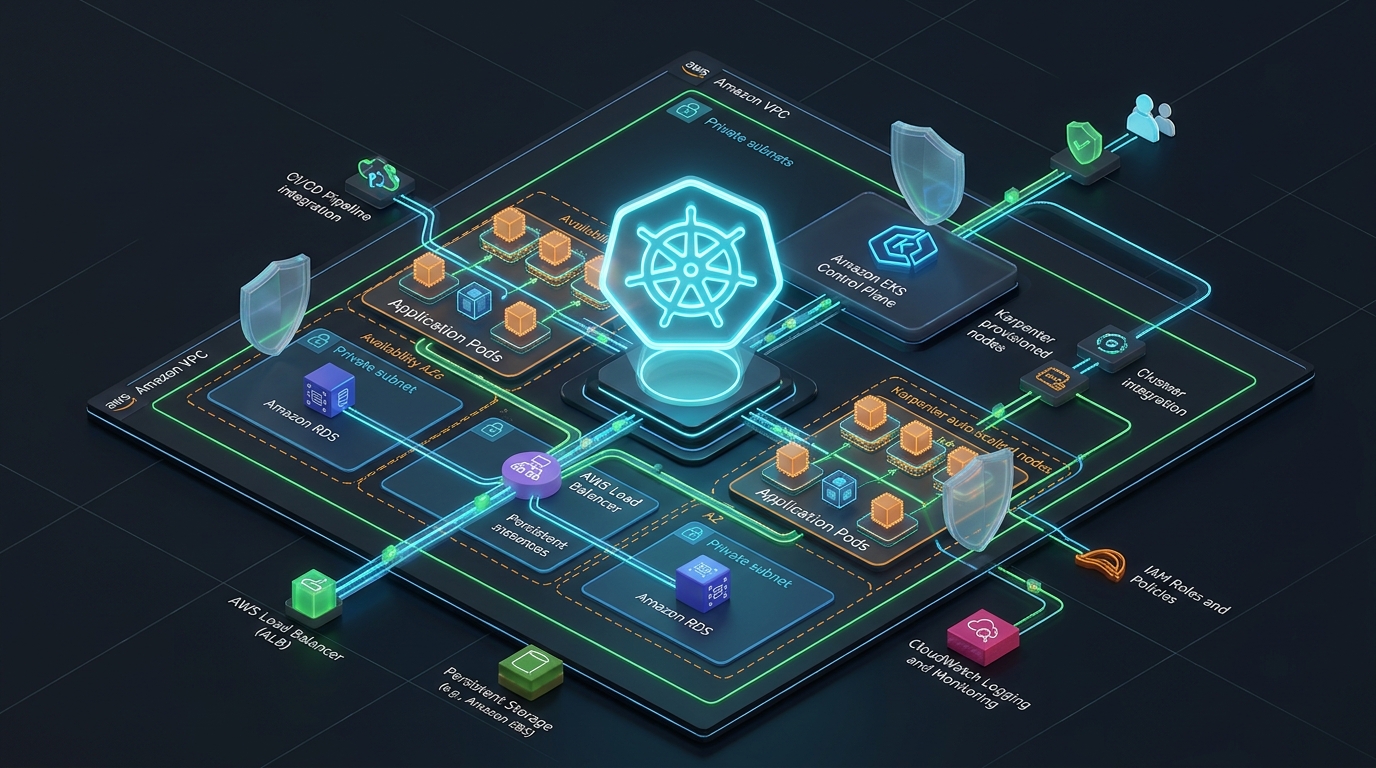
A resilient Kubernetes deployment starts at Layer 3 networking. Placing worker nodes or pods in public subnets is a critical security vulnerability. An enterprise AWS VPC architecture requires a dedicated 3-tier layout distributed across at least 3 Availability Zones:
- Tier 1 — Public Subnets (e.g.
/22): Contains Internet Gateways, NAT Gateways, and internet-facing Application Load Balancers. Strictly zero worker nodes or pods. - Tier 2 — Private App Subnets (e.g.
/19): Contains EKS worker nodes, Karpenter-provisioned EC2 instances, and internal microservice pods. Egress traffic routes through NAT Gateways. - Tier 3 — Isolated Data Subnets (e.g.
/22): Contains Amazon Aurora, RDS, and ElastiCache. Zero internet ingress or egress routes.
Unlike overlay networks (such as Calico or Flannel) which allocate virtual pod IPs from private CIDRs like 10.244.0.0/16, the default AWS VPC CNI assigns routable private IP addresses directly from your VPC subnets. If you deploy an EKS cluster in a standard /24 subnet (251 usable IPs), a sudden scaling event or Karpenter surge can exhaust all available IPs in minutes, blocking node initialization and pod scheduling.
To eliminate IP starvation, you must apply two configurations:
-
Enable VPC CNI Prefix Delegation: Set
ENABLE_PREFIX_DELEGATION=trueon theaws-nodedaemonset. Instead of allocating single IP addresses to secondary Elastic Network Interfaces (ENIs), AWS allocates contiguous/28IPv4 prefixes (16 IPs per prefix slot), dramatically multiplying pod density per EC2 node. -
Mandatory Kubernetes Subnet Tags: AWS Load Balancer Controller requires discovery tags to automatically place internal and external ALBs/NLBs into the correct subnets:
# Public Subnets (for internet-facing ALBs):
kubernetes.io/role/elb = "1"

# Private App Subnets (for internal ALBs & Karpenter discovery):
kubernetes.io/role/internal-elb = "1"
karpenter.sh/discovery = "production-eks-cluster"
For a complete deep-dive into CIDR allocation and calculating AWS-reserved IP addresses, review our guide on AWS VPC Subnetting & CIDR Architecture.
3. Control Plane Security & EKS Pod Identity
Securing the control plane and establishing fine-grained access control is the difference between an enterprise environment and a vulnerable sandbox.
A. Private API Server Endpoint Access
By default, AWS EKS provisions a public Kubernetes API endpoint. In production, configure the cluster with Endpoint Public Access: Enabled (restricted to trusted corporate CIDRs or VPNs) and Endpoint Private Access: Enabled. This ensures that node-to-master communication remains entirely contained inside AWS private network routes.
B. Secret Envelope Encryption with AWS KMS
Kubernetes Secrets stored in etcd are merely base64-encoded by default. AWS EKS provides native envelope encryption using AWS Key Management Service (KMS). Every Secret written to etcd is encrypted with an automated Customer Managed Key (CMK) before storage.
C. Modern IAM: EKS Pod Identity vs. Legacy IRSA
Historically, granting Kubernetes pods AWS IAM permissions required IAM Roles for Service Accounts (IRSA), which involved registering an IAM OIDC identity provider, managing intricate OIDC thumbprints, and crafting verbose trust policy conditions with oidc.eks.region.amazonaws.com/id/...:sub.
EKS Pod Identity replaces this overhead. Powered by an AWS-managed in-cluster daemon, EKS Pod Identity allows pods to assume IAM roles without OIDC federation:
# Assume role trust policy for EKS Pod Identity:
{
  "Version": "2012-10-17",
  "Statement": [
    {
      "Effect": "Allow",
      "Principal": {
        "Service": "pods.eks.amazonaws.com"
      },
      "Action": [
        "sts:AssumeRole",
        "sts:TagSession"
      ]
    }
  ]
}4. Modern Compute Architecture: Karpenter v1 vs. Managed Node Groups
Traditional Kubernetes deployments on AWS rely on Managed Node Groups (MNG) backed by AWS Auto Scaling Groups (ASGs) and the legacy Kubernetes Cluster Autoscaler. This model exhibits severe operational bottlenecks:
- Slow Scale-Out: ASGs require 3 to 6 minutes to evaluate ASG metrics, launch EC2 instances, execute user data scripts, and join the cluster.
- Rigid Sizing: If a pod requires 32GiB RAM but your ASG is pinned to
m5.large(8GiB), the pod remains stuck inPendingindefinitely. - Inefficient Bin-Packing: ASGs cannot dynamically consolidate underutilized nodes without manual engineering intervention.
Karpenter v1 completely redefines Kubernetes compute on AWS. Rather than interacting with ASGs, Karpenter speaks directly to the Amazon EC2 Fleet API:
When unscheduled pods enter the queue, Karpenter inspects their CPU/RAM requests, topology spread constraints, and node affinities. It calculates the mathematically optimal EC2 instance type (mixing On-Demand, Spot, AMD, and ARM Graviton) and provisions the machine in under 45 seconds. During low-traffic periods, Karpenter automatically evicts pods and consolidates workloads onto smaller, cheaper instances.
apiVersion: karpenter.sh/v1
kind: NodePool
metadata:
  name: general-workloads
spec:
  template:
    spec:
      nodeClassRef:
        group: karpenter.k8s.aws
        kind: EC2NodeClass
        name: default
      requirements:
        - key: "karpenter.k8s.aws/instance-category"
          operator: In
          values: ["c", "m", "r"]
        - key: "karpenter.k8s.aws/instance-generation"
          operator: Gt
          values: ["5"]
        - key: "karpenter.sh/capacity-type"
          operator: In
          values: ["spot", "on-demand"]
        - key: "kubernetes.io/arch"
          operator: In
          values: ["amd64", "arm64"]
  disruption:
    consolidationPolicy: WhenEmptyOrUnderutilized
    consolidateAfter: 1m
5. End-to-End Terraform / OpenTofu Production Blueprint
Declarative Infrastructure as Code (IaC) guarantees reproducible, auditable deployments. Below is the production Terraform configuration using the battle-tested terraform-aws-modules/eks/aws module:
# main.tf - Production AWS EKS Deployment
terraform {
  required_version = ">= 1.6.0"
  required_providers {
    aws = {
      source  = "hashicorp/aws"
      version = "~> 5.50"
    }
  }
}

module "vpc" {
  source  = "terraform-aws-modules/vpc/aws"
  version = "~> 5.8"

  name = "production-k8s-vpc"
  cidr = "10.0.0.0/16"

  azs             = ["us-east-1a", "us-east-1b", "us-east-1c"]
  private_subnets = ["10.0.32.0/19", "10.0.64.0/19", "10.0.96.0/19"]
  public_subnets  = ["10.0.0.0/22", "10.0.4.0/22", "10.0.8.0/22"]

  enable_nat_gateway     = true
  single_nat_gateway     = false # Multi-AZ NAT for high availability
  enable_dns_hostnames   = true
  enable_dns_support     = true

  public_subnet_tags = {
    "kubernetes.io/role/elb" = "1"
  }

  private_subnet_tags = {
    "kubernetes.io/role/internal-elb" = "1"
    "karpenter.sh/discovery"          = "production-k8s-cluster"
  }
}

module "eks" {
  source  = "terraform-aws-modules/eks/aws"
  version = "~> 20.10"

  cluster_name    = "production-k8s-cluster"
  cluster_version = "1.32"

  cluster_endpoint_public_access       = true
  cluster_endpoint_public_access_cidrs = ["203.0.113.0/24"] # Whitelist office CIDR
  cluster_endpoint_private_access      = true

  vpc_id     = module.vpc.vpc_id
  subnet_ids = module.vpc.private_subnets

  # Core EKS Addons
  cluster_addons = {
    coredns = {
      most_recent = true
    }
    kube-proxy = {
      most_recent = true
    }
    vpc-cni = {
      most_recent    = true
      before_compute = true
      configuration_values = jsonencode({
        env = {
          ENABLE_PREFIX_DELEGATION = "true"
          WARM_PREFIX_TARGET       = "1"
        }
      })
    }
    eks-pod-identity-agent = {
      most_recent = true
    }
  }

  # Minimal system node group to host Karpenter and CoreDNS
  eks_managed_node_groups = {
    system = {
      name           = "system-nodes"
      instance_types = ["m6i.large", "m7i.large"]
      min_size       = 2
      max_size       = 4
      desired_size   = 2

      labels = {
        role = "system"
      }

      taints = {
        CriticalAddonsOnly = {
          key    = "CriticalAddonsOnly"
          value  = "true"
          effect = "NO_SCHEDULE"
        }
      }
    }
  }
}
6. Day-2 Ingress & Declarative GitOps Integration
Once the control plane and nodes are healthy, production workloads require declarative traffic management and automated deployments:
A. AWS Load Balancer Controller (TargetGroupBinding)
Do not use the deprecated in-tree Kubernetes cloud provider service load balancers. Instead, install the AWS Load Balancer Controller. It reconciles standard Kubernetes Ingress resources into AWS Application Load Balancers (ALB) and Service type: LoadBalancer into Network Load Balancers (NLB).
Crucially, use IP Target Mode (alb.ingress.kubernetes.io/target-type: ip). In IP mode, the ALB routes HTTP traffic directly to pod IP addresses over the VPC network, eliminating the extra network hop, SNAT overhead, and port collisions caused by legacy NodePort routing.
B. GitOps with ArgoCD
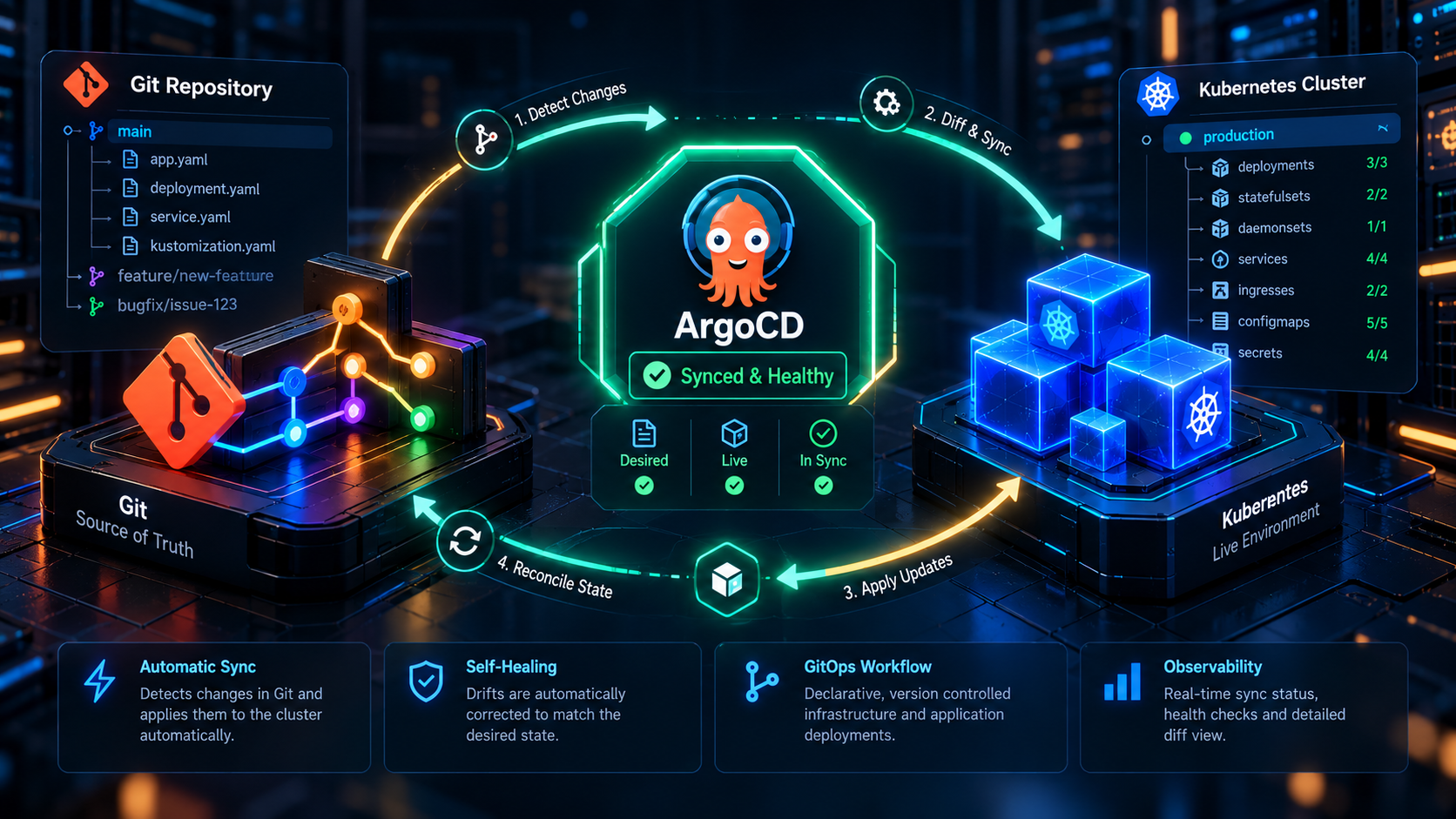
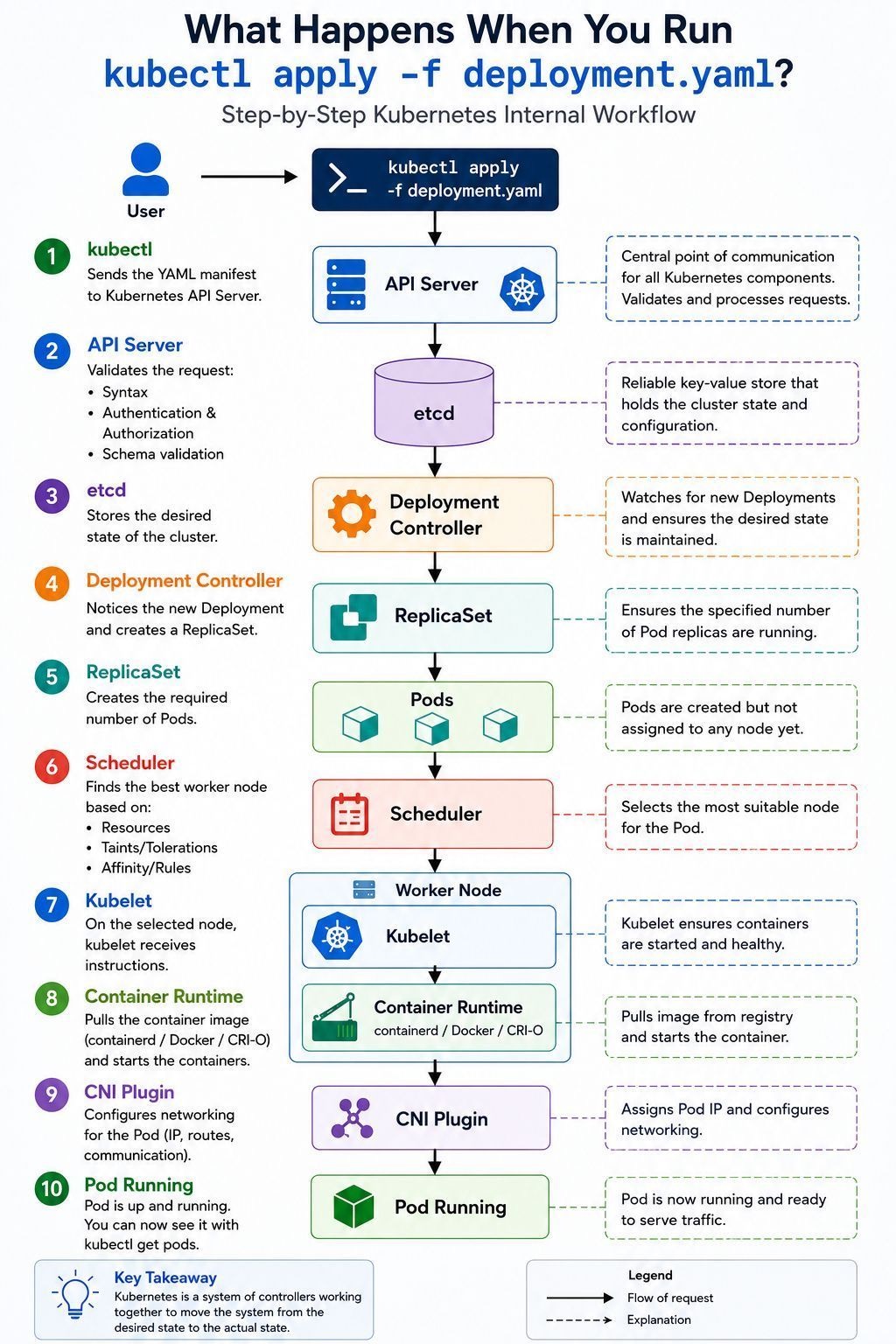
Never run kubectl apply directly from local developer machines. Deploy ArgoCD inside your cluster to continuously synchronize manifests from Git. For complete runbooks on setting up zero-drift GitOps pipelines, review our guide: GitOps with ArgoCD: Eliminating Configuration Drift.
7. Top 5 Production Pitfalls & How to Prevent Them
During real-world infrastructure audits and SRE on-call rotations, these five recurring configuration errors account for over 80% of cluster downtime:
Exposing the Kubernetes API server endpoint to the open internet exposes your cluster to credential stuffing, Zero-Day CVE probes, and DDoS attacks. Always restrict public access CIDRs or disable public access entirely and use an internal VPN or AWS Systems Manager (SSM) bastion.
When Karpenter consolidates nodes or AWS executes a rolling node AMI update, it drains existing nodes. If your applications lack a PodDisruptionBudget with minAvailable: 1 or maxUnavailable: 25%, node drain operations can evict all pod replicas simultaneously, triggering instantaneous user-facing 502/504 outages.
Storing AWS_ACCESS_KEY_ID and AWS_SECRET_ACCESS_KEY inside Kubernetes Secrets or ConfigMaps violates cloud security baselines. Always bind IAM roles dynamically using EKS Pod Identity or AWS Secrets Manager with external secrets operators.
By default, the Kubernetes scheduler does not guarantee that your pod replicas are evenly split across AWS Availability Zones. If an entire AZ experiences a power outage or hardware degradation and all your replicas were co-located on nodes in that AZ, your service goes down. Always enforce topologySpreadConstraints matching topology.kubernetes.io/zone with maxSkew: 1.
Routing egress traffic from all 3 private AZs through a single NAT Gateway creates both a single point of failure and cross-AZ data transfer fees ($0.01 per GB in each direction). For mission-critical clusters, allocate one NAT Gateway per public AZ.
For real-world on-call scenarios covering these exact failure modes in high-pressure interviews, practice with our Zero-Downtime Amazon EKS Minor Version Upgrade Scenario on the AWS Interview Handbook.
8. Frequently Asked Questions (FAQ)
ENABLE_PREFIX_DELEGATION=true) to assign /28 IP blocks (16 IPs) per ENI slot, and (2) Attach secondary non-routable CIDR blocks (e.g. 100.64.0.0/10 CGNAT) reserved strictly for pod interfaces.
Key Architecture Takeaways
- Use Managed EKS: Avoid the operational burden of managing etcd quorum on EC2; leverage the 99.95% AWS SLA.
- Isolate Networks: Deploy nodes and pods into private subnets; configure private-only or CIDR-restricted API access.
- Modernize Compute with Karpenter: Replace static Auto Scaling Groups with dynamic, multi-architecture Karpenter NodePools.
- Adopt EKS Pod Identity: Migrate away from legacy OIDC IRSA configurations for simplified, high-performance IAM credential federation.
- Enforce Topology Spreads & PDBs: Protect production applications against single-AZ blips and disruptive node consolidation events.