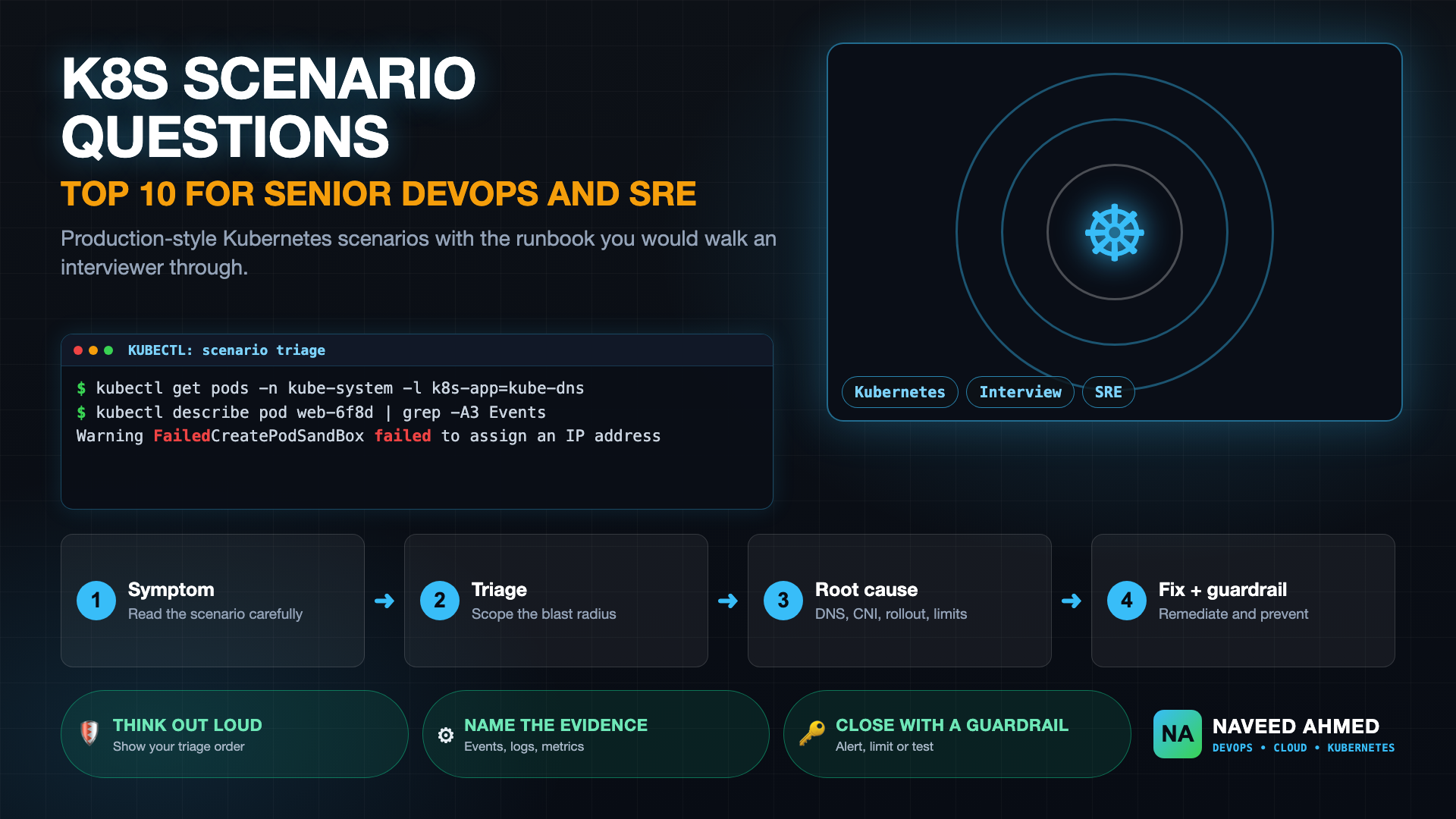
Kubernetes scenario interview questions test how you reason during a failure, not what you have memorized. These ten scenarios come with the diagnostic runbook you would walk an interviewer through, from CoreDNS latency to rolling-upgrade errors and CNI limits.
In 2026, technical interview panels at leading tech companies and cloud consultancies have largely abandoned memorization questions. Nobody asks "What is a DaemonSet?" anymore.
Instead, candidates are placed directly into simulated production fire drills: silent packet loss, control plane etcd latency, DNS starvation during auto-scaling events, and multi-tenant resource starvation.
Prefer audio-visual learning? Follow along with this comprehensive 2026 video guide covering the exact STAR answering framework, CLI diagnostic commands, and mental models for these 10 production scenarios.
The Incident: During a scheduled marketing campaign, your microservices start reporting intermittent 503 Service Unavailable and i/o timeout errors when connecting to internal services. Pod CPU is normal, but cluster-wide DNS response times jumped from 2ms to 3.5 seconds.
Get battle-tested production runbooks, AWS architecture blueprints, and zero-downtime CI/CD post-mortems sent directly to your inbox. 100% free, no spam.
Diagnostic Runbook:
# 1. Check CoreDNS replica count and CPU/Memory utilization
kubectl get deployment coredns -n kube-system -o wide
kubectl top pods -n kube-system -l k8s-app=kube-dns

# 2. Check CoreDNS metrics for drop rate & latency
kubectl logs -n kube-system -l k8s-app=kube-dns --tail=50 | grep -i "timeout\| SERVFAIL"

# 3. Inspect ndots setting in pod resolv.conf
kubectl exec -it <app-pod> -- cat /etc/resolv.conf
60-Second Elevator Pitch:
"By default, Kubernetes injects ndots:5 into container /etc/resolv.conf. When an application queries an external domain like api.stripe.com (which has only 2 dots), the resolver traverses 5 internal search domains (e.g. api.stripe.com.default.svc.cluster.local) before making the public query. This generates 4x unnecessary queries per external lookup. Under surge traffic, CoreDNS saturates single-thread CPU or runs out of conntrack table entries on the hosting nodes. We resolve this by deploying NodeLocal DNSCache as a DaemonSet to handle local lookups, setting ndots:2 on pods that frequently query external APIs, and auto-scaling CoreDNS replicas based on cluster size."
The Incident: While performing a rolling upgrade of your Amazon EKS managed node group from v1.29 to v1.30, your ingress controller generates thousands of 502 Bad Gateway errors. All deployments have replicas: 5 and maxUnavailable: 25%.
Diagnostic Runbook:
# 1. Inspect Pod Disruption Budgets (PDB)
kubectl get pdb -A

# 2. Check pod termination grace period and preStop lifecycle hooks
kubectl get deployment <app> -o yaml | grep -A 8 lifecycle

# 3. Check endpoint slice sync timing
kubectl get endpointslices -l kubernetes.io/service-name=<app-service>
60-Second Elevator Pitch:
"When a node is cordoned and drained, the kubelet simultaneously sends SIGTERM to the container and notifies the control plane to remove the pod from Endpoints. However, iptables and IPVS rules on other nodes take 2–5 seconds to synchronize. If the container shuts down immediately upon receiving SIGTERM, incoming in-flight traffic is routed to a terminating container, causing 502s. We achieve zero downtime by adding a preStop sleep hook (e.g. sleep 5) to allow iptables propagation before the process exits, and ensuring proper readinessProbe and terminationGracePeriodSeconds are configured."
The Incident: An HPA scaling event triggers creation of 40 new pods, but they remain permanently stuck in ContainerCreating. Describing the pod shows: FailedCreatePodSandBox: failed to assign an IP address to container.
Diagnostic Runbook:
# 1. Check IP addresses available in the worker subnet
aws ec2 describe-subnets --subnet-ids <subnet-id> \
  --query "Subnets[0].AvailableIpAddressCount"

# 2. Check aws-node daemonset logs for ENI allocation
kubectl logs -n kube-system -l k8s-app=aws-node -c aws-node --tail=40

# 3. Check WARM_IP_TARGET environment variable
kubectl get daemonset aws-node -n kube-system -o yaml | grep -A 2 WARM_IP_TARGET
60-Second Elevator Pitch:
"The AWS VPC CNI allocates secondary private IPv4 addresses from the node's subnet directly to each pod. By default, it pre-allocates warm ENIs and IPs per node. In dense clusters with smaller CIDR blocks (/24 or /23), subnets quickly exhaust available IPs. We mitigate this by enabling prefix delegation (ENABLE_PREFIX_DELEGATION=true) which allocates /28 IPv4 blocks per network interface slot, increasing pod density per node while reducing IP churn, and configuring secondary VPC CIDR blocks dedicated exclusively to pod networking."
How to Answer Scenario Questions Under Pressure
Interviewers use scenarios to see your process. A strong answer follows the same order every time: restate the symptom, ask what changed recently, scope the blast radius, form a hypothesis, verify it with one command, then fix and prevent. Say your reasoning out loud, because a calm structure matters more than guessing the right cause immediately.
Name the evidence you would collect before acting: events, previous container logs, node conditions and metrics. Prefer reversible actions first, such as rolling back a recent change, and explain why. Finish by naming the guardrail that stops the problem returning, for example an alert, a resource limit or a pre-deploy test.
For a framework you can reuse in any round, read Kubernetes interview prep guide. To rehearse the commands, try the kubectl practice game, and for the failure modes behind these scenarios see the Kubernetes runbook.
How to Prepare Effectively for Senior Kubernetes Interviews
- Practice Active Recall: Don't just read answers. Switch into Practice Mode on the Interview Hub to test your diagnostic instincts before revealing the runbook.
- Simulate Failures Locally: Use our Kubernetes Mastery Path to run real failure scenarios inside a Minikube cluster.
- Structure Every Answer: Use the SRE formula: Symptom → Diagnostic CLI Commands → Root Cause → Immediate Mitigation → Architectural Prevention.
Kubernetes Scenario Interview Questions: Key Takeaways
This guide to kubernetes scenario interview questions covers the sections below, so you can jump straight to the part you need.
- Watch the Live Breakdown: Top 10 K8s Interview Questions
- The 970+ Incident Handbook & K8s Runbooks are exclusive to subscribers — unlock for FREE
- What are Kubernetes scenario interview questions?
- How should I answer a Kubernetes scenario question?
- Which Kubernetes scenarios are asked most often?
- What commands should I run first in a live scenario?
- How can I practice Kubernetes scenario questions?
Frequently Asked Questions
What are Kubernetes scenario interview questions?
They describe a realistic production problem, such as intermittent 503 errors or pods stuck in ContainerCreating, and ask how you would diagnose and fix it. They test troubleshooting order and judgment more than recall.
How should I answer a Kubernetes scenario question?
Restate the symptom, scope the impact, check what changed, form a hypothesis, verify it with a command, then fix and add a guardrail. Narrate your reasoning so the interviewer can follow it.
Which Kubernetes scenarios are asked most often?
DNS latency, intermittent 5xx errors during rollouts, pods stuck in Pending or ContainerCreating, CrashLoopBackOff and node pressure are common. See Kubernetes CrashLoopBackOff for one of the most frequent.
What commands should I run first in a live scenario?
Start with kubectl get and describe on the failing resource, then logs with the --previous flag and recent events. They give you the status, the reason and the history in under a minute.
How can I practice Kubernetes scenario questions?
Work through scenarios out loud on a real cluster, time yourself, and review each miss. The kubectl practice game and the Kubernetes learning path give structured practice.